
Fanvil A320i Video Phone

Frequently Asked Questions

First, check that the network cable is securely connected and that the phone has obtained an IP address (go to Settings > Network > Ethernet to verify). Then confirm that the SIP credentials (account, domain, server address, and port) are entered correctly under Account settings. If the server requires a specific transport protocol (UDP/TCP/TLS), ensure that matches. If the issue persists, a Toronto-based VoIP support provider can usually resolve this remotely.
Remove any screen protector if one is applied and clean the screen with a soft, dry cloth to remove oil or debris. Go to Settings > Display > Touch Calibration and run the calibration tool, following the on-screen prompts. If the screen remains unresponsive, power cycle the phone by unplugging and replugging the power or PoE. If the problem continues, contact support before attempting any hardware disassembly.
Start by checking the Ethernet cable—try a different cable and a different switch port to rule out a physical fault. Verify that the phone's IP address is obtained via DHCP and that your router's lease timeout is not set too short (a lease of at least 24 hours is recommended). On the phone, navigate to Settings > Network > Advanced and disable any energy-efficient Ethernet (EEE) settings if available, as they can cause link drops with some switches.
Confirm that you are on a stable network connection—try a wired connection instead of Wi-Fi if using wireless. Check your bandwidth: ensure no other device on the network is streaming high-definition video simultaneously. On the phone, go to Settings > Audio and reduce the codec priority or switch to a lower bandwidth codec like G.711 or G.729, which may improve clarity over a congested link. If the audio issues persist only with certain callers, the problem may be on their network.
First, slide the privacy shutter to open the camera lens. Go to Settings > Camera on the phone and ensure the camera is enabled. During a video call, the phone should automatically use the camera, but you can toggle video on/off from the call screen. If the other party cannot see you, verify that your SIP account supports video calling (some providers disable it by default).
Yes, the A320i supports PoE (Power over Ethernet), so you can power it through the network cable if your switch provides PoE compliance (802.3af or 802.3at). No dedicated power adapter is needed when using PoE. If the phone does not power on with PoE, try a known-working PoE port or use the included power supply to isolate the issue.
This means the phone cannot register with your SIP provider. Start by checking the SIP server address and port under Account settings—a typo here is common. Then verify that your network allows outbound SIP traffic (often UDP 5060) and that no firewall is blocking it. If you are using a VPN, try disabling it temporarily to see if registration succeeds. If the problem continues, contact your SIP provider to confirm your account is active and credentials are correct.
Press the 'DSS' icon on the touchscreen or go to the phone's web interface under 'DSS Keys' (the browser-based setup is usually easiest). Select an unassigned key, choose the function (e.g., Speed Dial), and enter the extension or phone number. Save the settings and the key will be available on the main screen. For complex configurations, you can also import a text-based XML file via the phone's provisioning menu.
Try a soft reboot by pressing and holding the power button (if accessible) or simply unplugging the phone from power for 10 seconds and plugging it back in. If the phone has a physical reset button, do not use it unless you are certain you have a backup of your settings—resetting may erase configuration. If the freeze happens often, check for firmware updates on the manufacturer's website under the A320i support page.
The A320i does not have a dedicated RJ9 headset jack, but you can use a USB headset via the USB Type A port on the back of the phone. Check the phone's Settings > Audio > Headset to select the audio device once connected. For wireless options, use a Bluetooth headset paired through the phone's Bluetooth settings (BT5.0 is supported).
IP Phones

Fanvil A320i Video Phone
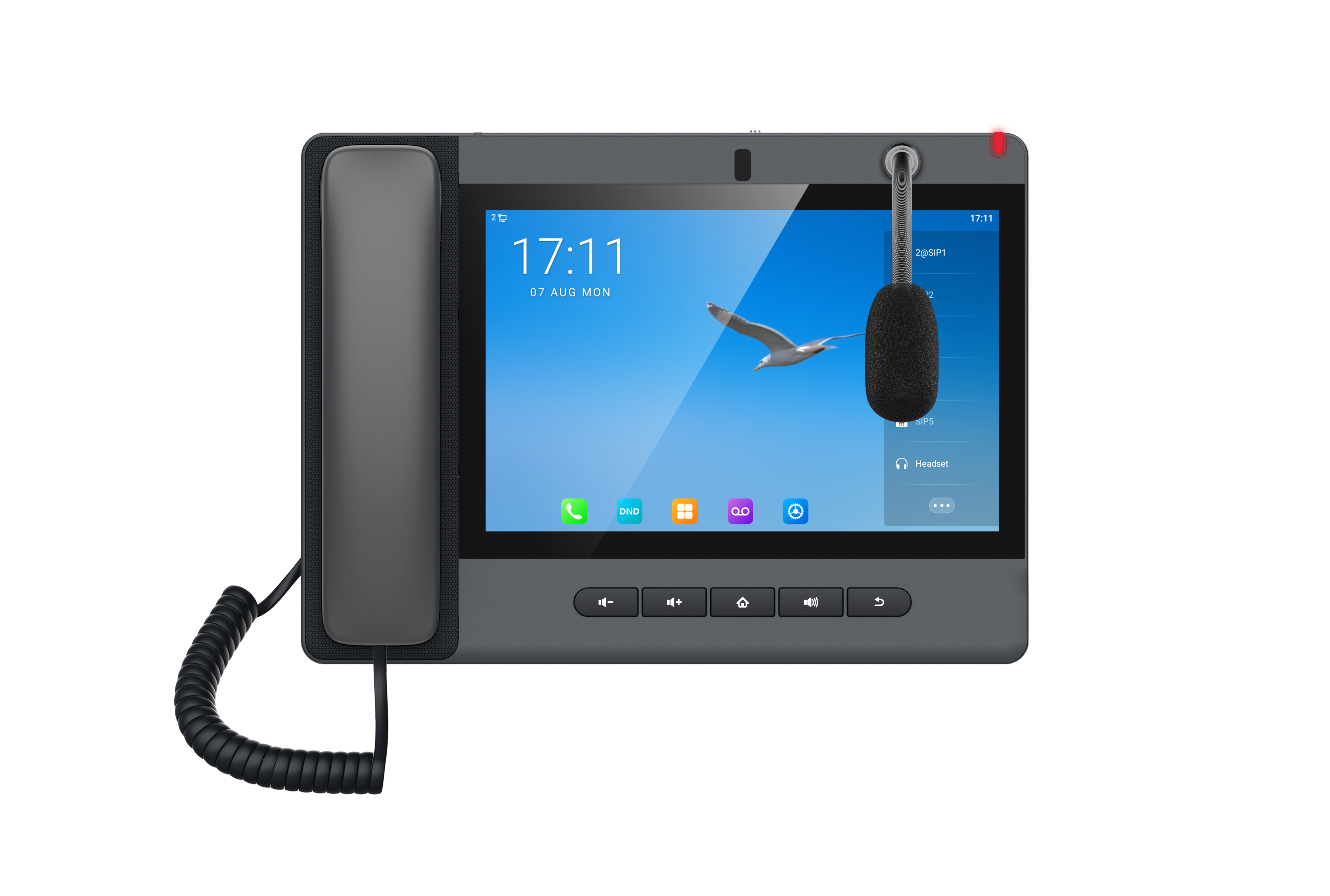
• 10-inch color touch screen for intuitive management and dispatching • Powerful Android System for enhanced performance • Fanvil broadcasting System for flexible deployment options • Key features: • Screen: 10.1-inch 1280 x 800 Color Touch Screen • Operating System: Android 9.0 • SIP Lines: 20 • Camera: 8 Mega pixels, adjustable angle with privacy shutter • DSS keys: 112 softkeys • HD Audio: HD Audio with G.722 Opus, Full-duplex Acoustic Echo Canceller (AEC), Noise Reduction technologies • Conference: 10-party audio conference, 3-party video conference • Video Decoding: H.264 • Network: 10/100/1000 Mbps • WiFi/Bluetooth: WiFi 2.4GHz&5GHz、BT5.0 • USB Interface: USB Type A x 1 • Power Supply: PSU / PoE • Color: Grey • Installation: Desktop For a full list of specifications, please refer to the product datasheet available for download.

About This Product

The Fanvil A320i is a video phone designed for users who need more than just voice calls—it is a central communication hub for reception areas, security desks, or building entry points where managing calls, monitoring video, and coordinating with a team are essential. Its 10-inch touchscreen and Android operating system make it feel intuitive, similar to a tablet, while the adjustable camera with a privacy shutter adds a layer of security and flexibility for addressing visitors or participants. This device fits well in a front office or small dispatch environment where the user handles multiple lines, intercom calls, or video conferences; it can also replace a standard reception phone and a separate video entry system in a compact setup. However, its large screen and desktop orientation mean it is not ideal for a busy factory floor or a wall-mounted corridor, and the cost reflects its specialization—for a typical individual extension in a cubicle, a simpler voice-only phone would be overkill. In a Canadian business context, the Fanvil A320i integrates with common SIP-based PBX systems and supports PoE, making it straightforward to deploy in offices across the GTA without requiring extra power outlets at the desk.
Services We Provide
  • Professional Installation & Configuration
  • Ongoing Maintenance & Support
  • Troubleshooting & Repairs
  • System Upgrades & Updates



