
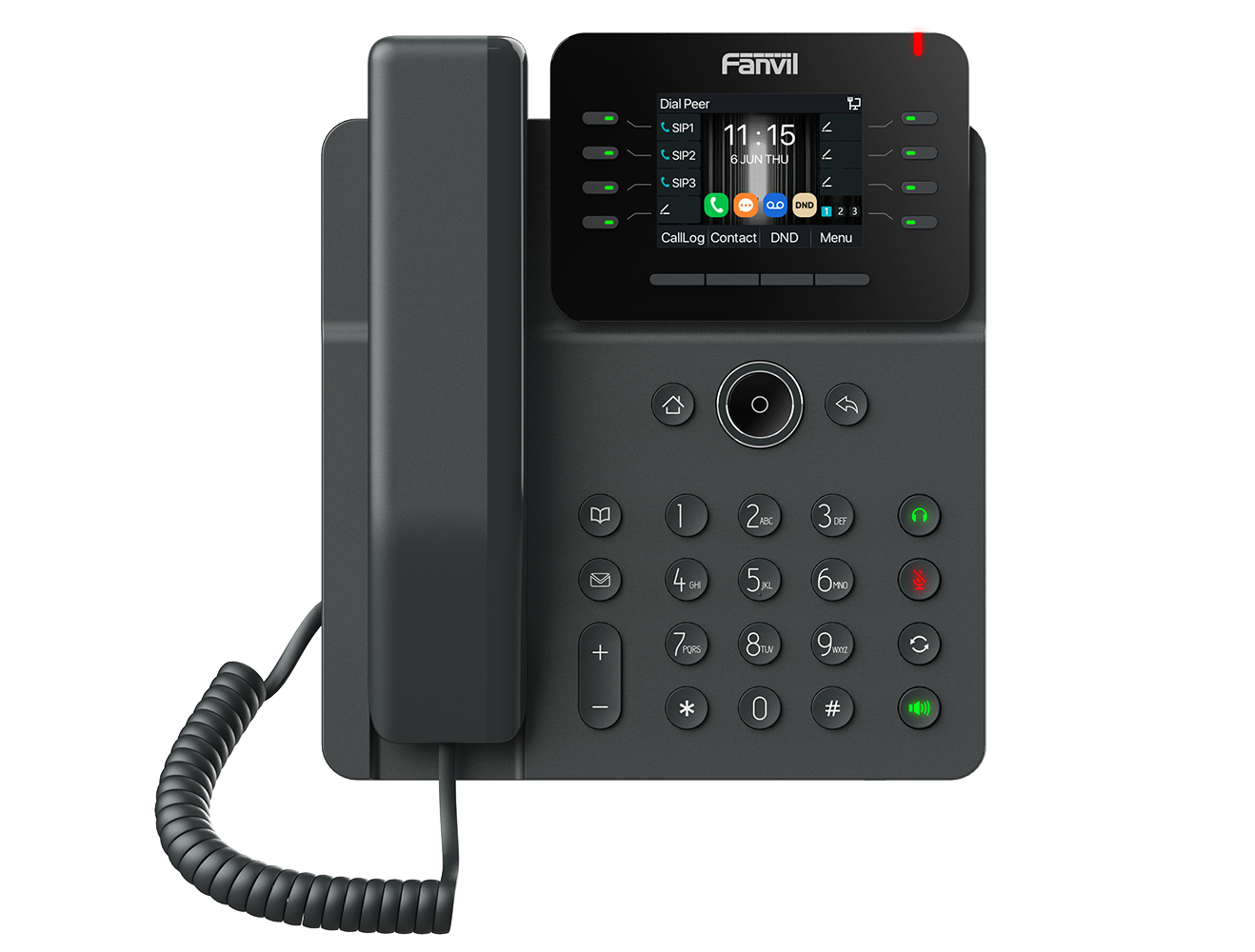
Fanvil V62W PoE IP Phone with built-in WiFi
Frequently Asked Questions
First, verify that the SIP server address, username, and password entered in the phone's account settings are exactly correct—a single typo will prevent registration. Next, confirm that your network allows outbound SIP traffic on the required ports (typically 5060 UDP/TCP). If the issue persists, a Toronto-based VoIP support provider can usually resolve this remotely.
If you're using Power over Ethernet (PoE), ensure your switch or injector is PoE-compliant and that the Ethernet cable is securely connected at both ends. If using the optional power adapter, verify it's plugged into a working outlet and the phone. A quick test with a different cable or port can isolate the problem.
Press the Menu button, navigate to Network > Wi-Fi, and enable Wi-Fi. The phone will scan for available networks; select your SSID and enter the password. For best performance, use the 5 GHz band if your network supports it, as it's less congested than 2.4 GHz in most office environments.
Start by checking your network connection: if using Wi-Fi, move the phone closer to the access point or switch to a wired Ethernet connection temporarily to see if the issue improves. Also, ensure no other devices on your network are consuming excessive bandwidth (e.g., large downloads or video streams). If the problem continues, contact your VoIP provider to check for packet loss or jitter on your line.
Yes, the V62W supports EHS (Electronic Hookswitch) for compatible wireless headsets, allowing you to answer and end calls from the headset. Pair your Bluetooth headset via the phone's Bluetooth settings, or connect a DECT headset using the EHS cable if supported by your headset model.
Try a safe power cycle: unplug the Ethernet cable (or power adapter) for 30 seconds, then reconnect. This often clears temporary glitches without affecting your settings. If the screen remains frozen, contact your IT administrator or VoIP support before attempting a factory reset, as that will erase all configurations.
During an active call, press the Conference button (or the Conf soft key). Dial the next participant's number and wait for them to answer, then press Conference again to merge the calls. Repeat to add up to six participants. Ensure your VoIP provider supports multi-party conferencing, as some plans may limit the number of concurrent calls.
Check that the phone's Wi-Fi settings are configured to use a static IP address if your network requires it, or ensure DHCP is working properly. Also, verify that the phone is within range of your access point and that there are no physical obstructions. If the problem persists, try forgetting the network and reconnecting, or update the phone's firmware if a newer version is available.
Yes, the V62W supports auto-provisioning via a provisioning server (HTTP/HTTPS/TFTP). You'll need to configure the server URL in the phone's network settings or via a DHCP option. Many Canadian VoIP providers offer provisioning templates for Fanvil phones, which can simplify deployment across multiple desks.
First, ensure the phone's volume is turned up and that the speaker grille isn't blocked by dust or a sticker. If using a desk stand, check that the phone is on a flat, hard surface—soft surfaces can absorb sound. If the issue persists, test with a wired headset to rule out a hardware fault, and contact support if needed.
IP Phones
Fanvil V62W PoE IP Phone with built-in WiFi
Fanvil V62W is a stylish and user-friendly business IP phone, featuring a 2.8-inch high-definition color screen that supports 12 SIP lines and allows for a 6-way audio conference. This device offers rich features including: • HD audio • Dual Gigabit ports • Built-in 2.4G/5G Wi-Fi (Wi-Fi 6) and Bluetooth 5.4 Key specifications include: • 2.8" Color Screen • 12 SIP Lines • 6-way Audio Conference • Wall Mountable • Supports EHS Wireless Headsets • G.722, Opus, G.723.1, G7.26 codecs For a full list of specifications, please refer to the product datasheet.
About This Product
The Fanvil V62W is a mid-range business IP phone designed for professionals who need reliable desk phone functionality without the bulk or cost of a top-tier executive model. Its built-in Wi-Fi 6 and Bluetooth 5.4 make it a strong fit for open-plan offices, hot-desking environments, or any workspace where running Ethernet cable to every desk is impractical. The 2.8-inch color screen and 12 SIP line support suit receptionists, managers, or power users who handle multiple calls and need quick access to line status. While the V62W pairs well with most SIP-based PBX systems and Canadian VoIP carriers, its wireless capabilities introduce a trade-off: Wi-Fi can be less stable than a wired connection, especially in dense office environments with many competing signals. For a user who demands absolute call reliability or works in a high-interference setting, a wired PoE phone may be a safer choice. Conversely, this phone is overkill for a single-line user who only needs basic call handling, and it may be underpowered for a contact center agent who requires advanced headset integration or a larger display for CRM integration.
Services We Provide
- Professional Installation & Configuration
- Ongoing Maintenance & Support
- Troubleshooting & Repairs
- System Upgrades & Updates



