
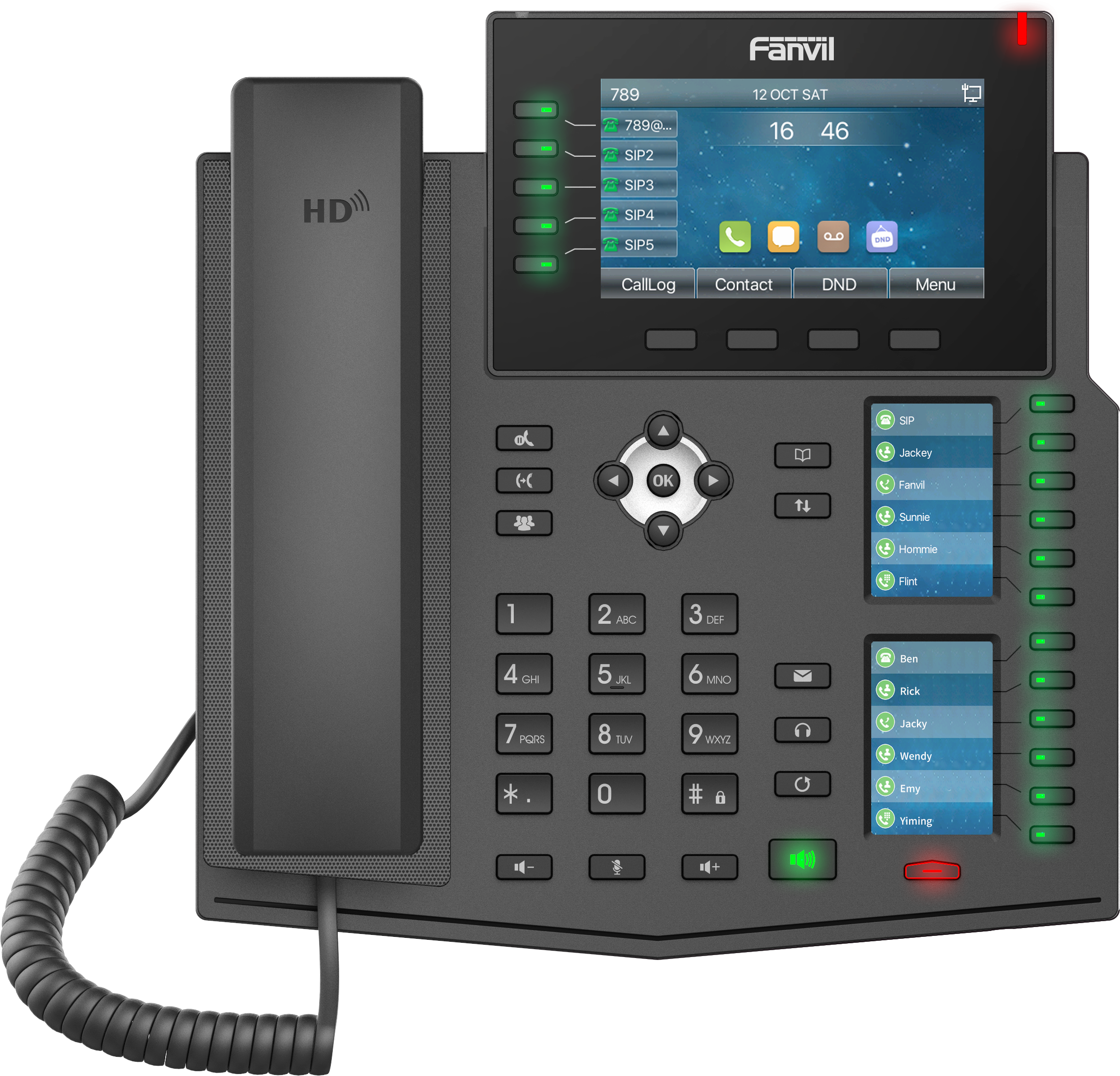
Fanvil X6U-V2 Executive level IP Phone
Frequently Asked Questions
Start by verifying that the phone has a stable network connection—check the Ethernet cable and the PoE or power adapter. Then, log into the phone's web interface and confirm that the SIP server address, account credentials, and transport protocol (UDP/TCP/TLS) match your provider's settings. If the issue persists, a Toronto-based VoIP support provider can usually resolve this remotely.
First, check if the handset cord is fully plugged in and the volume is turned up using the handset volume keys. If using a headset, ensure it's properly connected and selected as the active audio device. You can also test the speaker by pressing the speaker button and listening for a dial tone. If audio is still missing, verify that your network supports the codecs configured on the phone.
Make sure the Ethernet cable is connected to a PoE-enabled switch port or injector. Try a different port or cable to rule out hardware issues. If the phone still doesn't power on, connect the included power adapter (if available) to confirm whether the issue is with the PoE source or the phone itself.
Put your Bluetooth headset into pairing mode, then on the phone go to Settings > Bluetooth > Add Device. The phone will scan for nearby devices—select your headset from the list and confirm the pairing code if prompted. If the headset doesn't appear, ensure it's not already connected to another device and is within range.
The side display shows DSS keys only after they are configured. Log into the phone's web interface, go to the DSS Keys section, and assign functions (like line, speed dial, or BLF) to the keys you want. Once saved and applied, the side display should update. If it still appears blank, try a power cycle.
Yes, the Fanvil X6U-V2 supports EHS (Electronic Hook Switch) for DECT wireless headsets. You'll need an EHS cable compatible with your headset model. Connect the cable to the phone's headset port and configure the headset type in the phone's settings under Audio > Headset.
Log into the phone's web interface and navigate to Account > SIP. You can add up to 20 accounts by entering the credentials, server, and other parameters for each line. After saving, assign each account to a line key under DSS Keys. For detailed steps, refer to the user manual or contact your VoIP provider.
First, ensure your network has sufficient bandwidth and low latency for VoIP. A wired connection is preferred over WiFi. Check for packet loss by pinging the SIP server from the phone's network diagnostics menu. If the issue persists, verify that QoS settings are enabled on your router to prioritize voice traffic.
Yes, the Fanvil X6U-V2 supports E911 when properly provisioned with your VoIP provider. You must register your physical address with the provider and configure the phone to send location information during emergency calls. Contact your provider for specific setup instructions to ensure compliance in Canada.
Download the correct firmware file from the Fanvil support website. Then, log into the phone's web interface, go to Upgrade > Firmware, and upload the file. Ensure the phone remains powered and connected during the process. Do not interrupt the update. If it fails, confirm the firmware version matches your hardware revision and try again, or contact support for assistance.
IP Phones
Fanvil X6U-V2 Executive level IP Phone
• 20-line high-end IP phone with a unique design • Built-in Bluetooth and dual Gigabit ports for seamless connectivity • Three color screens for convenience when using DSS keys Key Features: • HD audio with Harman speaker and wideband codec • 3.5-inch 480x320-pixel color display • 2.4-inch 320x240-pixel color side display • 30 DSS keys, 4 line keys with LED light • Dual Gigabit port, PoE integrated • Support built-in Bluetooth and EHS wireless headset • Support WiFi via WiFi dongle • Support IPv4, IPv6 protocol
About This Product
The Fanvil X6U-V2 is a high-end executive IP phone designed for professionals who manage a high volume of calls or need quick access to multiple lines and extensions. With three color screens—a main 3.5-inch display and a side 2.4-inch panel—and 30 DSS keys, it suits busy environments like reception desks, sales floors, or executive offices where visibility and speed are critical. The built-in Bluetooth and dual Gigabit ports make it a strong fit for modern VoIP setups, and PoE support simplifies cabling in dense office deployments. It pairs well with hosted PBX services or on-premise systems, and its HD audio with Harman speaker ensures clear conversations even in noisy spaces. However, while it offers excellent line capacity and key flexibility, it may be overkill for a single-line user or a small home office, and its WiFi capability requires an optional dongle rather than being built-in. For Canadian businesses, particularly in the GTA, this phone is compatible with major SIP providers like Rogers Business, Telus, and Bell, and its price point makes it a cost-effective choice for an executive-tier device without the video features of pricier models.
Services We Provide
- Professional Installation & Configuration
- Ongoing Maintenance & Support
- Troubleshooting & Repairs
- System Upgrades & Updates



