
Grandstream DP750 DECT VoIP Base Station

Frequently Asked Questions

First, log into the DP750’s web interface and double‑check the SIP server address, proxy, and account credentials your provider supplied. Confirm the base has a valid IP address and can reach the internet (try pinging a public server from a PC on the same network). Also review your firewall or router’s settings—make sure SIP port 5060 and the RTP audio ports are open and that no aggressive SIP ALG is interfering. If the issue persists, a Toronto‑based VoIP support provider can usually resolve this remotely.
Verify that your network switch or PoE injector is actually providing power on that port—try a known‑good device or a different port. If you’re using the DC power adapter instead, check that the barrel connector is snug and the outlet is live. A simple power cycle (unplug power for 10 seconds, then reconnect) often clears start‑up glitches.
Start by testing with a wired connection directly to your router to eliminate local Wi‑Fi or switch issues. Check your router’s Quality of Service (QoS) settings and prioritize traffic from the base station. Disabling SIP ALG is a widely‑recommended first step if it’s enabled, as it can garble packet headers.
Move closer to the base station to confirm the handset reconnects; if it does, the original spot may now have interference. Look for new electronic devices—especially Wi‑Fi access points, microwaves, or Bluetooth equipment—near the handset or the base. Power cycling both the handset and the base station can re‑establish a clean radio link.
Disconnect and reconnect the power source to hard‑reboot the DP750. If the web interface comes back, re‑attempt the upgrade manually using the file upload option and a stable browser session—avoid any network interruptions during the process. Should it remain unresponsive, contact your support team before doing a factory reset. A Toronto‑based VoIP support provider can often assist with safe recovery.
Log into the DP750’s web interface and locate the ring group or call‑handling settings. Confirm that the ring mode is set to a group mode like Parallel or Linear, and that each handset you want to ring is a member of that group. A simple misconfiguration here—like accidentally selecting a single‑handset ring—is often the cause.
Connect the DP750 to the same local network as your UCM. In the UCM’s web interface, navigate to Zero Config → Discovered Devices; the base should appear within a minute. Assign an extension and handset template to it, save the configuration, and push it. The base will download its settings automatically and register with the PBX.
Yes, a DC power input is built in. Use the supplied power adapter or an equivalent that meets Grandstream’s voltage and current requirements, and plug it into a standard 120 V outlet. You don’t need PoE when using the adapter—and you shouldn’t connect both simultaneously unless the hardware explicitly supports it.
In the DP750’s web interface, go to Call Features → Ring Groups and create a new group. Add the SIP accounts or extensions that correspond to the handsets, then choose ‘Circular’ as the ring mode. Assign this group to the relevant incoming call route. Test with an outside call to see that each new call rings the next handset in order.
Absolutely. The DP750 speaks standard SIP and supports common codecs, so it’s compatible with practically any Canadian VoIP service. Just enter the provider’s server address, proxy, and your account credentials. You may need to tweak DTMF transport or codec preference if the provider’s recommended setup differs from the defaults—usual adjustments take only a minute.
IP Phones

Grandstream DP750 DECT VoIP Base Station
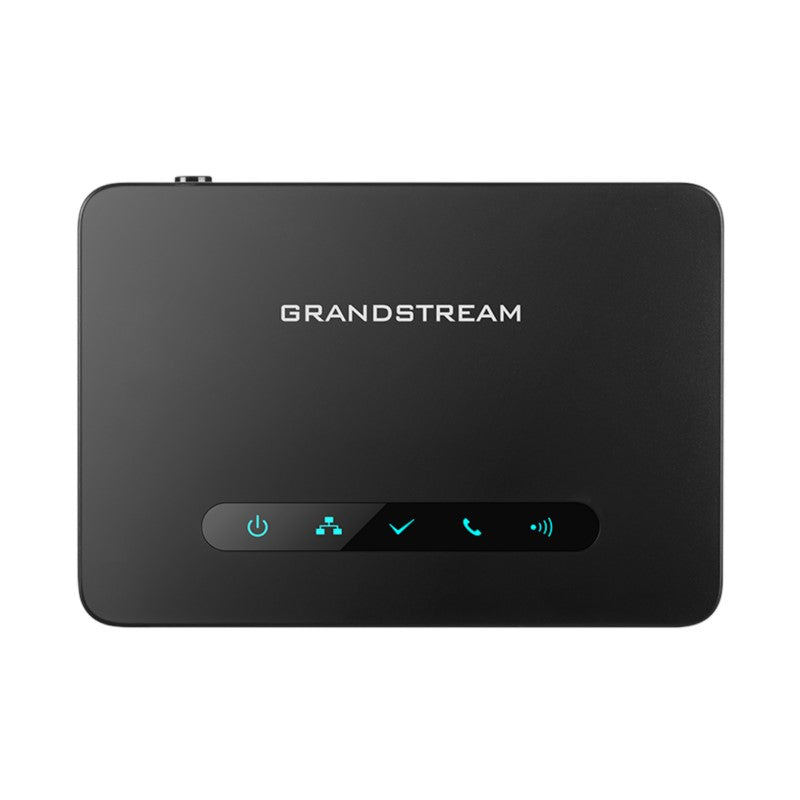
* The DP750 is a powerful DECT VoIP base station that pairs with up to 5 Grandstream's DP720 DECT handsets to offer mobility to business and residential users. * Supports a range of 300 meters outdoors and 50 meters indoors for efficient flexibility. * Offers seamless unified features with shared SIP accounts on all handsets, allowing real-time answers regardless of location. * Supports up to 10 SIP accounts and 5 concurrent calls while offering 3-way voice conferencing, full HD audio, and integrated PoE. * Features advanced security measures including TLS/SRTP/HTTPS encryption. * Offers multiple ring group options, including Circular, Linear, Parallel, and Shared modes. **Key Features:** * Up to 10 SIP accounts per system * Supports a range of up to 300 meters outdoors and 50 meters indoors * 3-way voice conferencing with full HD audio and integrated PoE * Automated provisioning options including TR-069 and XML config files * TLS and SRTP security encryption technology * Compatible with Grandstream's UCM series of IP PBXs for Zero Config provisioning * Offers multiple ring group options **Product Information:** * Weight: 1 lbs * Dimensions: 8 × 6 × 3 in * Brand: Grandstream * Phone Type: DECT

About This Product

The Grandstream DP750 is a DECT VoIP base station aimed squarely at small offices, retail counters, and professional practices where staff need cordless mobility without abandoning their business phone extension. It works with Grandstream DP720 handsets (up to five), creating a system where all phones share the same SIP accounts and ring possibilities—useful when employees move between a front desk, back office, or stockroom.

Its range of about 50 metres indoors covers a typical single-floor space, such as a Toronto clinic or mid-sized GTA office, without repeaters. The base integrates easily with any standard SIP service and, because it supports automated provisioning via TR‑069 or XML, can be dropped into existing Grandstream UCM-managed networks with near‑zero-touch deployment.

There are practical limits to keep in mind. The ceiling of five concurrent calls means a busy front desk handling multiple customer lines at once could hit a bottleneck; similarly, the indoor coverage won’t reach across a multi‑storey building or large warehouse unless you deploy multiple bases. For teams that rarely handle more than a couple of simultaneous calls and need handsets that are truly portable, the DP750 hits a sweet spot.

For a home office or a micro‑business, a consumer cordless phone might feel sufficient, but this base brings business‑grade security (TLS/SRTP), ring‑group logic, and remote management that justify the step up. In a call‑heavy or rapidly growing environment, however, a wired desk‑phone system or a multi‑cell DECT solution would be a better long‑term fit.
Services We Provide
  • Professional Installation & Configuration
  • Ongoing Maintenance & Support
  • Troubleshooting & Repairs
  • System Upgrades & Updates



