
Grandstream DP760 Long-Range Wideband DECT Repeater

Frequently Asked Questions

First, make sure the DP760 and the base station are within 10 meters of each other during the association process. Check that the base station is in registration mode (usually indicated by a blinking LED) and that the DP760 is powered on and connected to the network via PoE. If the association still fails, power cycle both devices and try again. If the issue persists, a Toronto-based VoIP support provider can usually resolve this remotely.
Ensure the Ethernet cable is securely connected to both the DP760 and a PoE-enabled switch or injector. Confirm that the PoE source is delivering power (try a known-working port or injector). If the LED still does not light, the device may not be receiving sufficient power, so check that your PoE source meets the 802.3af standard.
The DP760 extends coverage but can also introduce slight latency if the handset is roaming between the base and the repeater. First, check the DECT signal strength LEDs on the DP760—if they are low, the repeater may be too far from the base station. Try repositioning the DP760 closer to the base station and away from metal objects or thick walls.
Press the dissociation button on the DP760 for 3 seconds until the association LED blinks rapidly. Then, on the DP750 base station, enter the registration mode (usually via the web interface or a button press). The DP760 should automatically find and register to the base. If it does not, check that both devices are on the same network segment.
The DP760 has 5 LEDs for DECT signal strength: one lit indicates a weak signal from the base station. Try moving the DP760 closer to the base station and away from interference sources like Wi-Fi routers or microwaves. If the signal does not improve, consider that the distance or building materials may be limiting the range.
No, the DP760 is designed to work only with Grandstream DECT base stations, specifically the DP750 and DP752 models. It uses a proprietary association protocol and will not register to other brands. If you need coverage for a different system, look for repeaters from that manufacturer.
First, check the DECT signal strength LEDs on the DP760—low signal can cause audio issues. Ensure the handset is within the repeater's coverage area and not too far from it. Also, verify that the network connection to the DP760 is stable and that there is no excessive interference from other wireless devices.
The DP760 can be updated via the Grandstream Device Management System or by uploading a firmware file through its web interface. Connect to the DP760's web GUI using its IP address, navigate to the firmware upgrade section, and follow the prompts. Always ensure the firmware file is from Grandstream's official site.
After a power cycle, the DP760 should automatically re-associate with the base station if it was previously registered. If it does not, check that the base station is still in the same network and that the DP760's IP address has not changed. You may need to manually re-associate if the registration was lost.
Grandstream does not officially support daisy-chaining DP760 repeaters. Each repeater must associate directly with the base station, and using multiple repeaters can cause interference and signal degradation. For larger areas, consider using additional base stations or a different DECT system designed for multi-cell deployments.
IP Phones

Grandstream DP760 Long-Range Wideband DECT Repeater
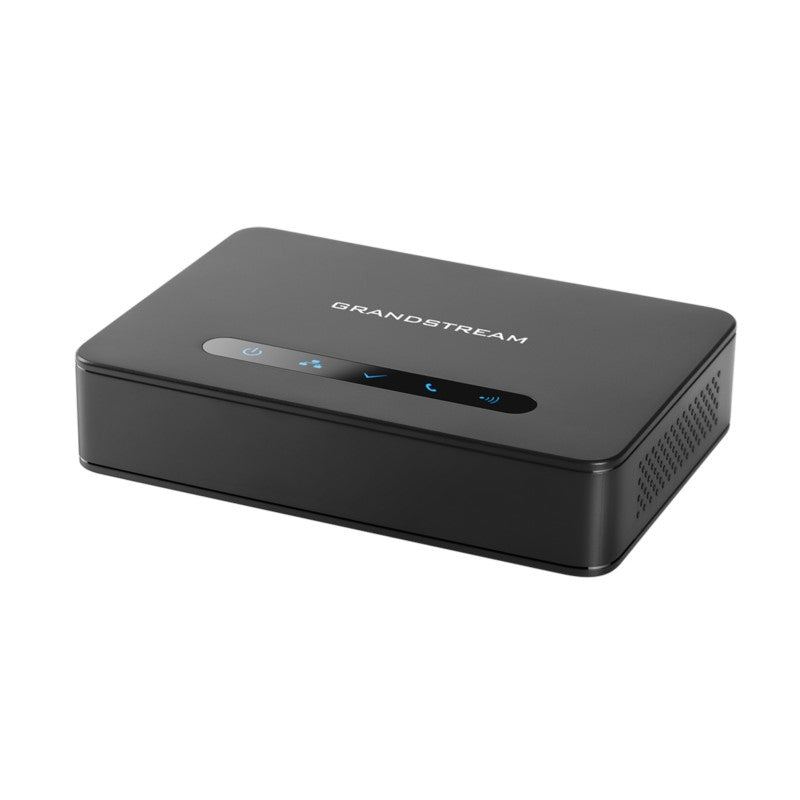
The DP760 is a powerful wideband DECT repeater that extends an additional range of 300 meters outdoors and 50 meters indoors, providing users with the freedom to move around their home or work space. It relays up to 2 concurrent HD calls and features: • Automatic or manual association to DP750/DP752 base stations for easy use • Support for Plug-n-Play features like auto association, auto region detection, and seamless call handover • Automated provisioning options including XML config files • Ethernet connection with PoE features • 5 LED indicators for power, network, association, activity, and DECT signal strength • Reset button and dissociation button • One 10/100 Mbps auto-sensing Ethernet port with integrated PoE Weight: 1 lbs Dimensions: 8 × 7 × 3 in Brand: Grandstream Phone Type: DECT

About This Product

The Grandstream DP760 is a DECT repeater designed to extend the coverage of a compatible Grandstream DECT base station, such as the DP750 or DP752. It is a good fit for offices, warehouses, or retail spaces where cordless handsets need to stay connected across a larger area than a single base station can cover. The 300-meter outdoor range and 50-meter indoor range are typical for a DECT repeater, but actual performance will depend on building materials and layout—concrete and steel can significantly reduce indoor range. It supports up to two concurrent HD calls, which is a practical limit for small to medium deployments; if you need more simultaneous calls, you may need additional repeaters or base stations. The DP760 is powered via PoE, so it is easy to place near a network switch without needing a nearby power outlet, but it does require an Ethernet connection to the network. It is not a standalone phone system—it must be paired with a Grandstream DECT base station, and it is best suited for environments where a few extra meters of cordless coverage make the difference between a dropped call and a clear conversation.
Services We Provide
  • Professional Installation & Configuration
  • Ongoing Maintenance & Support
  • Troubleshooting & Repairs
  • System Upgrades & Updates



