
Grandstream GHP610 Compact Hotel Phone – White

Frequently Asked Questions

First, verify that the phone has a valid IP address and can reach the internet. Check the network cable connection and PoE power—the phone's LED should be on. Then log into the phone's web interface or check its LCD for registration status. Ensure the SIP server address, account credentials, and domain are entered correctly without extra spaces. If the issue persists, a Toronto-based VoIP support provider can usually resolve this remotely.
The GHP610 includes a 12V/0.5A power adapter that plugs into a standard AC outlet. If you are using PoE, simply connect the Ethernet cable from a PoE switch or injector. If the phone does not power on, try the included power supply to rule out a PoE issue.
First, confirm the handset cord is firmly connected to both the phone and the handset. Check the volume settings by pressing the volume keys during a call. If there is still no audio, ensure the phone is registered to your SIP server—an unregistered line will not produce a dial tone. Reboot the phone by unplugging power for 10 seconds.
No, the GHP610 is an IP phone that requires a SIP-based VoIP service. It does not have an FXO port and cannot connect directly to a traditional analog phone line. You will need a VoIP adapter or a SIP trunk from your provider to use it.
Log into the phone's web interface using its IP address. Navigate to the phone settings or speed dial section and assign a number to the desired speed dial key. You can also program the speed dial label on the faceplate for guest convenience. Save the settings and reboot the phone if prompted.
Start by checking the Ethernet cable—try a different cable and ensure it is securely plugged in. Verify the PoE switch or injector is providing adequate power (Class 2, up to 6W). If the issue continues, check for IP address conflicts on your network by assigning a static IP to the phone. A flaky cable or underpowered PoE port is the most common cause.
Before resetting, note that this will erase all settings. If you are certain a reset is needed, press and hold the '#' key for about 7 seconds while the phone is powered on, or use the web interface under the Maintenance section. After the reset, the phone will reboot with default settings. Contact support if you are unsure.
Yes, the GHP610 supports E911 service. To use it, you must configure the emergency number (e.g., 911) in the phone's dial plan and ensure your VoIP provider supports E911 with location registration. Test the feature with your provider before deployment.
Choppy audio is often caused by network congestion or high latency. Check your internet connection speed and ensure the phone is on a stable network. Try reducing the audio codec to G.711 if your network is slow. Also, move the phone away from large metal objects or wireless routers that could cause interference.
Log into the phone's web interface and go to the Maintenance or Upgrade section. You can upload a firmware file manually or set the phone to check for updates from a TFTP/HTTP server. For large deployments, use GDMS or TR-069 to manage firmware updates across all phones. Always backup your configuration before upgrading.
IP Phones

Grandstream GHP610 Compact Hotel Phone – White
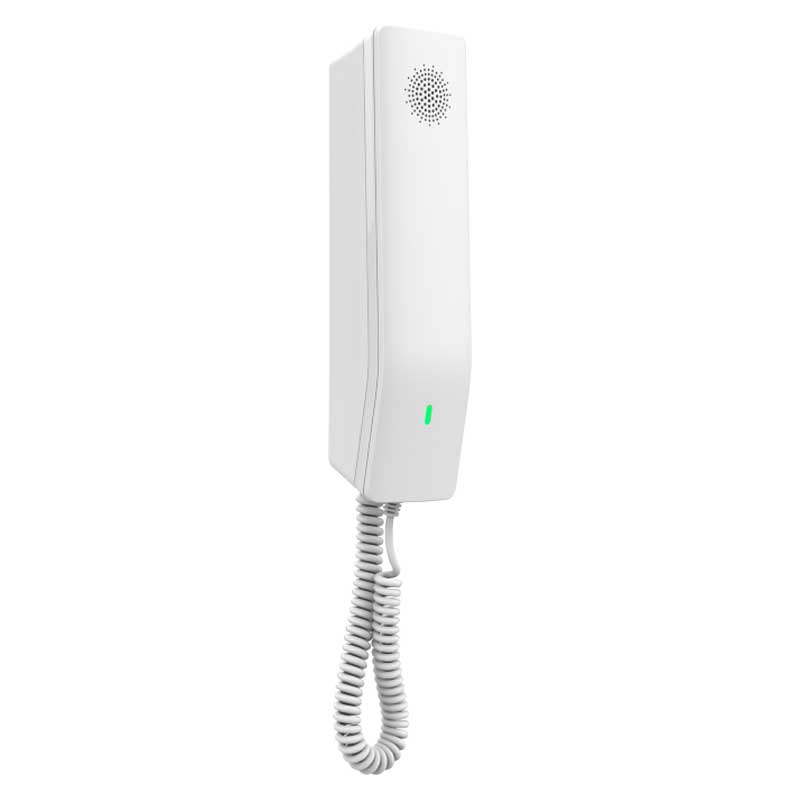
*Compact IP phones with HD speaker on the handset, ideal for hotel deployments and other environments • 2 SIP accounts/lines • GDMS online device management and provisioning • 3-way audio conferencing for easy conference calls • Includes one 100Mbps network port with PoE • Speed dial label and swappable faceplate to allow for easy customization • Hearing Aid Compatibility (HAC) • Enterprise-level protection including secure boot, dual firmware images and encrypted data storage • Color: White Technical Specifications: Model: GHP610 Package Content: GHP610 phone Handset with cord Base Quick Installation Guide Color: White Base Stand: 1 Wall Mountable Base Stand Power & Green Energy Efficiency: Input: 100~240Vac 50~60Hz Output: 12V/0.5A(6W) Network Interfaces: One auto-negotiation 10/100 Mbps ethernet port integrated PoE Class 2 Protocols/Standards: SIP: SIP RFC3261, TCP/IP/UDP, RTP/RTCP, RTCP-XR, TLS, SRTP, Network: IPv4, IPv6, HTTP/HTTPS, ARP, ICMP, DNS(A record, SRV, NAPTR), DHCP, SSH, TFTP,NTP, STUN, LLDP, TR-069, 802.1x Advanced Features: Support for multicast paging and E911 service Supports advanced jitter-resilience algorithm Supports GDS Door Opening QoS: Layer 2 QoS (802.1Q, 802.1p) and Layer 3 (ToS, DiffServ, MPLS) QoS Upgrade/Provisioning: Firmware upgrade via FTP/TFTP / HTTP / HTTPS, fast boot in 15 seconds, mass provisioningusing GDMS/TR-069 or AES encrypted XML configuration file Security: Secure boot, random default password, unique security certificate per device, administratorlevel passwords, 256-bit AES encrypted configuration file, SRTP, TLS, 802.1x media access control Telephony Features: Dial, Answer, Transfer, Conference, Redial, Flash, Hands-free, Voice Mail (with the server) Hold/unhold, Mute/unmute, flexible dial plan, Speed dial server redundancy & fail-over Call out, support for multicast paging and E911 service, and advanced jitter-resilience algorithm. Voice Conferencing: 2 SIP accounts and lines, up to 3-way conference HD Audio: One HD handset support for wide band audio

About This Product

The Grandstream GHP610 is a compact, purpose-built IP phone designed primarily for hotel guest rooms and similar hospitality environments. Its streamlined feature set—including a simple speed dial label and swappable faceplate—makes it easy for hotels to customize for front desk or concierge services, while the hearing aid compatible handset and HD audio ensure clear calls for guests. The phone is equally at home in other settings like dormitories, clinics, or senior residences where a basic, durable, and wall-mountable phone is needed.

This device pairs well with a Grandstream GDMS or TR-069 provisioning system, allowing IT teams to manage large fleets remotely without touching each unit. Its single 100Mbps PoE port and lack of a second network port mean it is best deployed as an endpoint on a managed switch, not as a pass-through for a nearby computer. The 3-way conferencing is a useful bonus for quick internal calls, but the phone is not designed for power users who need multiple lines, advanced call handling, or a large color display.

For Canadian businesses, the GHP610 is a solid choice for hotel chains in the GTA or other metro areas where centralized management and E911 compliance are required. Its 15-second boot time and secure boot features make it reliable for high-turnover environments. However, the limited network port and lack of Bluetooth or Wi-Fi mean it will not suit a modern open-office layout where desk workers need daisy-chaining or wireless headset support. For a basic, no-frills guest room phone that just works, it is a good value; for a feature-rich executive desk phone, it is underpowered.
Services We Provide
  • Professional Installation & Configuration
  • Ongoing Maintenance & Support
  • Troubleshooting & Repairs
  • System Upgrades & Updates



