
Snom M1 KLE DECT Repeater used for M100, M10, M10R, and M18

Frequently Asked Questions

First, put your M100 base into registration mode via its web interface or the handset menu. Then plug in the M1 within a few feet of the base; it will typically auto-register and the LED should turn solid green. If it doesn’t, try power-cycling the repeater while the base remains in registration mode.
A blinking red LED usually indicates the repeater can’t find the base station. Move the M1 closer to the base and make sure the base is powered on and not enclosed in a metal cabinet. If the light stays red, re-register by putting the base into registration mode and power-cycling the repeater.
Placement is often the culprit. The repeater works best when installed roughly halfway between the base and the poor-coverage area, not right at the edge. Also, check for large metal obstacles or thick concrete walls between the devices. Repositioning the repeater a few feet higher or away from such obstructions often makes a dramatic difference.
Interference or overlapping coverage may be causing the issue. Try changing the DECT channel on your base station’s settings. Also, ensure the repeater isn’t too close to the base; a separation of around 50 feet usually prevents signal overlap. If the problem continues, a Toronto-based VoIP support provider can usually assist remotely.
Yes, the M1 is fully compatible with the Snom M18, as well as M100, M10, and M10R. The pairing process is identical across these models: set your base to registration mode, then power up the repeater nearby and it will link automatically.
Power events can disrupt the repeater’s registration. Turn off both the base and the repeater. First, power on the base and wait until it’s fully operational. Then plug in the M1 repeater. If the LED remains red, re-register by enabling registration mode on the base and power-cycling the repeater.
Each M1 repeater supports up to two active cordless handsets at the same time. For more devices in a single remote area, you would need additional repeaters. Keep in mind that the M100 base can work with a maximum of three M1 units.
The handset may still be stubbornly holding onto the base station’s weak signal instead of switching to the repeater. Try walking well outside the base’s direct range with the handset to force a handover. Making sure your base has the latest firmware is also wise, as seamless handover depends on up-to-date software.
No, the M1 is designed exclusively for Snom’s own DECT base stations—the M100, M10, M10R, and M18 models. It will not register with other manufacturers’ systems. Pairing it with incompatible equipment won’t extend coverage and may cause wireless interference.
A solid green LED means the repeater has a good link to the base, so the problem likely lies with the handset. Confirm the handset is actually subscribed to the base (not to another system). Try turning the handset off and on within the repeater’s coverage area; it should automatically connect to the strongest signal.
IP Phones

Snom M1 KLE DECT Repeater used for M100, M10, M10R, and M18
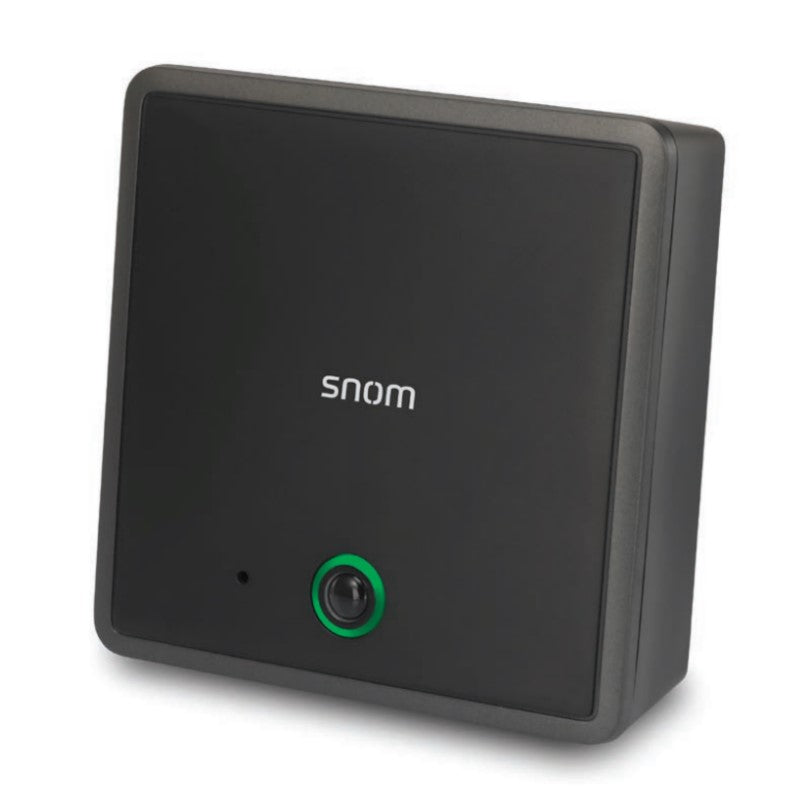
• Experience the best in long-range coverage with the Snom M1 SIP DECT Repeater, designed to extend the range of your DECT Devices up to 500 feet in any direction. • Pair up to three M1 repeaters with the M100 SIP DECT base station for seamless handover and minimal call loss while walking around the office. • Key features include: • Extends up to 500 feet of range • Compatible with Snom M100, M10, M10R, and M18 models • Three-year warranty • Can handle up to two cordless devices per repeater • The M1 repeater boasts a unique antenna design that enhances clarity, while advances in noise-filtering technology ensure high-quality calls. Product Dimensions: Weight: 1 lb Dimensions: 7 × 5 × 2 in Phone Type: DECT Repeaters Technical Specifications: Color: Black UPC: 735078048202 • Product dimensions (WxDxH): 4.51″ x 1.45″ x 4.54″ • Product weight: 0.4 lbs. • Giftbox dimensions (WxDxH): 4.6″ x 2.04″ x 6.77″ • Giftbox weight: 0.5 lbs. • Master pack dimensions (WxDxH): 8.58″ x 5.24″ x 7.92″ • Master pack weight: 2.32 lbs

About This Product

The Snom M1 KLE DECT repeater fills a practical niche for businesses that depend on Snom’s cordless phone systems but find the base station’s signal falling short in corners of a floor or across a small warehouse. It’s a dedicated range extender, not a full-blown base, so it slots naturally into an existing Snom DECT environment—most commonly with the M100, M10, M10R, or M18. For any office where a couple of remote desks, a quiet break room, or a loading bay need reliable wireless voice, one well-placed M1 can eliminate dead zones without adding a separate phone system or extra network drops.

A realistic view of its limits matters. The repeater handles up to two cordless handsets at a time, so it’s ideal for a small cluster of users rather than a busy department. An M100 base can pair with at most three M1 units, meaning coverage extension is finite; if you’re trying to blanket a multi-storey building with dozens of cordless workers, a multi-cell DECT solution would be a better fit. For the many businesses that just need to fix a specific dead spot, however, these constraints are rarely a problem—the M1 simply extends what already works.

In a Canadian context, the device solves familiar signal headaches. Offices with concrete walls, glass partitions, or steel shelving can degrade DECT range just enough to cause dropouts, and the M1 bridges those gaps cleanly without additional cabling. It integrates with the same Snom bases commonly seen in GTA small-to-medium deployments, so provisioning is straightforward, and the built-in noise filtering helps calls stay clear even at the edge of coverage.
Services We Provide
  • Professional Installation & Configuration
  • Ongoing Maintenance & Support
  • Troubleshooting & Repairs
  • System Upgrades & Updates



