
Snom M55 DECT Handset

Frequently Asked Questions

First confirm the handset is within range of the base and that the base itself is powered on and connected to the network. Then check that the base has an available DECT registration slot and that no MAC‑based access control list is blocking new devices. On the handset, go to the registration menu and ensure you are entering the correct PIN displayed on the base station. If the issue persists, a Toronto‑based VoIP support provider can usually resolve this remotely.
Move closer to the base station and verify that the base’s DECT radio is enabled and its antennas are properly attached (if external). Check that the base has not rebooted or lost network connectivity, as that can cause the handset to lose registration. If multiple handsets are affected, the base may need a safe power cycle; if only one is affected, re‑register it after confirming the registration slot is still assigned.
This often points to packet loss or jitter on the network, not a DECT issue. Start by checking the base station’s Ethernet cable and connection to the switch. On the network, verify that voice traffic is properly prioritized (QoS). If the problem occurs only when moving away from the base, you may be at the edge of the DECT range; try walking closer to see if quality improves.
Ensure the charger is plugged into a working outlet and that the handset is seated correctly — the charging contacts on the handset and cradle should be clean and free of debris. Try a gentle wipe with a dry cloth. If the handset still doesn’t charge, test the charger with another M55 handset, or try a different power adapter (same voltage) to isolate the fault.
First confirm the Bluetooth headset is in pairing mode and within a few feet of the handset. On the M55, navigate to Bluetooth settings and ensure Bluetooth is enabled, then select “search for devices.” If the headset doesn’t appear, try fully powering off both devices and repeating. Some headsets require you to clear previous pairings before they connect to a new device.
These keys receive their function from the base station’s configuration, so the issue is rarely a handset defect. Log into the base’s web interface and verify that the key mappings for this handset’s extension are correctly defined — often a speed dial, line key, or monitoring function may have been accidentally cleared. A quick check is to reassign a simple function (like redial) and see if the key responds, then restore the desired setting.
That suggests you’ve moved beyond the effective DECT range of the base or into an area blocked by thick walls, elevators, or metal shelving. Walk back toward the base to see if the signal recovers. For permanent coverage in that area, you may need an additional DECT base or a repeater. As an immediate temporary fix, enable seamless handover if your base supports it and multiple bases are installed.
First, place the handset in the charger for at least 30 minutes to rule out a deeply discharged battery. If the display remains dark, try a safe power cycle: remove the battery pack, wait 10 seconds, then reinsert it and place the handset back in the charger. Should the problem continue after those steps, there may be a hardware fault needing inspection.
No, the M55 uses Snom’s proprietary DECT protocol and is designed to register exclusively with Snom M‑series base stations. Attempting to pair it with a generic DECT base or one from another manufacturer will not succeed, as the registration and feature set are tightly integrated with Snom’s platform.
The handset pulls its configuration from the base station once registered, so there is no separate provisioning interface for the M55 itself. All key assignments, directory entries, and call features are set on the base’s web interface or through the auto‑provisioning server your PBX uses. This means adding a new M55 typically involves only the DECT registration step.
IP Phones

Snom M55 DECT Handset
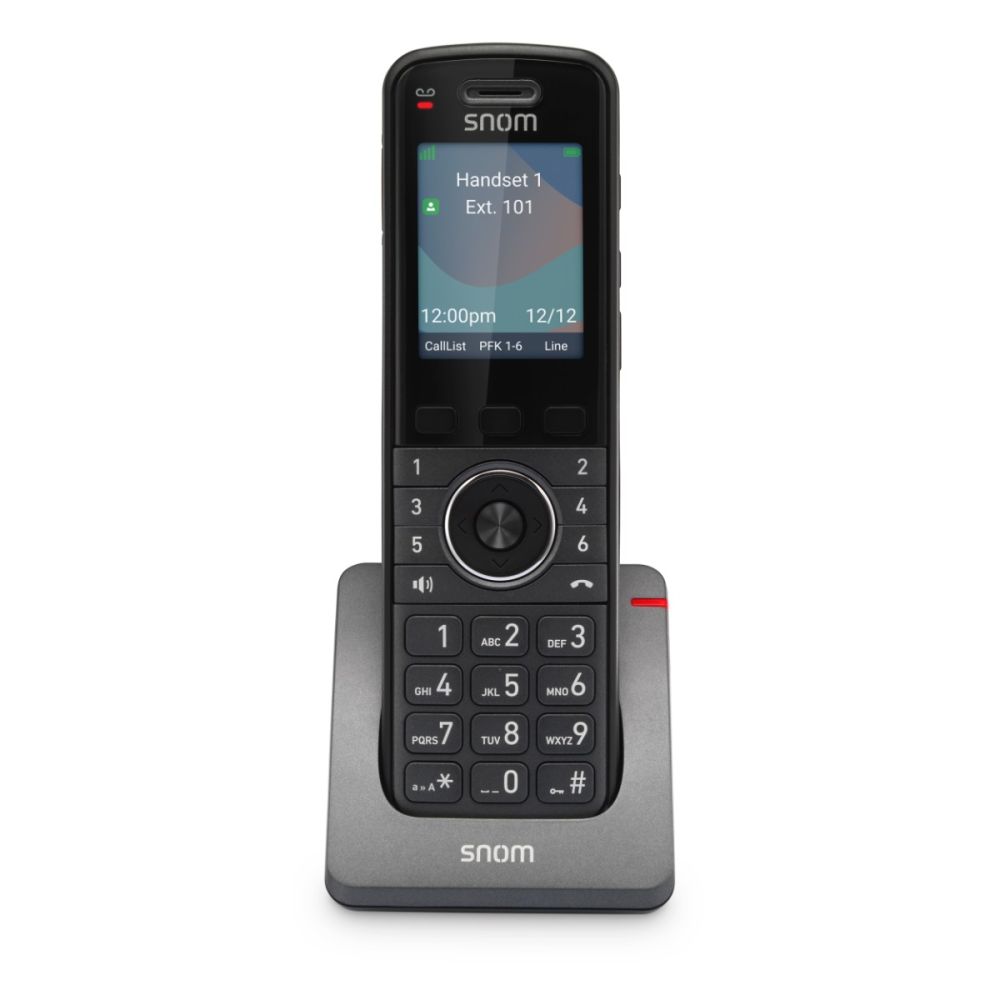
The Snom M55 DECT Handset features a 2.4” color LCD display and 6 backlit dual-color LED programmable keys, providing clear communications and convenience. Key highlights include: • HD Audio for crystal-clear voice quality • Integrated Bluetooth for seamless connectivity • Up to 19 hours of talk time on a single charge • Integrated belt clip for easy portability • Shared directory with up to 500 entries and private directory with up to 200 entries • Paging feature allows for quick communication with team members The handset also boasts programmable keys, including line key, KeyLine, speed dial, busy phone monitoring, and more. Shared calls can be managed on all devices, and phones are not limited to only two calls like traditional DECT devices. Additional features include barge-in, caller identification (CLIP), redial, call waiting, auto-answer, call lists, hold, blind and attended transfer, call forwarding, 3-way conference, missed call notification, MWI – Voice message waiting indicator, and more.

About This Product

The Snom M55 is a DECT handset built for mobility within a business environment, suitable for staff who move frequently but still need reliable voice access on the company phone system. It fits naturally in open offices, retail floors, warehouses, and healthcare settings where a cordless device prevents missed calls without tethering the user to a desk. Because it relies on a dedicated DECT base station, call quality remains consistent and independent of Wi‑Fi congestion, which is a real plus in dense Canadian office towers or busy Toronto locations with many competing wireless networks.

This handset pairs with Snom M‑series base stations, so existing Snom VoIP deployments can add cordless users without changing their provisioning platform. It is not a standalone SIP phone; without the base, it has no connectivity. This makes the M55 a cost‑effective extension for organizations already invested in Snom’s ecosystem, but it will not integrate directly with generic DECT bases or third‑party systems. Buyers should confirm their base can support the desired number of handsets, as each base has a finite registration capacity.

For users who spend long periods away from their desk, the M55 offers generous battery life and a practical belt clip, but its DECT range is limited to the coverage area of the base — typically a few hundred feet indoors, reduced by concrete walls or metal shelving. Large multi‑floor sites may need additional base stations for full coverage. On the other hand, for a small office with only one or two cordless users, a single M55 added to a Snom base is an economical alternative to more complex Wi‑Fi handset solutions. It’s overkill if the user never leaves their desk or if the office already runs on a softphone or headsets exclusively; it’s underpowered if wide‑area outdoor mobility is required, where a cellular‑integrated solution would be more appropriate.
Services We Provide
  • Professional Installation & Configuration
  • Ongoing Maintenance & Support
  • Troubleshooting & Repairs
  • System Upgrades & Updates



