
Yealink W70B DECT IP Base Station-1302017
AIM Telecom provides troubleshooting and configuration support for this product to businesses across Toronto and the GTA. Contact us to confirm whether the issue can be handled by phone or requires on-site service.
Get Support Call 416-312-4819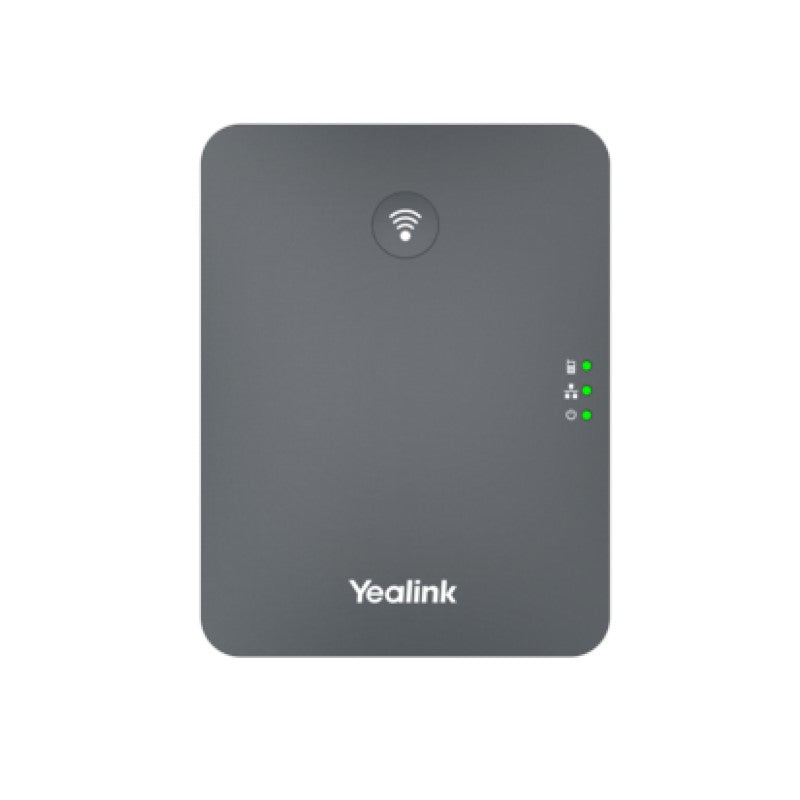
Common issues and fixes
Reviewed troubleshooting steps are not yet available for this model.
Ask AIM Telecom about this productAbout this product
• The Yealink W70B is a DECT IP base station designed for small and medium-sized businesses, supporting up to 10 Yealink color screen handsets.
• Key features:
• Up to 20 simultaneous calls
• Up to 10 DECT cordless handsets
• Up to 10 SIP accounts
• Support for Opus audio codec and Noise Reduction System
• TLS and SRTP security encryption
• No Perception Upgrade
• Technical specifications:
• Up to 20 simultaneous calls
• Up to 10 handsets
• Up to 10 SIP accounts
• Compatibility with W73H, W53H, W56H, W59R, CP930W, and DDPhone handsets
• Support for up to 6 repeaters per base station (RT30)
• Various call features and functionalities
• Key features:
• Up to 20 simultaneous calls
• Up to 10 DECT cordless handsets
• Up to 10 SIP accounts
• Support for Opus audio codec and Noise Reduction System
• TLS and SRTP security encryption
• No Perception Upgrade
• Technical specifications:
• Up to 20 simultaneous calls
• Up to 10 handsets
• Up to 10 SIP accounts
• Compatibility with W73H, W53H, W56H, W59R, CP930W, and DDPhone handsets
• Support for up to 6 repeaters per base station (RT30)
• Various call features and functionalities
More product details
The Yealink W70B is a DECT IP base station built for small to medium-sized offices where a handful of cordless handsets need to operate behind a hosted or on-premise VoIP platform. It suits professional services, boutique retail, and warehouse mezzanine floors—any environment where staff are on their feet and voice quality matters. Paired with Yealink’s colour-screen handsets like the W73H or W56H, it gives a crisp, familiar telephony experience without tethering users to a desk.
The 10-handset ceiling is the practical boundary for a single base: you can add coverage via up to six RT30 repeaters, but total call capacity and device count are fixed. This is a purposeful trade-off that keeps deployment simple. The inclusion of the Opus codec and noise reduction makes the system forgiving on slower or congested local networks, while TLS and SRTP encryption mean it will satisfy the privacy expectations of law firms, clinics, and financial advisors across the GTA.
For a home office with one or two users the W70B is overbuilt; a simpler DECT base or a single cordless IP phone may be more cost-effective. Conversely, a multi-floor enterprise with dozens of mobile workers will quickly outgrow this unit. It slots in best as the dedicated cordless leg of a larger UC deployment, where 10 handsets cover a department or a specific floor of a mid-rise Toronto office building.
The 10-handset ceiling is the practical boundary for a single base: you can add coverage via up to six RT30 repeaters, but total call capacity and device count are fixed. This is a purposeful trade-off that keeps deployment simple. The inclusion of the Opus codec and noise reduction makes the system forgiving on slower or congested local networks, while TLS and SRTP encryption mean it will satisfy the privacy expectations of law firms, clinics, and financial advisors across the GTA.
For a home office with one or two users the W70B is overbuilt; a simpler DECT base or a single cordless IP phone may be more cost-effective. Conversely, a multi-floor enterprise with dozens of mobile workers will quickly outgrow this unit. It slots in best as the dedicated cordless leg of a larger UC deployment, where 10 handsets cover a department or a specific floor of a mid-rise Toronto office building.