
Yealink W80DM DECT IP Multi-Cell System

Frequently Asked Questions

First, verify that the base station has a valid IP address and can reach the internet. Check the SIP server address and port in the web interface under Settings > Account. Ensure the credentials (username, password) are entered exactly as provided by your provider. If the issue persists, a Toronto-based VoIP support provider can usually resolve this remotely.
If you are using Power over Ethernet (PoE), confirm that your switch is PoE-capable and that the Ethernet cable is securely connected at both ends. Try a different port on the switch or a known-working cable. If using the optional power adapter, check that it is plugged into a working outlet and that the adapter is the correct voltage (5V DC, 1A). A simple power cycle—unplug the base for 10 seconds and plug it back in—often resolves transient issues.
Access the base station's web interface by entering its IP address in a browser. Log in with the default credentials (admin/admin). Go to the Account tab and enter your SIP server details, including the registrar and outbound proxy if required. Save and reboot. For handsets, they will register automatically with the base once they are in range and paired.
Audio drops are often caused by weak DECT signal or network congestion. Check the signal strength indicator on the handset; if it shows one bar, move closer to the base station. Ensure the base station is placed centrally and away from metal objects or other wireless devices. On the network side, verify that your internet connection has sufficient bandwidth and low latency for VoIP traffic.
No, the W80DM system is designed to work exclusively with Yealink DECT handsets, specifically the W56H and W53H models (with firmware version x.83.0.20 or later). Other DECT handsets will not pair or register with this base station.
This usually means the handset is not registered to the base. On the handset, go to Menu > Settings > Registration and select the base station. If the base is not listed, press the paging button on the base station (if equipped) or reset the handset's registration list. If the problem continues, power cycle both the base and the handset.
On the base station web interface, go to DECT > Handset and add the handset's IPUI number (found on the handset's battery compartment sticker). Alternatively, use the base station's physical registration button (if present) by pressing it and then following the handset's menu to register. The handset must be within 10 metres of the base during registration.
After a power outage, the base station and handsets need to reboot and re-register. Wait a few minutes for the system to restart automatically. If calls still fail, check the base station's web interface to confirm that the SIP account is registered. If it shows as unregistered, re-enter the credentials and reboot the base.
Yes, the W80DM supports BroadSoft directories, call logs, and feature key synchronization. To enable these features, you may need to configure the BroadSoft server settings in the base station's web interface under the Directory or Account sections. Contact your BroadSoft provider for the correct server addresses.
First, ensure the handset is in range of the base station. On the base station web interface, verify that the handset's IPUI is correctly entered and that the registration slot is not full (the base supports up to 100 handsets). If the issue persists, power cycle the base and handset, then try registering again. If it still fails, contact your VoIP support provider for assistance.
IP Phones

Yealink W80DM DECT IP Multi-Cell System
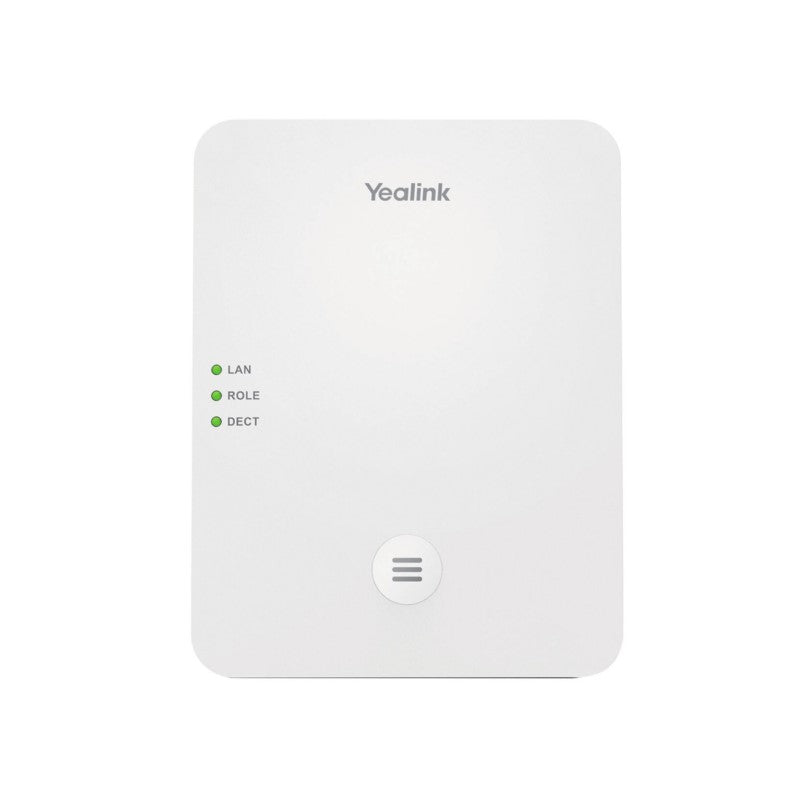
• Seamless handover and roaming • Up to 100 parallel calls • Up to 30 base stations • Up to 100 handsets • Up to 100 SIP accounts • Support LDAP/Remote Phonebook • Support Xsi Directory • DECT radio coverage up to 50m indoors and 300m outdoors • Yealink DECT technology: High quality Audio VoIP (wideband) and low bit-rate data applications • Support Opus • Support PoE • Compatible with Yealink W56H/W53H (version x.83.0.20 or later) • Weight: 1 lbs • Dimensions: 8 × 7 × 3 in • Brand: Yealink Technical Specifications: • Seamless handover and roaming • Up to 100 simultaneous calls • Up to 30 base stations • Up to 8 WB (4 active handsets) calls per base • Up to 8 NB calls per base • Up to 100 handsets • Up to 100 VoIP accounts • Up to 2 simultaneous calls per handset • Call hold, call transfer, 3-way conference • Switching between calls • Call waiting, mute, silence, DND • Caller ID with name and number • Anonymous call, Anonymous call rejection • Call forward (always/busy/no answer) • Speed dial, voicemail, redial • Message Waiting Indication (MWI) • Music on hold (server-based) • Local phonebook for up to 100 entries per handset • Remote phonebook/LDAP/XML phonebook • Phonebook search/import/export • Call history (all/missed/placed/received) • Reset to factory, reboot • Keypad lock, emergency call • Broadsoft directory, BroadSoft call log • Broadworks feature key synchronization • Shared Call Appearance (SCA) • XML browser • IPUI registration • User access level

About This Product

The Yealink W80DM DECT IP Multi-Cell System is designed for medium to large-scale business environments where reliable, wide-area cordless communication is essential. It is an excellent fit for office buildings, warehouses, retail spaces, or any multi-floor deployment where staff need to move freely while staying reachable on their desk phone extension. The system pairs well with Yealink W56H or W53H handsets (running firmware version x.83.0.20 or later) and can replace a traditional PBX cordless setup or a single-cell DECT base station that cannot cover a larger area.

A key advantage of the W80DM is its ability to scale: up to 30 base stations and 100 handsets can be linked, with seamless handover and roaming as users move between coverage zones. This makes it practical for a campus or a multi-department office, but it is likely overkill for a small business with fewer than 10 users who would be better served by a single-cell DECT base. The system supports up to 100 parallel calls, but each base station can handle a maximum of 8 wideband or 8 narrowband calls simultaneously, so high-density calling areas may require careful base station placement.

For Canadian deployments, the W80DM is carrier-agnostic and works with any SIP-based VoIP service, making it suitable for GTA offices using providers like Rogers Business, Telus, or local VoIP carriers. It supports Power over Ethernet (PoE), which simplifies installation by eliminating the need for separate power adapters at each base station. However, the indoor DECT range is rated at up to 50 metres, so larger spaces may need additional base stations or a site survey to ensure coverage. The system also supports Opus audio codec for high-quality voice, but real-world audio performance will depend on network conditions and handset model.

A practical tradeoff is that the W80DM is a base station system only; it does not include handsets, so buyers must budget separately for compatible Yealink handsets. The system also requires a SIP-capable PBX or trunk to function, and provisioning can be more involved than a simple single-base setup. For organizations with existing Yealink IP phones, the W80DM can integrate with the same management platform, but it is not a direct replacement for a desk phone system—rather, it complements one by adding cordless mobility.
Services We Provide
  • Professional Installation & Configuration
  • Ongoing Maintenance & Support
  • Troubleshooting & Repairs
  • System Upgrades & Updates



