
Fanvil BT20 Bluetooth Dongle
Frequently Asked Questions
First, confirm that your headset is in pairing mode—many headsets require a long press of the power button. Then unplug the BT20 from the phone, wait a few seconds, and plug it back in to reset the dongle. Try removing the headset from any previously paired devices; the BT20 can only store one connection at a time.
This usually means the headset's microphone is not selected. Check your headset's audio settings—some headsets have separate mute buttons or switches. If that doesn't help, try a different Bluetooth headset to rule out a compatibility issue with the BT20.
Move the headset closer to the BT20 and remove any physical obstacles like metal cabinets or thick walls between them. Other 2.4 GHz devices nearby, such as Wi-Fi routers or cordless phones, can cause interference—try moving those away or switching their channels. If the problem persists, a Toronto-based VoIP support provider can often diagnose the source of the interference remotely.
Ensure your phone model supports USB host mode and that the firmware is up to date. Try plugging the BT20 into a different USB port on the phone. If the phone still doesn't show a Bluetooth option, consult the phone's manual to verify compatibility with this dongle.
Plug the BT20 into your Fanvil phone. Put your headset into pairing mode (usually holding the power button until the light flashes). The dongle should automatically discover and pair with the headset within a few seconds. Once paired, the headset will reconnect automatically when in range.
The BT20 is designed primarily for Fanvil desk phones that have a USB host port. It may work with a computer if the computer recognizes it as a generic Bluetooth adapter, but Fanvil does not provide drivers or support for PC use. For reliable hands-free calling on a computer, a dedicated Bluetooth adapter for the PC is recommended.
This can happen if the headset’s battery is low, so charge it fully and try again. If the battery is fine, interference or range issues may be the cause. Unplug and replug the BT20 to reset the connection, and keep the headset within 10 metres of the dongle.
No, the BT20 supports pairing with only one Bluetooth headset at a time. If you need multiple users on the same call, you would need a conference phone or a separate dongle for each headset.
Bluetooth inherently adds a small amount of latency, which is normal. If the delay is distracting, try using a headset that supports a low-latency codec such as aptX. Also ensure your headset is close to the dongle—range can increase latency and dropouts.
The BT20 is a standard Bluetooth adapter that follows the HSP/HFP profiles used by typical headsets and smartphones. Many hearing aid streamers use proprietary protocols and may not pair. Check your hearing device’s manual for Bluetooth profile compatibility; if it lists standard headset profiles, it should work.
Accessories
Fanvil BT20 Bluetooth Dongle
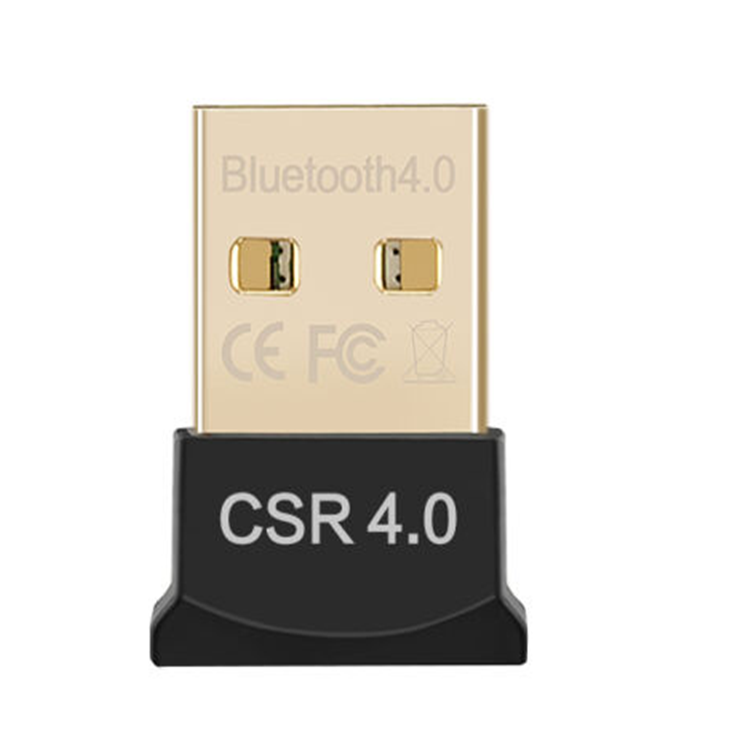
The BT20 Dongle allows users to answer and end calls from Bluetooth headsets up to 10m away, featuring a simple plug-and-play design in a small portable form factor. Key features include: • HD Audio for high-quality sound • 10m Range for extended connectivity • High Transmission Rate for stable connections • Plug and Play for easy setup • Lower Power Consumption for energy efficiency • Super Mini size, portable for convenient carrying For a full list of specifications, please refer to the product datasheet.
About This Product
The Fanvil BT20 Bluetooth Dongle is designed for users who want the convenience of a wireless headset with a Fanvil desk phone. It fits naturally into busy office environments where hands-free calling improves productivity, especially in open-plan layouts or for staff who need to move while on calls. The dongle connects directly to a Fanvil phone's USB port and pairs with compatible Bluetooth headsets, eliminating the need for a cord without sacrificing call quality. It works best with phones that already support USB accessories; if your phone lacks that port, the BT20 won't help. While the 10-metre range is adequate for most desks, walls and other 2.4 GHz devices can shorten that range, so placement matters. For a small office in the GTA where staff use Fanvil phones, this is a cost-effective way to add wireless headset support without replacing the handset or buying a new phone.
Services We Provide
- Professional Installation & Configuration
- Ongoing Maintenance & Support
- Troubleshooting & Repairs
- System Upgrades & Updates



