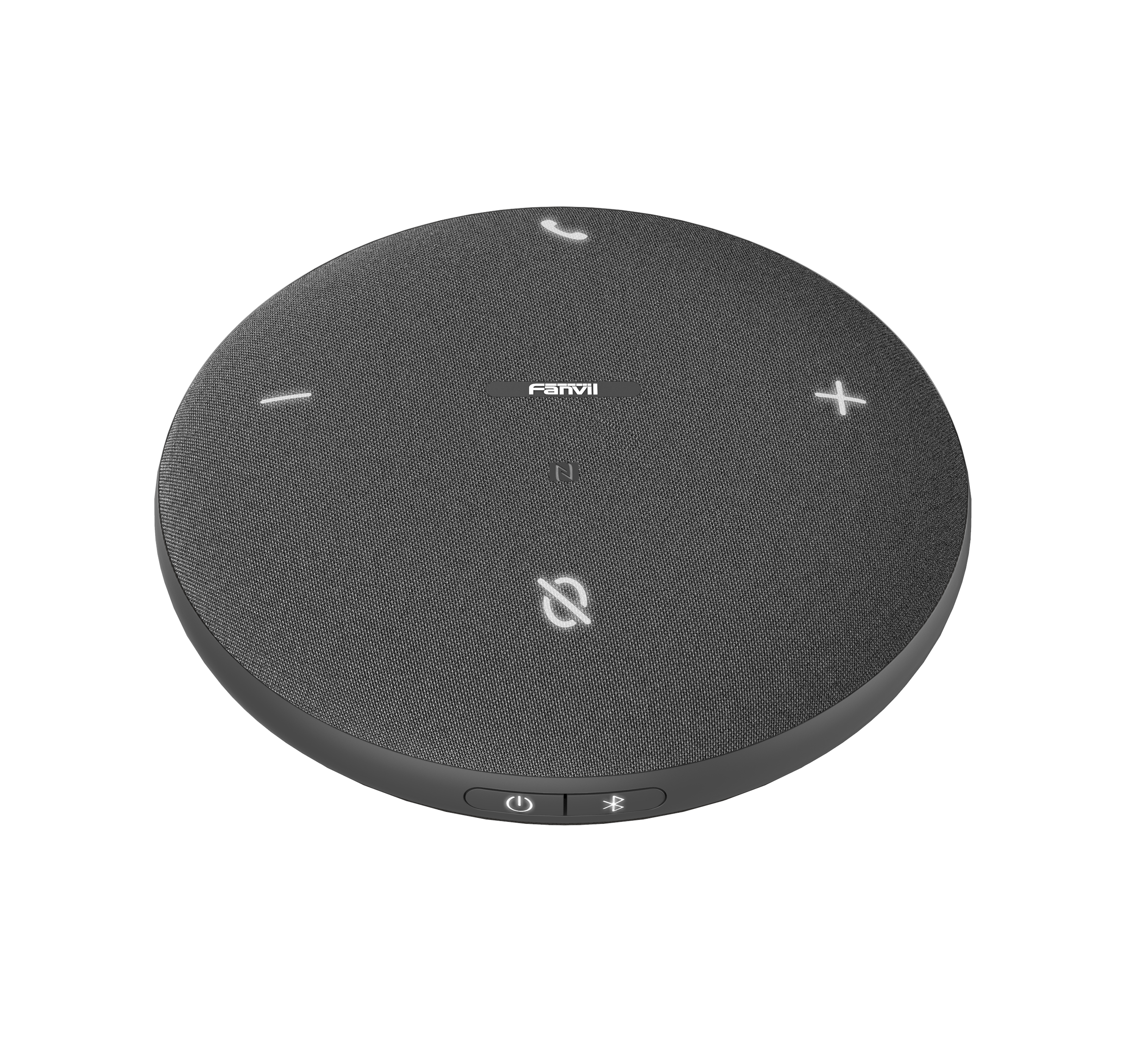
Fanvil CS30 Speakerphone

Frequently Asked Questions

First, ensure the speakerphone is in pairing mode (press and hold the Bluetooth button until the LED flashes blue). On your laptop, go to Bluetooth settings, remove any previous pairing for the CS30, then scan and select it again. If it still fails, try connecting via the USB cable instead—this often resolves driver or compatibility hiccups. If the issue persists, a Toronto‑based VoIP support provider can usually resolve this remotely.
Robotic audio usually points to Bluetooth interference or a weak wireless signal. Move the CS30 closer to your laptop or smartphone and away from metal objects or other wireless devices. If you are connected via USB, try a different USB port and cable. Also, check that no other Bluetooth audio device is active on your computer.
Press and hold the power button for at least three seconds—sometimes a shorter press is missed. If it still does not power on, connect it to a USB charger and leave it for 10 minutes, then try again. A very deep discharge can delay the power‑on sequence. If the unit still remains unresponsive, the battery may need replacement; contact your supplier for guidance.
Tap the mute button (the microphone icon) once during a call—the button will light up red to indicate mute is active. Tap it again to unmute. If the mute button does not respond, make sure you are actually in an active call, as the button is disabled when not on a call.
Echo is often caused by the speakerphone picking up audio from your laptop speakers. Lower your computer's speaker volume or mute the laptop's internal speaker entirely, letting the CS30 handle all audio. Also, ensure the CS30 is placed on a stable, non‑reflective surface, and avoid having any hard walls or windows directly behind it.
Yes, the CS30 works as a standard USB audio device or Bluetooth speakerphone, so it is compatible with any softphone that accepts those inputs. On your computer, select 'Fanvil CS30' as the speaker and microphone in the softphone's audio settings. No additional drivers are needed for most modern operating systems.
This is often a Bluetooth power‑saving feature on the phone. Check your phone's Bluetooth settings and ensure the CS30 is not set to 'disconnect when idle'. Also, keep the phone within 10 metres of the speakerphone and avoid physical obstructions. If the phone is connected to multiple Bluetooth devices, disconnect the ones you are not using.
A slow blinking red light typically indicates the battery is low and needs charging. Connect the CS30 to a USB power source using the included cable. The light will turn solid red while charging and go off when fully charged. If the light blinks rapidly, that may indicate an error; power‑cycle the unit by turning it off and on again.
Ensure the CS30 is centred on the table and that no one is speaking from more than 2–3 metres away—its microphones are omnidirectional but work best within 1.5 metres. Avoid placing the unit behind a laptop screen or monitor. Also, check that the mute button is not accidentally activated and that the volume on both the speakerphone and your softphone is turned up.
The CS30 works as a generic USB speakerphone, so it will be recognised by Teams as an audio device. You may need to go to Teams Settings > Devices and manually select 'Fanvil CS30' for both speaker and microphone. It does not have a dedicated Teams button or certification, but for audio and mute control it functions normally.
VoIP Speakerphones

Fanvil CS30 Speakerphone

• Ideal for conferences in small offices, huddle rooms, home offices, and remote meetings, the Fanvil CS30 Speakerphone is compact and easy to fit anywhere. It connects to PCs and smartphones via NFV/Bluetooth wireless pairing and USB wired connection within seconds. Key Features: • Widely compatible with mainstream software • 8 hour talk time • Easy to connect and simple to control • Compact and portable • 4 Omnidirectional Microphones • Voice pickup range up to 5 meters • Automatic precise restoration of human voice for high-quality meetings • Efficient noise reduction, reducing background noise by 99% For a full list of specifications, please refer to the product datasheet.

About This Product

The Fanvil CS30 is designed for small collaborative spaces where a dedicated conference phone is more convenient than relying on a laptop microphone or a headset. It fits naturally into huddle rooms, home offices, and desk setups in the Greater Toronto Area, where space is often at a premium. Its wireless connectivity via Bluetooth or NFC and wired USB option mean it can be paired quickly with a laptop or smartphone, making it a flexible choice for ad‑hoc meetings or daily calls. While the CS30 works with virtually any softphone or UC platform, it is particularly well‑suited to environments that use Microsoft Teams, Zoom, or RingCentral—platforms common in Canadian businesses. The unit’s four omnidirectional microphones and rated 5‑metre pickup range cover a small meeting table but will struggle in a room larger than a typical home office. A key trade‑off is that the CS30 is a portable speakerphone, not a full‑room conference system; it excels in quiet, enclosed spaces but may pick up excessive background noise in an open‑plan area. For a GTA team of two to four people gathering around a single table, it is a cost‑effective and clutter‑free solution. It would be overkill for a single user who could use a headset, and underpowered for a boardroom of eight or more.
Services We Provide
  • Professional Installation & Configuration
  • Ongoing Maintenance & Support
  • Troubleshooting & Repairs
  • System Upgrades & Updates