
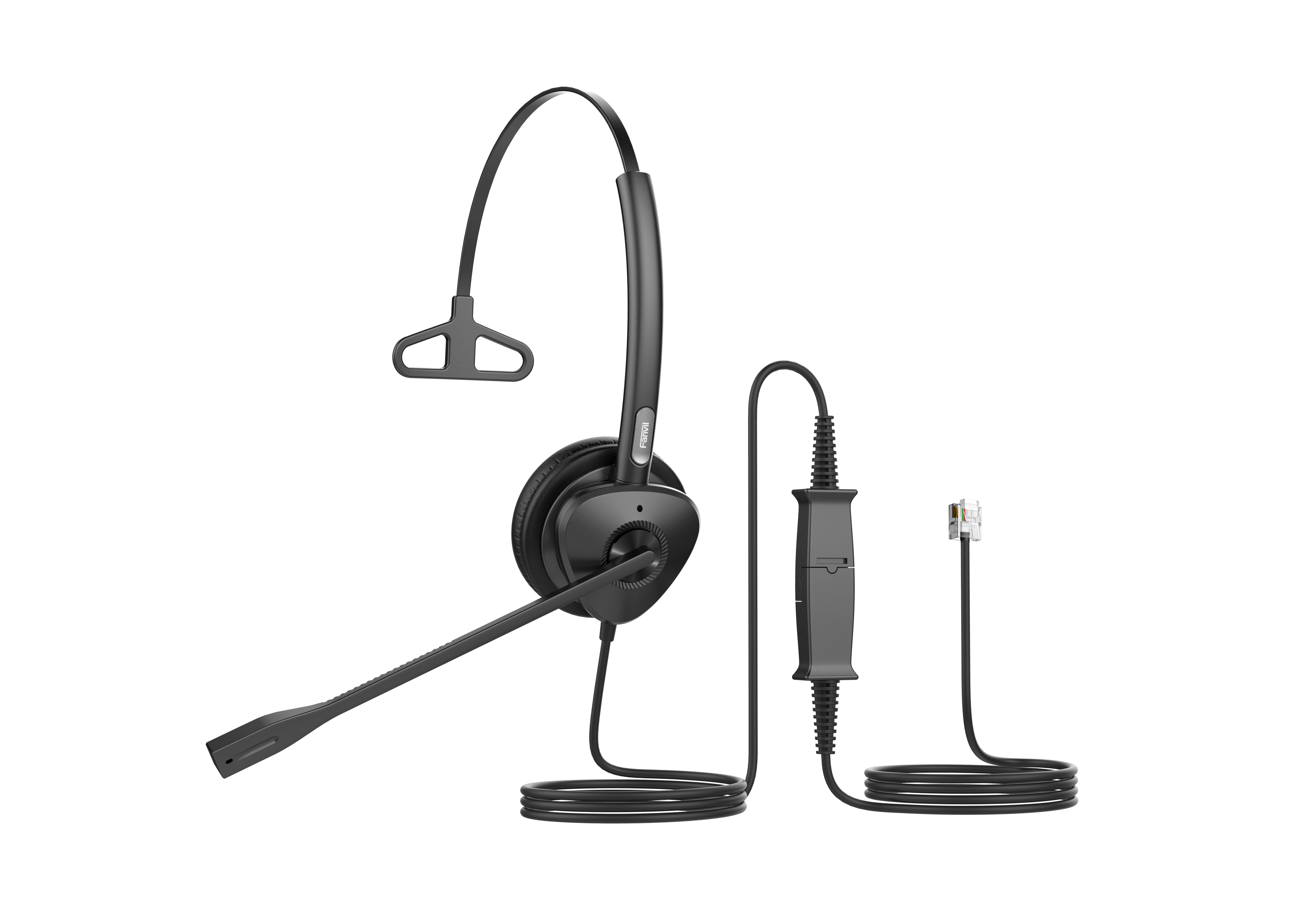
Fanvil HT301 QD to RJ9 Mono Headset
Frequently Asked Questions
Start by making sure the quick disconnect connector is fully seated – a partial connection can cut audio. Next, confirm your phone has headset mode active; many phones require you to press the headset button or select ‘headset’ from the audio path menu. Finally, raise the phone’s headset volume, as it often starts at a low default. If the issue persists, a Toronto-based VoIP support provider can usually resolve this remotely.
Check the boom arm position – the microphone opening should be about two finger-widths from the corner of your mouth and facing toward you. Verify that you haven’t accidentally muted the phone (the mute indication is on the phone itself, not the headset). If the problem continues, test the headset on a second phone to rule out a phone-side issue. A Toronto-based VoIP support team can also help narrow down the cause if you’re stuck.
No, that is expected. The HT301 is a mono headset designed to deliver audio to a single ear. This lets you stay aware of your surroundings and reduces fatigue during long calls. If you need audio in both ears, you’d require a binaural headset model.
Not directly. The HT301 terminates in an RJ9 connector, which is analog and meant for desk phones. To use it with a PC, you would need an RJ9-to-USB adapter. For frequent softphone use, a dedicated USB headset is usually more convenient, as it integrates call controls and avoids adapter compatibility hurdles.
First, unplug and replug the QD connector firmly, and inspect it for any debris. Make sure the cable isn’t under strain or sharply bent. If the cutouts persist, try using a different QD-to-RJ9 cord if one is available to test. Should the problem point to a faulty cable, contact your supplier for a replacement cord – the headset itself may still be fine.
Almost certainly. The HT301 uses a standard RJ9 pinout, so it works with virtually any desktop IP phone that has a dedicated headset port, including models from Yealink, Poly, Cisco, and Grandstream. Just plug it in and activate headset mode on the phone. Note that this headset doesn’t support electronic hookswitch (EHS) for remote answer/end, so you’ll manage calls directly on the phone’s interface.
Extend the headband so it sits comfortably on your head, and rotate the ear cushion until it rests gently over your ear without pinching. The boom arm bends 260°, so you can position the microphone on your left or right side. The light build means you should be able to wear it for extended periods without pressure points.
Most IP phones require you to press a ‘headset’ key whenever you answer or place a call. Some offer an auto-detect setting, but that varies by model. Check your phone’s audio settings or user guide for ‘headset activation’ or ‘headset priority.’ Once headset mode is engaged, incoming and outgoing audio should flow to the HT301.
This is often electromagnetic interference from nearby electronics, such as a monitor, power adapter, or charging cable. Try rerouting the headset cord away from those sources and ensure all connections are tight. If the noise stays present across different phones, the cable may be picking up interference; test with another headset to isolate. If that doesn’t help, reach out to your support team for a thorough check.
Yes, the soft leatherette ear cushion and lightweight design are forgiving for glasses wearers. The cushion distributes pressure evenly, so it doesn’t pinch against the frame. If you do feel any discomfort after several hours, slightly repositioning the ear cushion usually helps without compromising audio.
Headsets
Fanvil HT301 QD to RJ9 Mono Headset
HT301/HT302 is a high-quality, QD to RJ9 headset designed for call center and office communication. It features: • HD Audio: Wideband support, passive noise reduction, Anti Electromagnetic Frequency Interference, and dynamic EQ function for rich audio quality. • All-day Comfort: Ergonomic design with soft leather ear cushions, ultra-lightweight, and a 260° bendable boom arm for versatile wearability. • Strong Compatibility: Compatible with all Fanvil IP phones and mainstream third-party IP phones. For a full list of specifications, please refer to the product datasheet.
About This Product
The Fanvil HT301 is a wired mono headset built for the everyday rhythms of a busy desk phone. It’s a sensible choice for call center agents, receptionists, and office workers who spend hours on voice calls and need clear audio without wireless complexity. The QD (quick disconnect) cord lets you step away without removing the headset, while the RJ9 connector plugs straight into almost any modern IP phone. In a Toronto or GTA office deployment, this simplicity matters: you equip a team quickly, with no drivers, no pairing, and no interference from neighboring Bluetooth devices.
The headset prioritizes all-day wearability. A lightweight frame, soft leather ear cushion, and a bendable boom arm that adjusts a full 260° mean you can fine-tune the fit whether you wear it on your left or right ear. The passive noise reduction and anti-electromagnetic shielding are practical defenses in open-floorplan offices where air conditioning hum, chatter, and nearby electronics can creep into calls. What you sacrifice is mobility and PC integration. This isn’t a dual-purpose headset for softphones; it doesn’t connect to a computer without an adapter, and it lacks in-line call controls. If your work stays anchored to a physical IP phone, though, that tradeoff keeps the price predictable and the experience consistent.
For Canadian SMBs that rely on Fanvil, Yealink, Poly, or Cisco desk phones, the HT301 is a drop-in peripheral. It draws its wideband audio capability from the phone’s codec support, so call quality directly reflects the phone’s capabilities. Just be aware that it’s a mono earpiece by design – fantastic for environmental awareness and dual-ear comfort over long shifts, but not for users who expect stereo audio. It’s overkill for staff who make only occasional calls and perfectly happy with the handset, yet underpowered for knowledge workers juggling softphone collaboration alongside desk phone calls.
The headset prioritizes all-day wearability. A lightweight frame, soft leather ear cushion, and a bendable boom arm that adjusts a full 260° mean you can fine-tune the fit whether you wear it on your left or right ear. The passive noise reduction and anti-electromagnetic shielding are practical defenses in open-floorplan offices where air conditioning hum, chatter, and nearby electronics can creep into calls. What you sacrifice is mobility and PC integration. This isn’t a dual-purpose headset for softphones; it doesn’t connect to a computer without an adapter, and it lacks in-line call controls. If your work stays anchored to a physical IP phone, though, that tradeoff keeps the price predictable and the experience consistent.
For Canadian SMBs that rely on Fanvil, Yealink, Poly, or Cisco desk phones, the HT301 is a drop-in peripheral. It draws its wideband audio capability from the phone’s codec support, so call quality directly reflects the phone’s capabilities. Just be aware that it’s a mono earpiece by design – fantastic for environmental awareness and dual-ear comfort over long shifts, but not for users who expect stereo audio. It’s overkill for staff who make only occasional calls and perfectly happy with the handset, yet underpowered for knowledge workers juggling softphone collaboration alongside desk phone calls.
Services We Provide
- Professional Installation & Configuration
- Ongoing Maintenance & Support
- Troubleshooting & Repairs
- System Upgrades & Updates



