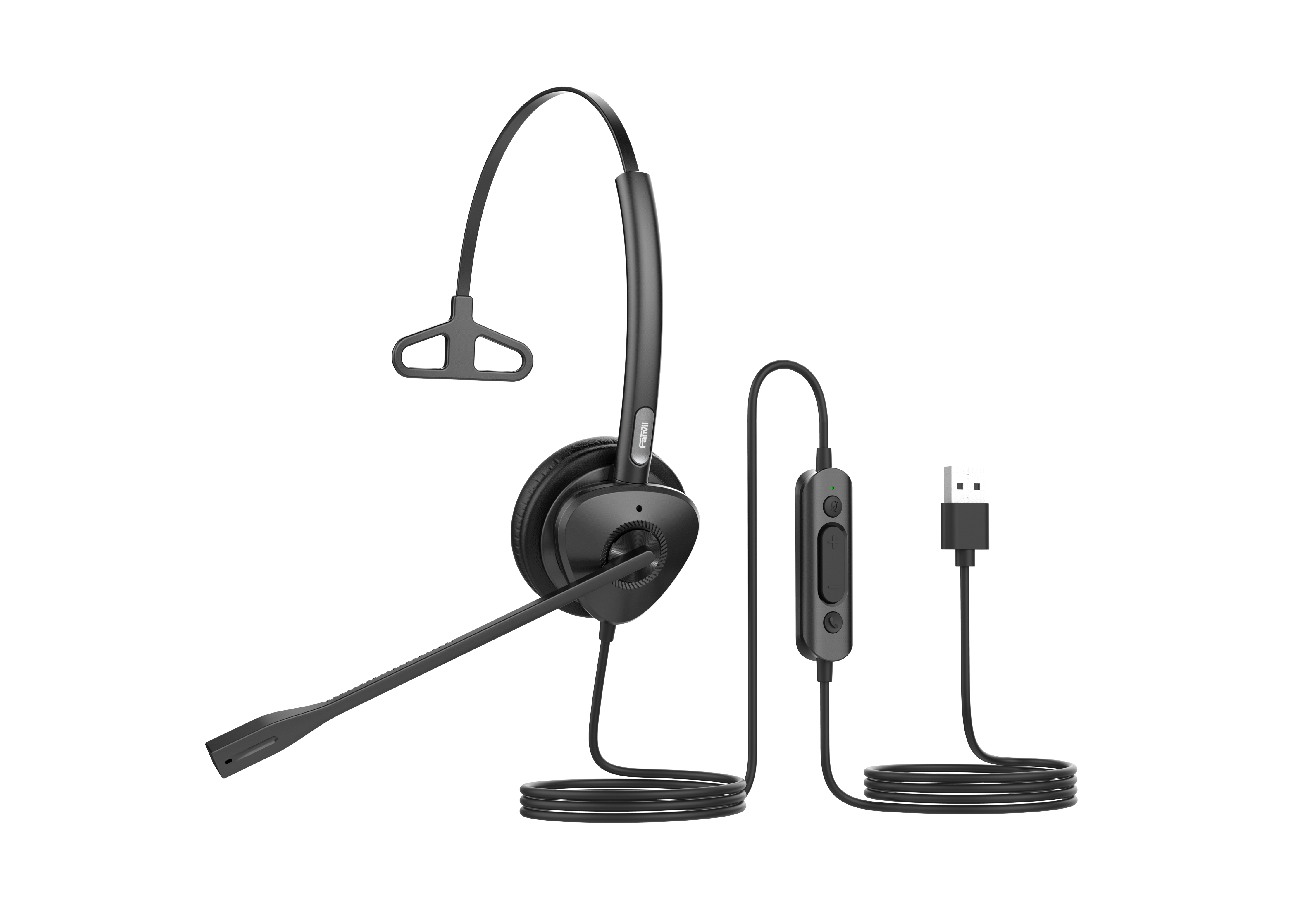
Grandstream GUV3005 HD USB Headsets with Noise Canceling Mic

Frequently Asked Questions

Confirm the USB connector is fully seated in a port directly on the computer, not through a hub or docking station, as those can sometimes cause recognition issues. Try a different USB port to rule out a faulty connection, and check if the headset appears in your computer’s sound settings. A quick reboot with the headset plugged in often resolves a temporary detection failure.
The noise-cancelling microphone needs to be positioned correctly; it should sit about two finger-widths from the corner of your mouth, not near your cheek or chin. In your softphone or conferencing app, confirm the GUV3005 is selected as the input device, as the application may have defaulted to a built-in laptop microphone. Also check that the inline mute switch is not partially engaged.
USB audio dropouts are often caused by power management settings or wireless interference. In your computer’s device manager, disable the option that allows the system to turn off the USB device to save power. If you are using a USB 3.0 port, nearby 2.4 GHz wireless devices can sometimes cause interference; moving the headset’s cable away from wireless dongles and routers can help.
Yes, the GUV3005 is compatible with Grandstream IP phones that have a USB port and support USB headsets. Plug the headset into the phone’s USB port, then check the phone’s LCD menu or web interface under audio settings to ensure the USB headset is selected as the primary audio path. Not all Grandstream models support this, so verify your specific phone’s capabilities.
The busy light’s behavior depends on the softphone or communication platform you are using. Not all applications support the USB HID command that triggers the light. Test with a platform known to support call status indicators, such as Grandstream’s own Wave softphone or a major UC client, to confirm the hardware is functional before assuming a defect.
This is typically sidetone or a loopback setting. In your computer’s sound control panel, open the properties for the headset’s microphone, go to the ‘Listen’ tab, and make sure ‘Listen to this device’ is unchecked. Also check your softphone’s audio settings for a sidetone or loopback test option and disable it.
Corporate desktop environments often have restricted USB permissions or require specific audio drivers. Try the headset in a USB port on the back of the desktop, directly on the motherboard, as front-panel ports can have inconsistent power delivery. If the desktop is managed by IT, they may need to approve the USB audio device or install the standard USB audio class driver.
The GUV3005 is a standard USB audio device and does not require a special driver for Teams. In the Teams app, go to Settings > Devices and set both the speaker and microphone to the Grandstream headset. For the most reliable experience, also disable any other unused audio devices in your computer’s sound settings to prevent Teams from switching during a call.
Headsets

Grandstream GUV3005 HD USB Headsets with Noise Canceling Mic

*The GUV3005 is a high-quality, HD USB headset designed for remote workers and busy environments. Its noise-cancelling microphone minimizes background noise to provide crisp HD audio.* • Features: • High-definition audio for clear communication • Noise-cancelling technology for reduced background noise • USB 2.0 connection compatible with laptops, desktop computers, and Grandstream IP Phones • Busy light indicates a call in-progress • Adjustable leather headband for all-day comfort • In-line controls offer quick volume and mute adjustments • Compatible with major third-party communication platforms, applications, and softphones • Additional Information: • Weight: 1 lb • Dimensions: 9 × 7 × 2 in • Brand: Grandstream • Headset Type: Stereo, USB • Technical Specifications: • Speaker Diameter: 27mm • Impedance: 32(±15%)Ω • Sensitivity: 94dB (at 1kHz 1mW) • Frequency Response: 20Hz~20kHz • Distortion Max: 3% & 1kHz

About This Product

The Grandstream GUV3005 is a straightforward USB headset built for the daily reality of remote and hybrid work. It is best suited for individuals who spend much of their day on voice calls, video meetings, or using a softphone client, and who need a reliable, plug-and-play audio device that does not require IT involvement to set up. The stereo design and leather headband suggest it is aimed at all-day comfort rather than occasional use, making it a practical choice for contact center agents, receptionists handling high call volumes, or any professional whose work depends on being heard clearly.

The built-in noise-cancelling microphone is the key practical feature here, helping to filter out the hum of a home office or the chatter of an open-plan environment. It pairs naturally with softphone platforms and Grandstream’s own IP phones that support USB headsets, giving a consistent audio experience across different communication tools. The inline controls for volume and mute, along with the busy light, address the small but important workflow needs of a user who cannot afford to fumble with on-screen controls during a call.

A buyer should understand the tradeoffs of a wired USB headset at this price point. It is not a wireless device, so mobility is limited to the length of the cable, and it does not offer active noise cancellation for the wearer’s own ears—the noise cancelling is on the microphone side only. For a Toronto professional working from a busy household or a downtown office with constant background sound, the microphone will reduce what callers hear, but the user will still perceive ambient noise through the ear cushions. This is a functional tool optimized for clear outgoing voice, not an immersive audio experience.

This headset would be overkill for someone who only occasionally jumps on a quick call and could use a basic earbud microphone. It is underpowered for an executive who needs wireless freedom to move around a private office during calls or for a user in an extremely loud environment who requires a dual-ear, heavy-duty noise-excluding headset. For a standard Canadian business deployment—equipping a row of desks in a Mississauga office or a remote worker’s setup in a Vancouver condo—the GUV3005 hits a sensible balance of cost, comfort, and voice clarity.
Services We Provide
  • Professional Installation & Configuration
  • Ongoing Maintenance & Support
  • Troubleshooting & Repairs
  • System Upgrades & Updates