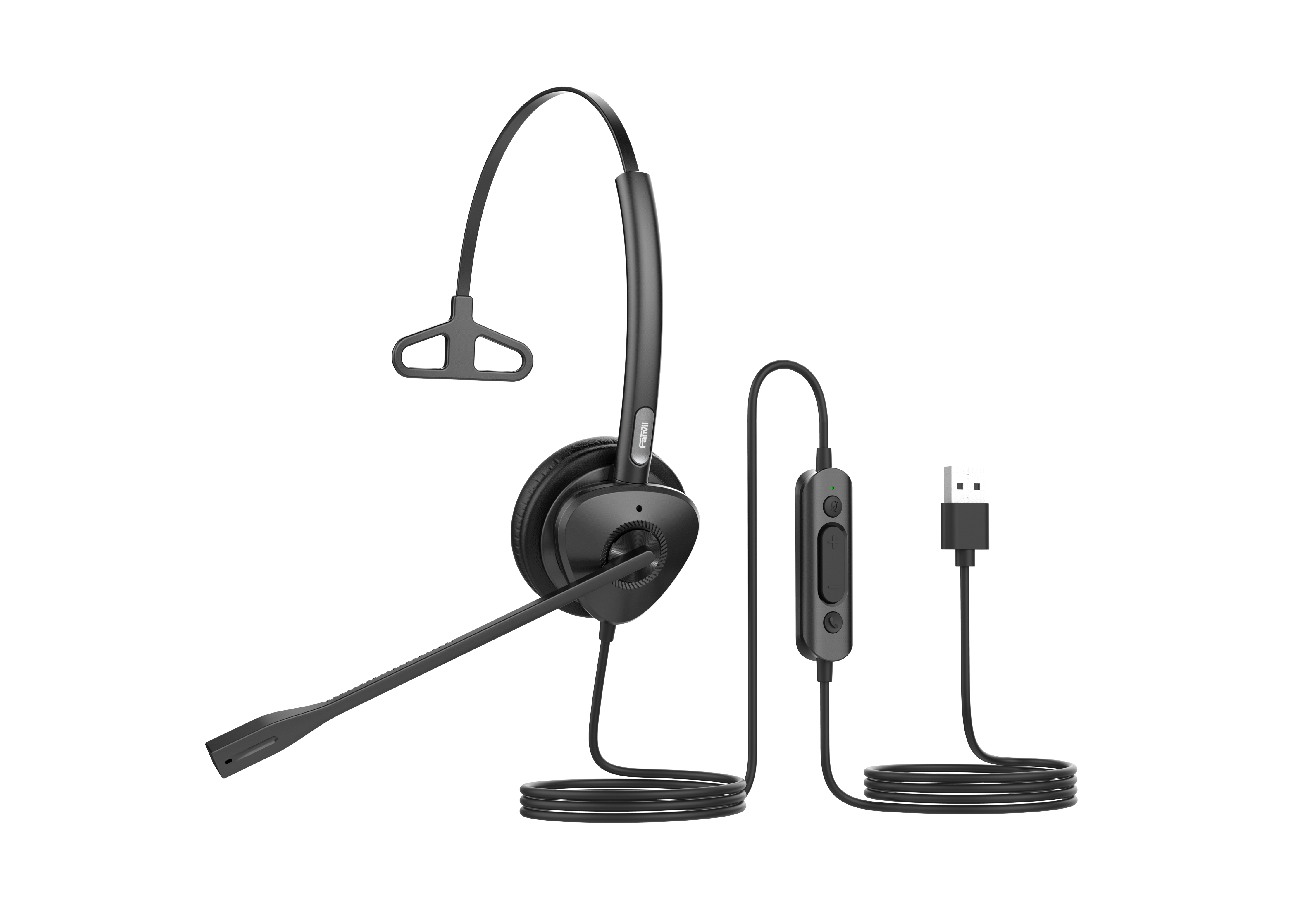
Yealink UH46 Dual Teams USB-C/A – 1308182

Frequently Asked Questions

First, ensure the USB connector is fully seated—try both the USB-C tip and the USB-A adapter in different ports. In Windows, open Sound settings and look under 'Output' to see if the headset appears. If it isn't listed, test the headset on another computer to rule out a faulty cable. Should the problem persist, a Toronto-based VoIP support provider can typically diagnose the issue remotely.
Not necessarily. First, check that the audio balance in your operating system or Teams isn't panned fully left or right. Also, confirm the headset's cord isn't partially unplugged at the USB connector or the headset itself. If those checks don't help, test playback from a different application (like a YouTube video) to see if the problem follows the source.
Open Teams settings > Devices and verify the UH46 Dual is selected as the microphone. Then, make sure the inline mute switch (if present) is off—accidental muting is common. Also check Windows privacy settings to allow apps to access your microphone. A quick test call in Teams can confirm the mic is working before your next meeting.
The three-mic array and AI processing work best when the headset is worn properly and the mic boom is close to your mouth. Confirm the boom is rotated down and the capsule is about an inch from the corner of your lips. If you're using the headset with a softphone other than Teams, ensure the application isn't applying its own aggressive noise reduction on top, as that can sometimes conflict and muddy the signal.
This is often a bandwidth or driver issue. Disconnect and reconnect the headset—make sure you plug it directly into your computer, not through a USB hub that may be underpowered. In your softphone, temporarily switch audio output to your computer speakers and back to the headset to reset the audio stream. If the distortion persists only on calls, the problem might be network-related rather than the headset.
The Yealink UH46 Dual is fully Teams certified, but Windows sometimes needs a refresh. Unplug the headset, restart the Teams client, then reconnect. The certification is built into the headset's USB firmware, so no driver installation is needed. If the warning doesn't clear, check Windows Update for optional driver updates and try a different USB port.
Yes. The headset uses standard USB audio class drivers, so it works with macOS and ChromeOS without additional software. You may need to select it as the input/output device in the system's sound preferences and in your softphone's audio settings.
It can work with many USB-C smartphones that support OTG audio devices, but this isn't officially supported and sound quality or call control may be unpredictable. For a consistent mobile experience, a dedicated Bluetooth headset would be a safer bet.
Absolutely. While it's certified for Microsoft Teams, the headset appears as a standard USB audio device. You can set it up in Zoom, RingCentral, or any softphone that lets you choose a headset. The Teams-specific controls (like the dedicated Teams button, if present) may only work in Teams, but audio and microphone function remain universal.
No, the UH46 Dual is truly plug-and-play. Windows, macOS, and Chrome OS will recognize it as soon as you connect. Optional software like Yealink USB Connect can be used for firmware updates and limited settings customization, but it's not required for daily calls.
Headsets

Yealink UH46 Dual Teams USB-C/A – 1308182

The Yealink UH46 Dual Teams USB-C/A is a professional USB wired headset designed with excellent craftsmanship and comfortable materials, ensuring all-day comfort. Advanced three-microphone noise-canceling technology delivers exceptional noise reduction performance. Key Features: • 3-Mic & AI Noise Cancellation • All-Day-Wearing Comfort • Plug-and-Play with USB-C/A Cord • High-Quality Audio Experience • Wearable on both sides • Teams Certified Technical Specifications: Audio: • Microphone quantity: 3 • Microphone frequency response range: 100Hz-14kHz • Speaker size: Ø 35mm • Speaker sensitivity: 113.8±3dB 0.980V • Speaker frequency response range: 20Hz-20kHz Hearing Protection: • Peak Block Protection (EN50332) • Australian G616 Protection (AU G616) • Daily Noise Exposure Protection

About This Product

The Yealink UH46 Dual is a wired USB headset aimed squarely at knowledge workers who spend full shifts on calls through Microsoft Teams. Its binaural, over-the-ear build blocks out physical office noise while the three-microphone array uses AI-driven noise cancellation to keep your voice front and centre. That makes it a dependable choice for contact centre agents, support teams, or anyone working in a busy open-concept office in Toronto’s Financial District or a home environment with household distractions.

Because it connects over a standard USB-C connector and ships with a USB-A adapter, you can plug straight into most laptops and desktops without dongles or drivers. There’s no battery to worry about and no wireless pairing hassles—just reliable, low-latency audio that stays consistent all day. The lack of Bluetooth is a deliberate trade-off: you gain simplicity but lose the freedom to walk away from your desk. For someone anchored to a workstation, that’s a fine deal.

Yealink paid attention to all-day wearability with lightweight materials and soft ear cushions, and the hearing protection features (EN50332 peak blocking and daily noise exposure protection) add a layer of safety you don’t often see at this price point. Those safeguards are especially relevant in roles where call volume is high, helping reduce long-term fatigue.

Where the UH46 Dual might be too much: if you only take a handful of calls per month and prefer a single-ear headset for situational awareness, a binaural, noise-isolating model can feel isolating. Conversely, it’s underpowered if you need to roam between rooms or pair with a mobile phone simultaneously—then a wireless DECT or Bluetooth headset would be a better fit. For teams already standardized on Microsoft Teams and wanting a fuss-free, deskbound device that just works, this headset hits a sweet spot.
Services We Provide
  • Professional Installation & Configuration
  • Ongoing Maintenance & Support
  • Troubleshooting & Repairs
  • System Upgrades & Updates