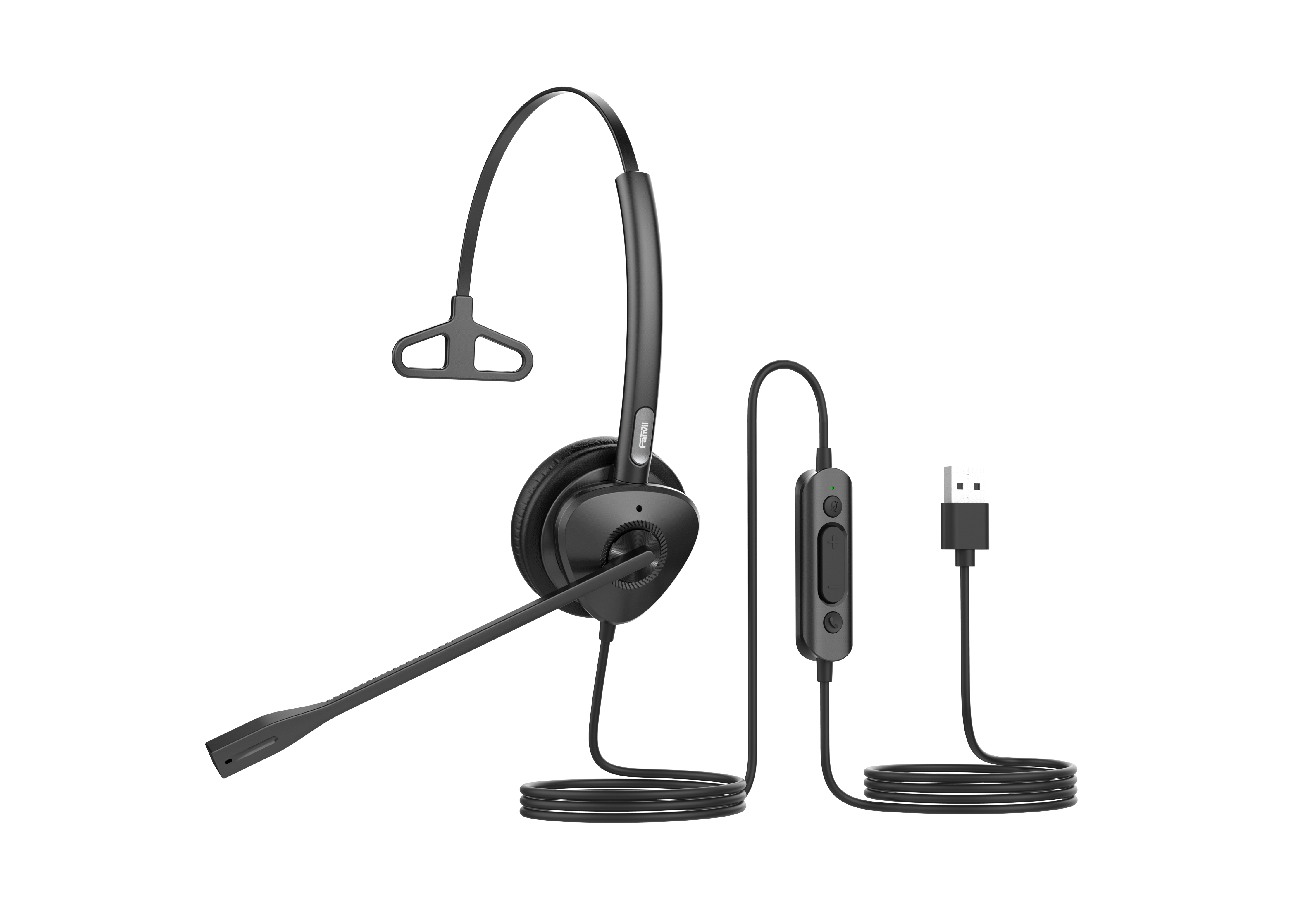
Yealink UH42 Mono UC USB-C/A – 1308217

Frequently Asked Questions

First, try a different USB port on your computer, as a loose connection or a faulty port is a common culprit. If it’s still not recognized, check the Sound settings in your Windows Control Panel to see if the 'Yealink UH42' appears as a playback device; if it’s listed but not selected, right-click and set it as the default device.
Ensure the microphone boom arm is positioned correctly, about two finger widths from the corner of your mouth, and not upside down. In your softphone’s audio settings, verify the Yealink UH42 microphone is selected and that the volume is set to an appropriate level, then run a test call to check the improvement.
Within the Teams call window, click 'More' then 'Device Settings' and confirm the Yealink UH42 is selected for both speaker and microphone. If it is, check Windows’ privacy settings to ensure Teams has permission to access the microphone, which can sometimes be toggled off after an update.
Distortion can often be caused by a USB power management setting. In Windows Device Manager, find the 'Universal Serial Bus controllers' section, right-click each 'USB Root Hub', go to 'Properties' and on the 'Power Management' tab, uncheck 'Allow the computer to turn off this device to save power'. A quick test on another computer can also quickly isolate if the issue is with the headset or your PC.
While you can use it for music, it is tuned specifically for voice clarity in the frequency range of human speech, not for a rich, full-bodied music experience. It’s a mono headset, so you won't hear stereo separation, and the bass response is not designed for entertainment audio.
Compatibility depends entirely on your specific desk phone model having a USB port and supporting USB audio. If your Yealink phone has a standard USB port and is on current firmware, it will likely work as a plug-and-play device. For older models without USB, this headset will not be a direct replacement for an RJ9 headset.
Basic functions like volume and mute are standard and should work universally. However, the call answer/end button’s function is application-specific and may require your softphone to be configured to accept HID commands from a USB device, or for the headset to be set as the primary communication device in your sound settings.
The UH42 is a class-compliant USB audio device, so it should be recognized without special drivers on Chrome OS and most modern Linux distributions. If it’s not showing up, check the audio input/output settings to ensure the system has routed audio to the new USB device instead of the internal speakers.
A blinking mute LED indicates the microphone is muted, a universal feature on this controller to give you a clear, at-a-glance status. Press the mute button on the inline controller once to toggle the mute off, and the LED should turn solid or off, depending on its normal state.
Check the inline controller’s volume wheel, as it is easy to accidentally turn it all the way down. Next, verify the headset's 3.5mm connector, if detachable, is firmly seated in the inline controller, and that the USB connector is fully inserted into your computer.
Headsets

Yealink UH42 Mono UC USB-C/A – 1308217

The Yealink UH42 Mono UC USB-C/A is a professional USB wired headset designed for workers who spend extended periods wearing headsets for voice communications. Its lightweight and comfortable form ensures all-day wearability. Key Features: • 1-Mic AI Noise Cancellation • All-Day-Wearing Comfort • High-Quality Audio Experience • Flexible and Fast Plug-and-Play • In-line Call Controller with LED Indicators • UC Certified Technical Specifications: Audio: Microphone quantity: 1 Microphone frequency response range: 100Hz-14kHz Speaker size: Ø 35mm Speaker sensitivity: 113.8±3dB 0.980V Speaker frequency response range: 20Hz-20kHz Music mode and talk mode specifications available upon request. Hearing Protection: Peak Block Protection (EN50332) Australian G616 Protection (AU G616) Daily Noise Exposure Protection For a full list of specifications, please refer to the product datasheet.

About This Product

The Yealink UH42 Mono is built for the desk-bound professional who spends most of the day on calls and needs a tool that fades into the background. Its single-ear design is ideal for a busy open office in downtown Toronto, letting you stay connected to your conversation while remaining aware of a colleague asking a quick question or a manager stopping by your desk. The inline controller is a practical touch, putting essential call functions like mute and volume at your fingertips without minimizing your softphone. For a receptionist, a customer service agent, or anyone whose role blends computer-based calls with face-to-face interaction, this mono configuration is often the smarter choice over a stereo headset.

This headset pairs perfectly with a desk phone that has a USB port or a softphone client like Microsoft Teams or Zoom on a laptop. The dual USB-C/A connector makes it a flexible companion for a modern thin-and-light laptop or a standard workstation dock without needing adapters. While it is UC certified for major platforms, the value here is in the simple, cable-first reliability. In a world of Bluetooth pairing headaches and batteries dying mid-call, the UH42 Mono is a zero-latency, zero-maintenance tool. It's a direct swap for an aging corded headset or a more comfortable upgrade for someone currently using a basic earbud.

It’s important to know the limits of a device in this price range. The single microphone with AI noise cancellation does a solid job of suppressing steady background hum, like HVAC noise, but it won't magically silence the chaotic sounds of a busy coffee shop. The mono design, while perfect for awareness, means you won't get the immersive sound of a stereo headset for media consumption. For a Canadian business, this is a purpose-built call device, not a general-purpose listening tool, and that focus is its strength.

This headset is overkill for someone who only makes a couple of short calls a week, where a basic pair of earbuds would suffice. Conversely, it's underpowered for an executive who needs premium, wideband audio for critical negotiations, or for a user in a persistently loud environment who requires a dual-mic headset with more aggressive noise suppression. For the core of your office team, however, it’s a comfortable, durable, and straightforward solution that represents a significant value proposition for a high-volume call center or a GTA-based sales team.
Services We Provide
  • Professional Installation & Configuration
  • Ongoing Maintenance & Support
  • Troubleshooting & Repairs
  • System Upgrades & Updates