
Fanvil HT301-U USB Mono Headset
Frequently Asked Questions
First, confirm the phone's USB port provides enough power and supports USB audio class devices—many modern IP phones do, but check the phone's documentation. Try a different USB port on the same phone if available, or test the headset on a PC to rule out a faulty headset. If the phone still doesn't see it, a settings adjustment on the phone's USB or audio menu may be needed, and your IT team can verify whether the port is enabled for headsets.
Start by inspecting the USB cable for damage and ensure it is seated firmly in the port. Move the cable away from power bricks, fluorescent lights, or other electronics that could cause interference. If the noise persists, connect the headset to another device—a laptop, for example—to confirm whether the issue follows the headset or stays with the original phone. If the noise is only on one device, the phone's audio output may need attention.
Verify the mute function is off and the boom arm is positioned so the microphone sits about two finger-widths from the corner of your mouth. On a PC softphone, check that the HT301-U is selected as the input device. If the problem only happens with a particular IP phone, try the headset on a computer to confirm the microphone itself works, then review the phone's audio or headset settings.
Adjust the bendable boom arm so the microphone is closer to your mouth and not rotated away. On your calling app or phone, look for a microphone gain or volume setting and try a modest increase. If the headset works normally on a PC but not the phone, the phone's USB audio sensitivity may need adjustment through its configuration interface.
Echo often stems from sidetone settings or acoustic feedback. Start by lowering the headset speaker volume a little and see if it reduces the echo. Next, check your softphone or phone menu for a sidetone or echo cancellation setting and try toggling it. If the echo only occurs with one device, the phone's audio configuration likely needs tweaking; the headset itself is rarely the root cause.
First, try a different USB port on the same device. If you're using a USB hub, bypass it and plug the headset directly into the phone or PC, as some hubs supply insufficient power. Check the cable for kinks or damage, and test the headset on another computer to see if the issue follows it. If the problem persists, a Toronto-based VoIP support provider can usually help diagnose whether it's a hardware fault or a device compatibility matter.
Yes. The HT301-U is a standard USB audio device and will be recognized by Windows, macOS, and most softphone applications without extra drivers. Just select it as the speaker and microphone in your software's audio settings. If the headset doesn't appear, try a different USB port and check that your operating system sees it in the sound control panel.
The boom arm rotates through 260 degrees, so you can simply bend it around to the opposite side. The ear cushion and headband are symmetrical; after rotating the arm, place the headset on your other ear and position the microphone comfortably. No software or configuration change is needed.
Yes, it can work with many third-party IP phones that have a USB port and support USB audio class devices. Compatibility isn't guaranteed with every model, so it's wise to test it with your phone. If your phone sees the headset but you get no audio, check the phone's USB audio settings or contact your support team for assistance.
First, ensure the USB cable is securely connected at both ends and isn't being tugged. If you're on a PC, close other USB audio devices that might be competing for bandwidth. If the issue appears only on an IP phone, try a different phone if available; if the headset behaves the same way across devices, a Toronto-based VoIP support provider can remotely assess whether the headset requires replacement or if there's a deeper system issue.
Headsets
Fanvil HT301-U USB Mono Headset
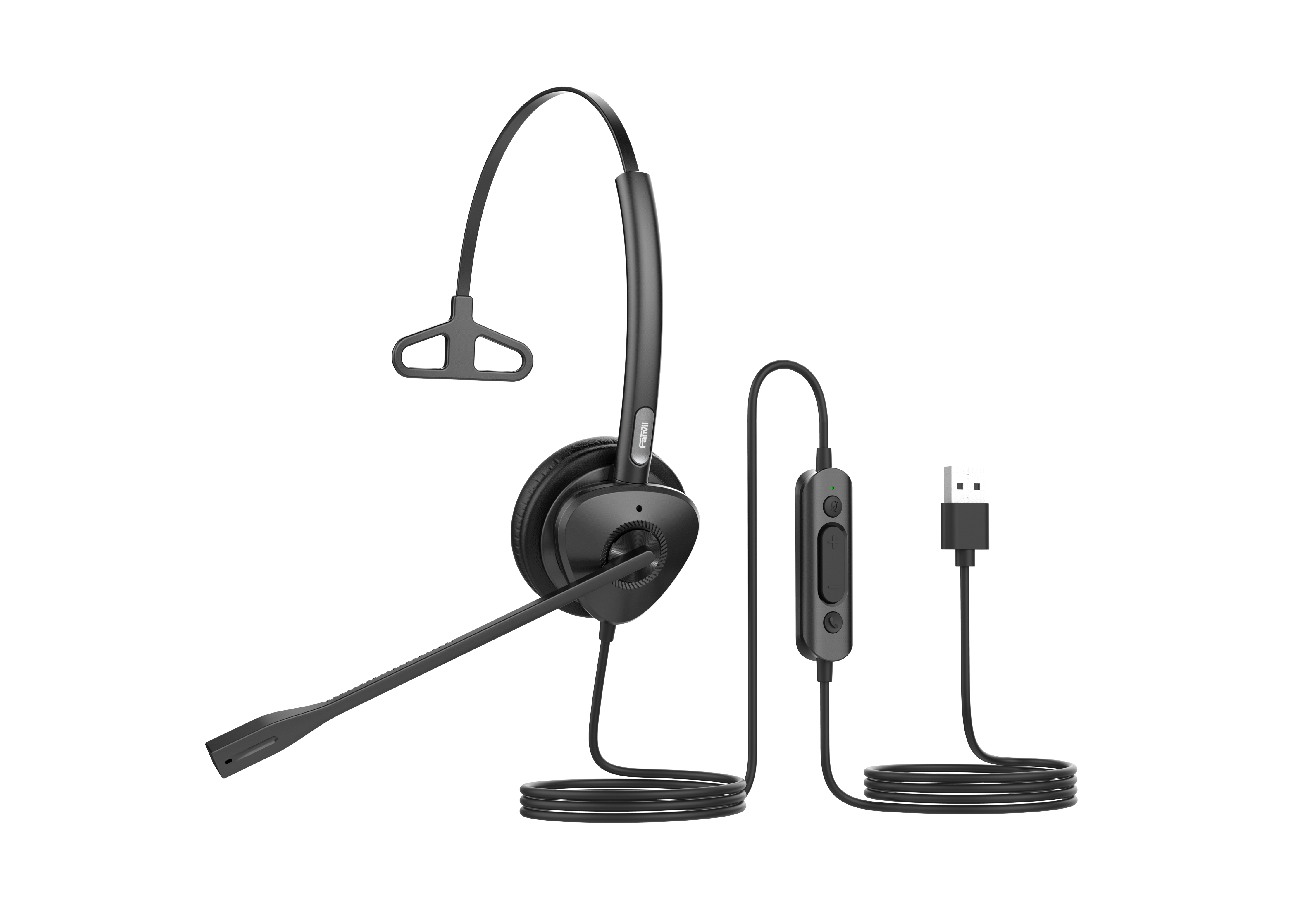
Fanvil HT301-U/HT302-U is a USB wired headset designed for office and call center communication. Key Features: • Dual microphones with ENC noise reduction technology • Wideband HD audio support with Anti Electromagnetic Frequency Interference and dynamic EQ function • All-day comfort provided by ergonomic design, soft leather ear cushions, and ultra-lightweight • 260° bendable boom arm for flexible wear options The headset supports connecting to Fanvil IP phones with USB interfaces, third-party mainstream IP phones with USB interfaces, and PC devices.
About This Product
The Fanvil HT301-U is a practical choice for call center agents and office professionals who need a dependable wired headset that gets out of the way. Its mono design lets you stay aware of your surroundings, which matters on a busy floor or in a shared workspace, while the USB connection means you can plug straight into a compatible desk phone or computer without adapters.
It pairs naturally with Fanvil IP phones that have a USB port, but it will also work with many third-party USB phones and softphones running on a PC. The dual-microphone noise reduction helps cut through background chatter, so this can be a sensible upgrade if you are moving from a basic handset or a headset that lacks echo-cancelling microphones. Keep in mind the USB cable ties you to the desk, and the mono speaker won't suit anyone who needs stereo audio for media or training materials.
In a small Toronto office or a GTA call center deployment, this headset is a straightforward, cost-effective tool for high-volume voice work. It is overkill for someone who only takes an occasional call and would be frustrated by the cord, but it fits right into a row of desks where call clarity and all-day comfort are non-negotiable.
It pairs naturally with Fanvil IP phones that have a USB port, but it will also work with many third-party USB phones and softphones running on a PC. The dual-microphone noise reduction helps cut through background chatter, so this can be a sensible upgrade if you are moving from a basic handset or a headset that lacks echo-cancelling microphones. Keep in mind the USB cable ties you to the desk, and the mono speaker won't suit anyone who needs stereo audio for media or training materials.
In a small Toronto office or a GTA call center deployment, this headset is a straightforward, cost-effective tool for high-volume voice work. It is overkill for someone who only takes an occasional call and would be frustrated by the cord, but it fits right into a row of desks where call clarity and all-day comfort are non-negotiable.
Services We Provide
- Professional Installation & Configuration
- Ongoing Maintenance & Support
- Troubleshooting & Repairs
- System Upgrades & Updates



