
Fanvil HT302-U USB Dual Headset

Frequently Asked Questions

First, check that the headset is selected as both the speaker and microphone device in your softphone or operating system sound settings. On a Fanvil IP phone, confirm the USB headset is enabled under the phone's audio path settings. If the device appears but still has no sound, try a different USB port directly on the computer or phone, avoiding unpowered hubs.
Adjust the boom arm so the microphone sits about two finger-widths from the corner of your mouth, not directly in front of it. Verify the boom is not rotated away from your face; the microphone capsule should be oriented toward your voice. In your call software, disable any additional noise suppression or audio enhancements, as these can conflict with the headset's own ENC processing.
Confirm your Fanvil phone model has a USB port that supports audio devices and that its firmware is up to date. Plug the headset into the phone's USB port before the phone is fully booted, then navigate to the phone's audio settings menu to set the USB headset as the primary audio path. If the phone still does not detect it, test the headset on a computer to rule out a hardware fault.
Try moving the USB cable away from power adapters, monitor power bricks, and any other cables that carry electrical current. Electromagnetic interference from nearby electronics is a common cause. Also test the headset on a different computer or phone to see if the noise follows the headset or stays with the original device.
Close the softphone completely, then reopen it after the headset is already connected. Inside the softphone's audio settings, explicitly select the Fanvil headset for both the speaker and microphone rather than relying on the system default. If the issue persists, check whether the softphone has a permission setting that blocks USB audio devices.
The HT302-U connects exclusively over USB. It does not include a 3.5mm connector and cannot be used with devices that only offer a traditional headset port. For analogue-only desk phones, you would need a different headset model or an adapter that converts USB audio to an analogue signal, which is not typically recommended.
Make a test call or recording and, while speaking, introduce a consistent background sound like a fan or radio at low volume. Listen back to the recording; the ENC system should noticeably reduce that steady noise without cutting out your voice. There is no physical switch for the noise cancellation, it operates automatically whenever the headset is powered over USB.
Inspect the USB cable for any kinks or damage, and try a different USB port directly on the device. If you are using a USB extension cable or a hub, remove it and connect directly. Power management settings on a Windows PC can also suspend USB ports; disable USB selective suspend in your power plan settings as a safe first step.
Headsets

Fanvil HT302-U USB Dual Headset
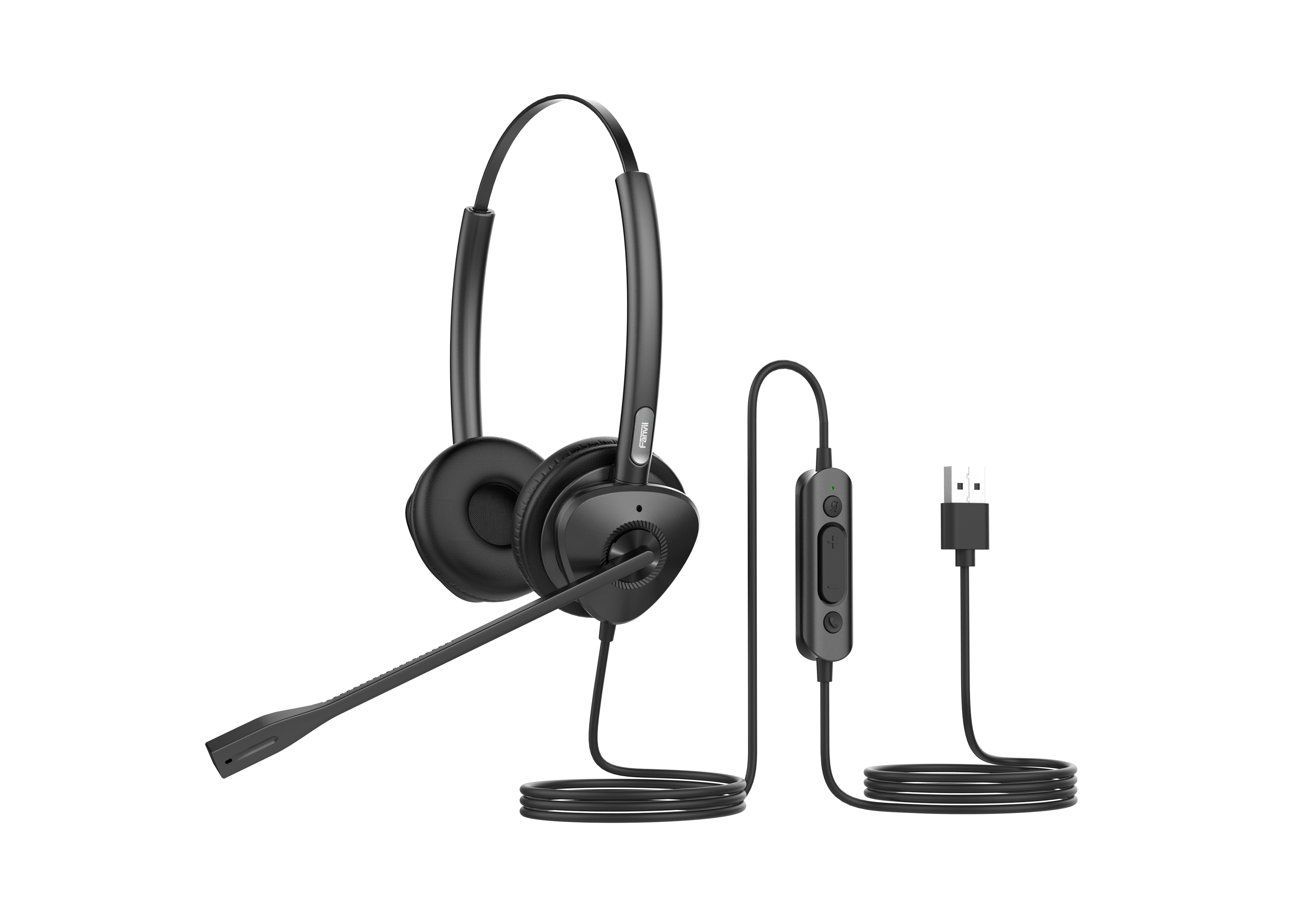
Fanvil HT301-U/HT302-U is a USB wired headset designed for office and call center communication, providing an immersive HD audio experience with dual microphones and ENC noise reduction technology. The headset features: • Dual Mic Noise Reduction: ENC Environment Noise Cancellation Technology reduces background noise for crystal-clear communication • HD Audio: Wideband HD audio with Anti Electromagnetic Frequency Interference and dynamic EQ function, delivering vivid and rich audio quality • All-day Comfort: Ergonomic design with soft leather ear cushions and ultra-lightweight, along with a 260° bendable boom arm for flexible wear options • Strong Compatibility: Compatible with Fanvil IP phones with USB interface, as well as third-party mainstream IP phones and PC devices with USB interface

About This Product

The Fanvil HT302-U is a straightforward USB headset built for environments where clear voice pickup matters more than high-fidelity music reproduction. It suits call centre agents, receptionists, and anyone spending hours on softphone or desk phone calls. Because it connects over USB and relies on inbuilt digital signal processing, it removes the need for separate audio adapters or analogue headset ports, which simplifies deployment in offices that have standardized on USB peripherals.

This model pairs naturally with Fanvil IP phones that include a USB port, but it is also a practical choice for Windows or Mac workstations running Teams, Zoom, or a cloud PBX soft client. The dual-microphone ENC noise reduction is the feature that sets it apart from basic USB headsets; it helps suppress steady background sounds like HVAC hum or open-office chatter, making it a reasonable pick for cubicle floors and home offices that are not acoustically treated.

A buyer should understand what it does not do. The HT302-U is a corded USB device, so it ties the user to the desk and does not offer Bluetooth or DECT wireless freedom. It also depends on the host device for call control and audio routing, which means compatibility with older phone firmware or locked-down thin clients should be verified before a bulk purchase. For a small Toronto office migrating to a softphone-first setup, these are manageable tradeoffs given the price point.

For a single user who needs a reliable wired headset with effective noise suppression, the HT302-U is a sensible, low-cost choice. It would be overkill for an executive who only takes occasional short calls and would prefer a discreet earbud, and it is underpowered for a training room or conference space where a speakerphone or boundary mic is needed to cover multiple participants.
Services We Provide
  • Professional Installation & Configuration
  • Ongoing Maintenance & Support
  • Troubleshooting & Repairs
  • System Upgrades & Updates



