
Fanvil i61 Flush Mount Accessory EX101
Frequently Asked Questions
Installation involves mounting the brick box in the wall opening, then attaching the frame panel and the door phone. For a proper fit, ensure the wall cavity is wide enough for the brick box and that the unit is level. If you are unsure about the installation process, a Toronto-based VoIP support provider can often assist with on-site guidance.
Yes, this accessory is compatible with all Fanvil i6 series door phones, including the i62. It is specifically designed to fit the mounting points and dimensions of the i6 series. If you have a different Fanvil model, it may not be compatible, so check the model compatibility before purchasing.
First, measure the cutout dimensions in your wall and compare them to the brick box size. If the opening is too small, you may need to widen it; if too large, you may need additional backing. If you are not comfortable cutting the wall, consider hiring a professional or using the standard surface-mount installation instead.
Check that the frame panel is correctly aligned and that the mounting screws are not stripped. Verify that the brick box is fully recessed and level in the wall, as any tilt or protrusion can prevent proper attachment. Ensure you are using the screws provided with the accessory kit.
Yes, the kit can be used outdoors as long as the Fanvil i6 door phone itself is rated for outdoor use, which most Fanvil i6 models are. The kit does not add weatherproofing, so ensure the door phone's seal is intact and that the wall opening is properly sealed to prevent moisture ingress.
Measure the depth of your wall cavity. If it is deeper than the brick box, you may need to add spacers or adjust the mounting depth to ensure the door phone sits flush. The brick box is designed for standard wall depths, so deeper walls may require additional shimming. Contact your supplier for guidance on adapting the kit.
No, the flush mount accessory is purely a mounting solution and does not obscure the door phone's speaker, microphone, or camera. Audio and video quality remain the same as with surface-mount installation, provided the unit is installed correctly and the area in front of the door phone is clear.
Accessories
Fanvil i61 Flush Mount Accessory EX101
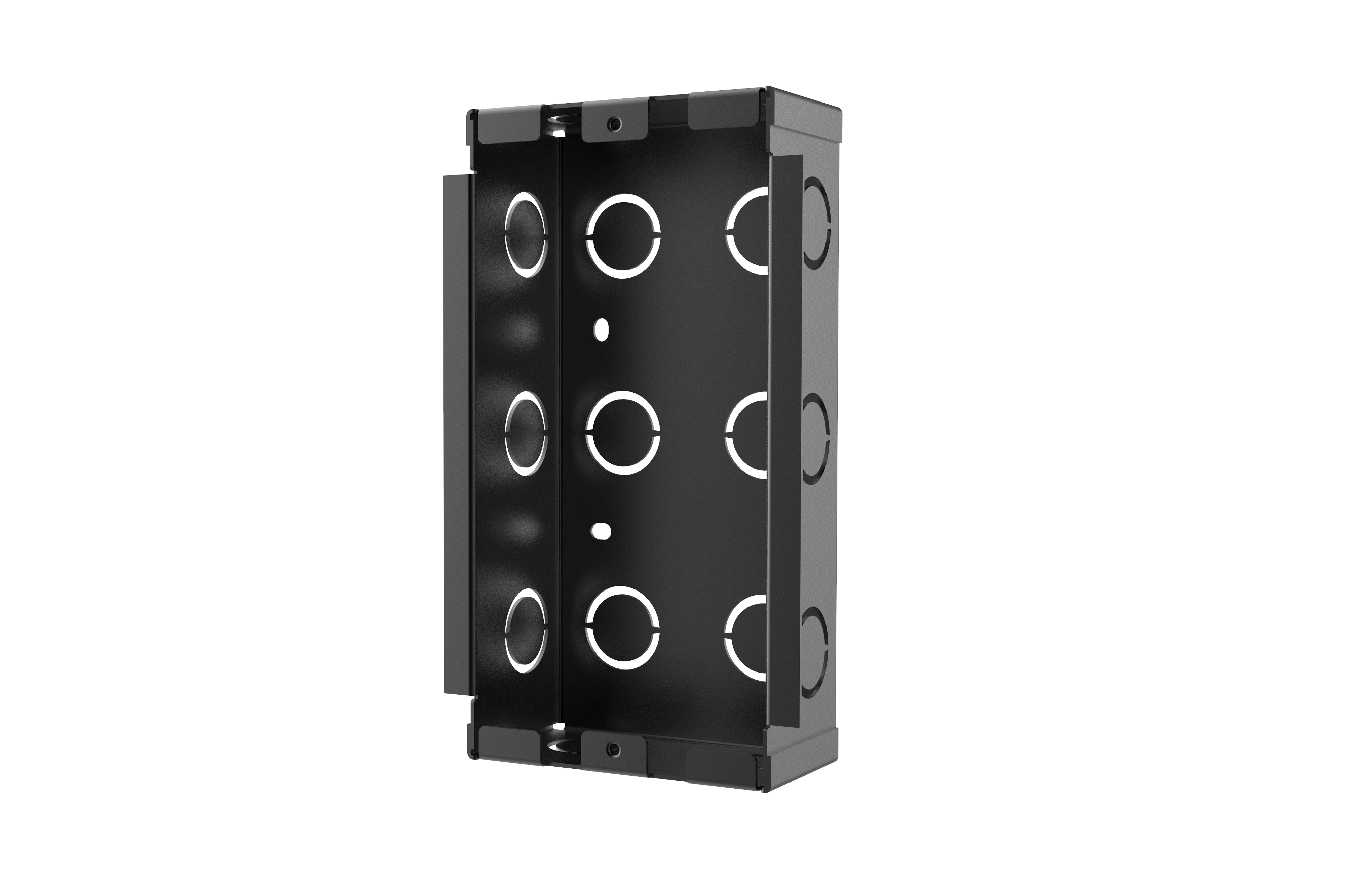
• Fanvil i61 Flush Mount Accessory EX101 is the optional flush mounted accessory package for Fanvil i6 series door phones. • The accessory package consists of a frame panel and a brick box, making it easy to install and saving space. • Key features include: • Easy installation • Space-saving design • Compatible with Fanvil i6 series door phones
About This Product
The Fanvil i61 Flush Mount Accessory EX101 is a mounting kit designed specifically for the Fanvil i6 series door phones. It is intended for use in environments where a clean, low-profile installation is desired, such as in modern office buildings, apartment complexes, or commercial facilities in the Greater Toronto Area. The kit includes a frame panel and a brick box, which together allow the door phone to be installed flush with the wall, eliminating the protruding look that can be less aesthetically pleasing or impractical in tight spaces. This accessory is a practical choice for integrators or property managers who prioritize a seamless visual finish and need to save on wall space, but it is not necessary if the standard surface-mount installation is acceptable. For businesses that already have Fanvil i6 series door phones, this accessory adds no new functionality; it purely addresses mounting preferences. It pairs well with any Fanvil i6 model, such as the i61 or i62, and is best deployed in multi-unit or gated entry systems where the door phone is mounted at an entrance. The tradeoff is that flush mounting requires cutting an opening in the wall, which is more labor-intensive than surface mounting, so it may be overkill for rental spaces or temporary setups. Conversely, it is underpowered for installations that need weatherproofing beyond the door phone's own rating, as the accessory does not add environmental protection.
Services We Provide
- Professional Installation & Configuration
- Ongoing Maintenance & Support
- Troubleshooting & Repairs
- System Upgrades & Updates



