
Fanvil KT20 Wireless Key for Y501/Y501-Y
Frequently Asked Questions
First, confirm the Y501 is powered and within a few metres of the KT20. Put the Y501 into wireless key pairing mode (usually via its web interface or a button sequence). Then press the KT20 firmly until its LED flashes. If the LED does not flash, press harderâthe kinetic generator needs a deliberate push. If pairing still fails, move the key closer and avoid metal surfaces between them.
The KT20 powers its LED from the press itself, so a weak or slow press may not generate enough energy. Try a quick, firm press with the flat of your thumb. If the LED still stays dark, check that the key is not in a deep metal enclosure that could block the wireless signal. Under normal use, the LED should blink briefly on each press.
The wireless link can be disrupted if the key was accidentally unpaired or if the Y501 was rebooted while the key was out of range. Bring the KT20 close to the Y501 and test again. If there is still no response, re-pair the key using the same procedure as the initial setup. Also check that the Y501âs relay or output function assigned to the key hasnât been changed in the configuration.
In open air, it typically works reliably up to about 10â15 metres. Through interior drywall or a wooden door, expect a shorter but still usable range. Metal studs, foil-backed insulation, or mounting the Y501 in a metal electrical box can reduce range significantly, so test the position before finalizing the install.
No, the KT20 is designed exclusively for the Y501 and Y501-Y. It uses a proprietary protocol that is not compatible with Fanvilâs SIP phones, i-series video intercoms, or other door stations. If you need a wireless button for a different device, you will have to look at a third-party wireless relay instead.
Intermittent operation is often caused by borderline signal strength. Try relocating the Y501 slightlyâeven a few centimetres can help if it is currently behind a metal frame. Also make sure the KT20 is not being pressed from inside a pocket or purse, as the fabric can dampen the press and weaken the energy pulse. If the problem continues, pair a second KT20 to rule out a faulty unit.
No configuration is needed on the key itself. Once paired, the Y501 treats it as a trigger input. You can assign what the key doesâfor example, activate the door relay, call a preset number, or trigger an HTTP commandâthrough the Y501âs web settings. The KT20 simply sends a unique ID on each press.
The Y501 supports multiple wireless keys. The exact limit depends on the firmware version, but you can typically pair at least four KT20 units. Each key gets its own identity, so you can assign different actions to different buttons if needed.
This could happen if the Y501 lost its wireless key registration after a power cycle or firmware update. Check the Y501âs paired devices list to see if the KT20 is still enrolled. If it is missing, re-pair the key. Also verify that the Y501âs date and time are correct, as some devices clear transient pairings on reboot if the clock is invalid.
The KT20 is an indoor-rated accessory and is not weather-sealed. It can be used outdoors only if housed inside a weatherproof enclosure that still allows the button to be pressed. Condensation and freezing temperatures can affect the mechanical and electronic components. For an exposed outdoor location, a wired push-button rated for cold climates is a safer choice.
Accessories
Fanvil KT20 Wireless Key for Y501/Y501-Y
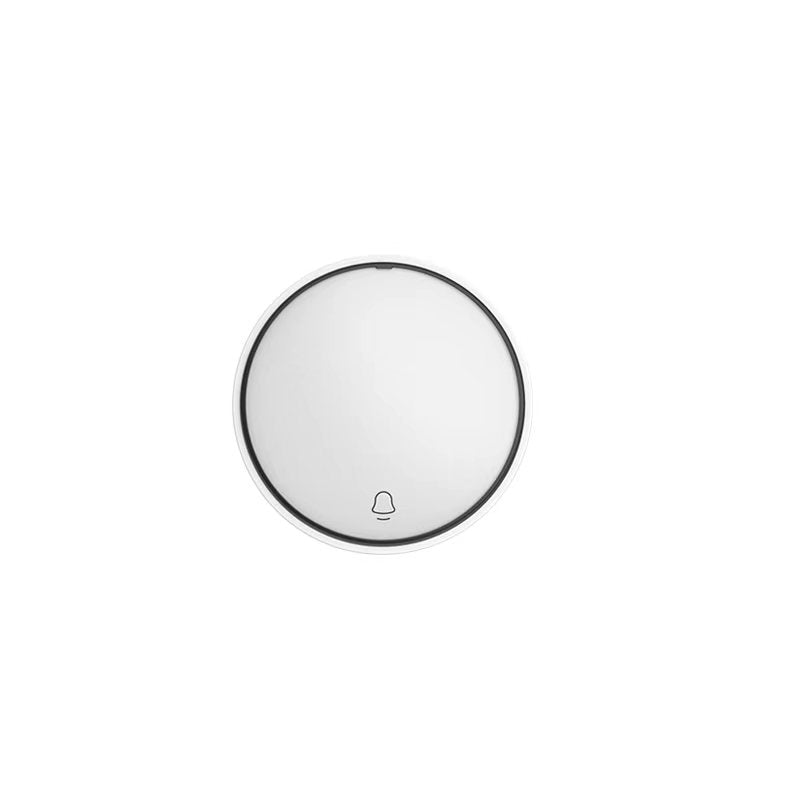
• The Fanvil KT20 Wireless Key for Y501/Y501-Y is a compact, kinetic energy wireless key that harnesses micro-energy to operate without a battery. • This device features patented technology and can be paired with the Fanvil Y501/Y501-Y series products for remote equipment control. For detailed specifications, please refer to the product datasheet available on our website.
About This Product
The Fanvil KT20 is a wireless companion for the Y501 and Y501-Y intercom or door station. It is a self-powered button that uses kinetic energy from each press, so there is no battery to replace and no low-voltage wiring to run. This makes it appealing for retrofit installations where pulling cable to a remote desk or secondary entrance would be messy or expensive. In a small Toronto office or retail setting, it can serve as a door release trigger or a silent alert button without cluttering the wall.
Because it is purpose-built for Fanvilâs Y501 series, the KT20 is not a general-purpose smart button. It will not talk to other intercom brands or to a generic relay controller. The pairing is straightforward but limited to a single host device, so it works best when you need exactly one wireless actuator per Y501 unit. Range is typical of sub-GHz low-energy linksâreliable within the same room or through a standard drywall partition, but not across a large warehouse floor.
The trade-off is simplicity versus flexibility. If you already have a wired exit button or rely on mobile app unlocking, the KT20 might be redundant. However, for a reception desk that needs a tidy, battery-free way to trigger the door from a few metres away, it fits neatly. It is not suitable as a primary access control device; think of it as a convenient remote momentary switch.
For Canadian deployments, there are no carrier dependencies, and the device operates in license-free spectrum. It pairs quickly with the Y501 using a short-range discovery mode, so a local installer can set it up in minutes. Just keep in mind that if the Y501 is mounted in a metal backbox or surrounded by concrete, you may need to test the wireless path before committing to a final position.
Because it is purpose-built for Fanvilâs Y501 series, the KT20 is not a general-purpose smart button. It will not talk to other intercom brands or to a generic relay controller. The pairing is straightforward but limited to a single host device, so it works best when you need exactly one wireless actuator per Y501 unit. Range is typical of sub-GHz low-energy linksâreliable within the same room or through a standard drywall partition, but not across a large warehouse floor.
The trade-off is simplicity versus flexibility. If you already have a wired exit button or rely on mobile app unlocking, the KT20 might be redundant. However, for a reception desk that needs a tidy, battery-free way to trigger the door from a few metres away, it fits neatly. It is not suitable as a primary access control device; think of it as a convenient remote momentary switch.
For Canadian deployments, there are no carrier dependencies, and the device operates in license-free spectrum. It pairs quickly with the Y501 using a short-range discovery mode, so a local installer can set it up in minutes. Just keep in mind that if the Y501 is mounted in a metal backbox or surrounded by concrete, you may need to test the wireless path before committing to a final position.
Services We Provide
- Professional Installation & Configuration
- Ongoing Maintenance & Support
- Troubleshooting & Repairs
- System Upgrades & Updates



