
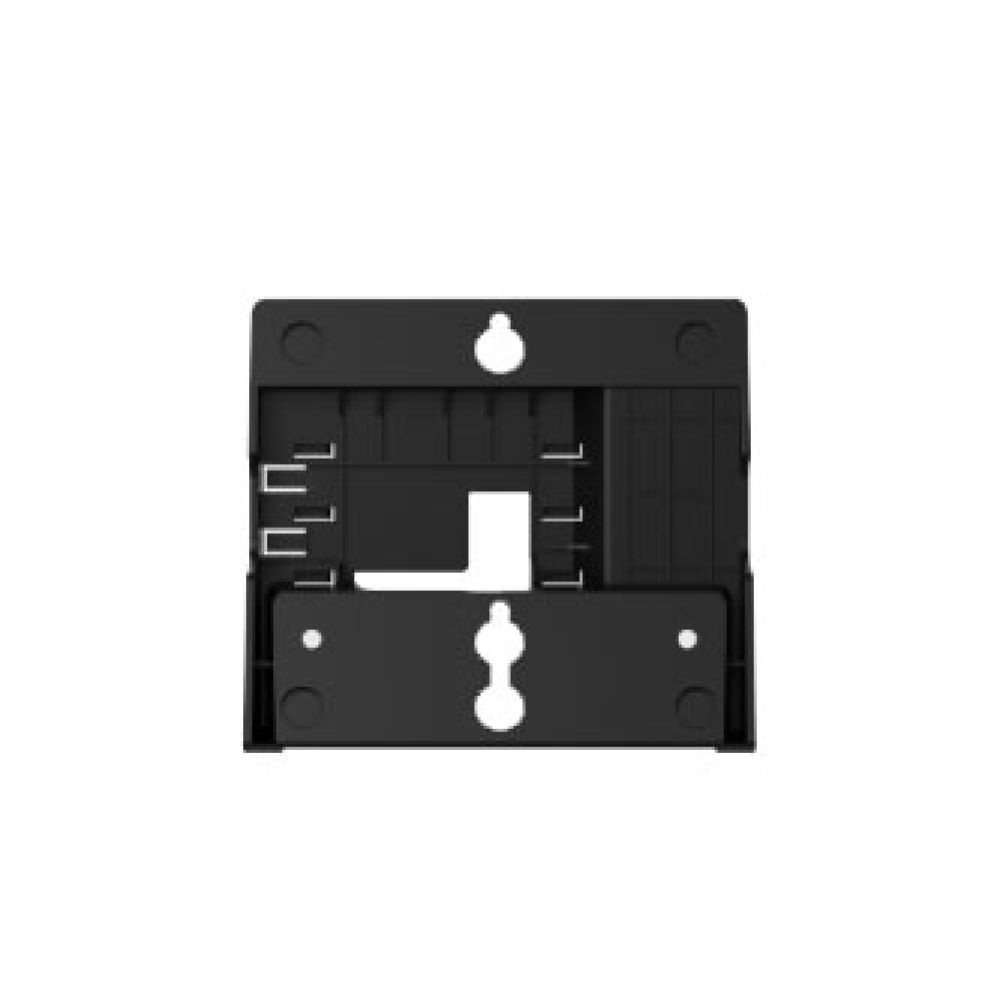
Fanvil WB101 Wallmount Bracket for X3 IP Phone
Frequently Asked Questions
First, verify that you are using the correct bracket orientation — the phone should click into the bracket's tabs without forcing it. Check that the bracket is fully aligned with the mounting slots on the back of the phone. If the clip feels loose, inspect the bracket tabs for damage and ensure the wall plate is flush against the mounting surface. If the issue persists, a Toronto-based VoIP support provider can usually resolve this remotely.
Measure the distance between the bracket's mounting holes and compare it to your wall anchors. The bracket uses standard spacing, but if your existing anchors are positioned slightly off, you may need to relocate the anchors. Use a level to mark new pilot holes and ensure the bracket is straight before securing it. Always use anchors and screws rated for your wall type (drywall, concrete, etc.).
The WB101 works with Fanvil models X1S, X1SP, X3S, X3SP, X3SG, and X3U. It does NOT fit the X3G model. Check the model label on the back of your phone — if it is one of the listed models, the bracket should attach securely.
Use a bubble level to check that the bracket itself is installed straight. If the bracket is level but the phone still tilts, the phone's locking tabs may not be fully seated. Remove the phone, reseat it firmly, and ensure both sides click in evenly. Also confirm that the wall surface is not uneven behind the bracket.
The WB101 is custom-molded for specific Fanvil phone models, so it will not properly attach to phones from other brands. Using it on a different phone could damage the bracket or the device. For other brands, look for a universal wallmount bracket designed for that phone's dimensions.
Double-check that your phone model is among the compatible list (X1S, X1SP, X3S, X3SP, X3SG, X3U). If it is, ensure you are aligning the phone correctly: the mounting slots on the phone's back should match the bracket's hooks. If the slots are obstructed by a third-party case or adhesive, remove those first. If the bracket still does not fit, you may have received the wrong part.
Yes. The bracket is designed to leave the phone's ports (Ethernet, handset, and optional PoE) fully accessible. Just make sure you run cables before finalizing the mount and leave a little slack to avoid strain on the connectors. For a neat installation, consider securing cables along the wall with clips.
On most Fanvil models, the handset cradle remains fully usable after mounting because the bracket attaches to the phone's base, not the handset area. If the handset does not sit correctly, check that no cables are pressing against it and that the bracket is not warped. Repositioning the handset cord can often resolve the issue.
Typically the bracket includes only the plastic wallmount plate and phone interface pieces. You will need to supply your own wall anchors and screws that are appropriate for your wall material. Many users find that #6 or #8 screws work, but make sure the heads fit the bracket's mounting slots.
The bracket is designed with smooth plastic tabs that grip the phone's recessed slots without scratching. Before final mounting, test the fit by gently resting the phone on the bracket — if you feel sharp edges, inspect for burrs. Avoid overtightening the wall screws, which could cause the bracket to flex and press unevenly on the phone.
Accessories
Fanvil WB101 Wallmount Bracket for X3 IP Phone
• Fanvil Wallmount Bracket for X3 IP Phone (X3S/X3SP/X3SG/X3U) - Does NOT fit the X3G IP Phone. • Key Features: • Easy to install and save space • Suitable for various Fanvil IP phones • Compatible with models X1S, X1SP, X3S, X3SP, X3SG, X3U
About This Product
The Fanvil WB101 wallmount bracket is designed for organizations that need to free up desk space or create a clean, ergonomic setup in high-density environments such as call centers, reception areas, or cubicle-heavy office floors. By letting you mount compatible Fanvil X3 desktop phones on a wall, this accessory helps reduce cable clutter and keeps phones accessible without taking up valuable workspace. It's a practical fit for any business where desk real estate is at a premium, including many GTA office deployments that prioritize organized workstations.
This bracket is built specifically for the Fanvil X3 series models X1S, X1SP, X3S, X3SP, X3SG, and X3U. It also pairs naturally with the Fanvil X3 phone line, replacing the need for a desktop stand if you prefer a fixed wall-mount position. Before buying, note that the WB101 does not fit the X3G model, so double-check your phone's exact model number to ensure compatibility. For most users, installation is straightforward, but you will need to provide your own wall anchors and screws suited to your mounting surface.
Practical tradeoffs are minimal: the bracket keeps the phone in a fixed vertical orientation, which works well for most wall placements, but you lose the ability to tilt the handset base. In environments where phones need to be moved often or shared across desks, a wall-mounted phone may be less flexible. Conversely, if you have ample desk space and no wall-mounting requirement, the bracket could be overkill — your phone's default stand already does the job. The WB101 is a simple, purpose-built accessory that fits neatly into any VoIP deployment where space optimization or a permanent mounting position is needed.
This bracket is built specifically for the Fanvil X3 series models X1S, X1SP, X3S, X3SP, X3SG, and X3U. It also pairs naturally with the Fanvil X3 phone line, replacing the need for a desktop stand if you prefer a fixed wall-mount position. Before buying, note that the WB101 does not fit the X3G model, so double-check your phone's exact model number to ensure compatibility. For most users, installation is straightforward, but you will need to provide your own wall anchors and screws suited to your mounting surface.
Practical tradeoffs are minimal: the bracket keeps the phone in a fixed vertical orientation, which works well for most wall placements, but you lose the ability to tilt the handset base. In environments where phones need to be moved often or shared across desks, a wall-mounted phone may be less flexible. Conversely, if you have ample desk space and no wall-mounting requirement, the bracket could be overkill — your phone's default stand already does the job. The WB101 is a simple, purpose-built accessory that fits neatly into any VoIP deployment where space optimization or a permanent mounting position is needed.
Services We Provide
- Professional Installation & Configuration
- Ongoing Maintenance & Support
- Troubleshooting & Repairs
- System Upgrades & Updates



