
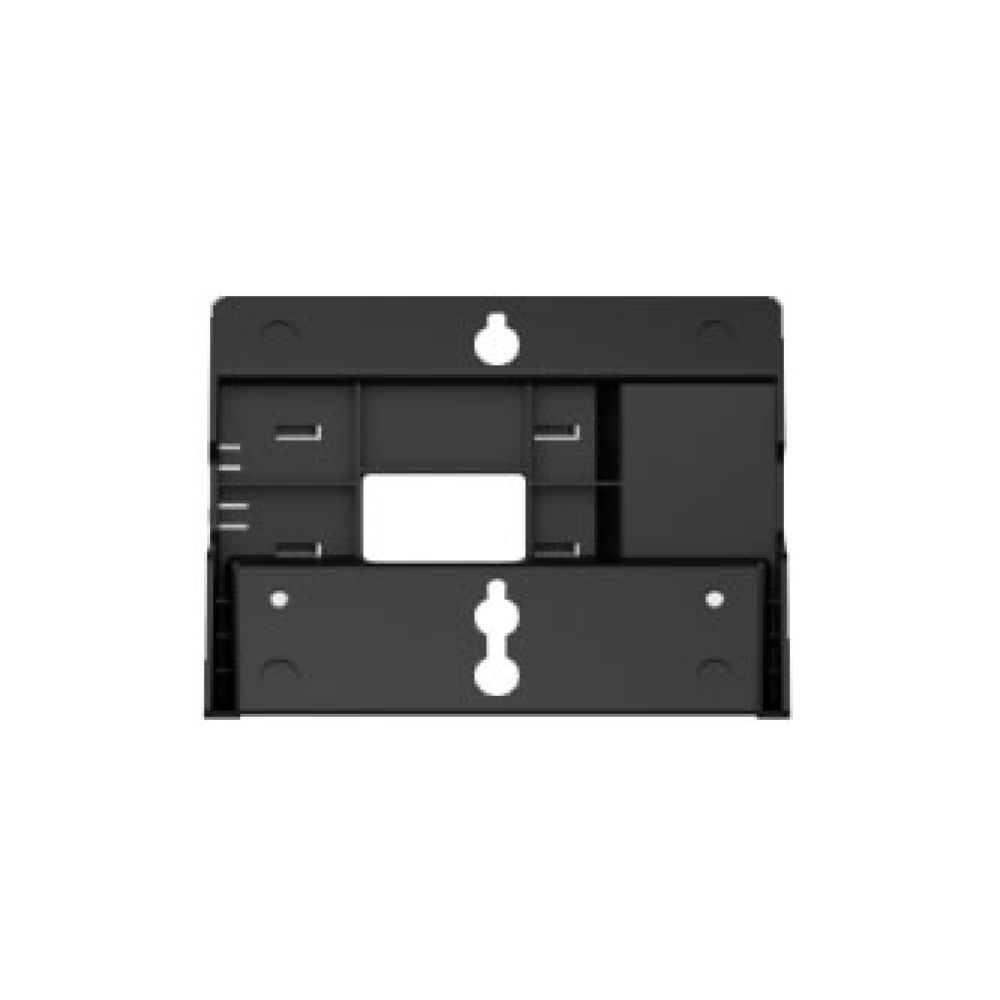
Fanvil WB102 Wallmount Bracket for X4 X5U X6U IP Phones
Frequently Asked Questions
First, confirm that the bracket arms are fully seated into the phone’s base slots and that the adjustment screws are tightened snugly—not over-torqued. Then verify that the wall anchors are appropriate for your wall type (drywall anchors for hollow walls, for example) and that the mounting screws are fully driven in. If the wobble persists, a Toronto-based VoIP support provider can usually resolve this remotely by guiding you through alignment checks.
The WB102 is designed exclusively for the X4SG, X4U, X5U, and X6U models. The chassis dimensions and mounting points on other Fanvil phones differ, so the bracket will not fit securely. Using it with an unsupported model risks damage to the phone and an unstable mount.
The kit typically includes screws suitable for wood studs or with wall anchors for drywall. If you no longer have them, you can use standard #6 or #8 pan-head screws long enough to penetrate the wall material and anchor securely. Always test the fit without the phone first to avoid stripping the bracket’s mounting holes.
This is a common adjustment needed on many wall-mounted phones. Look for a small plastic tab on the handset cradle of the phone itself—it usually needs to be reversed or flipped up to act as a hook. The bracket does not alter this; it is a phone-side adjustment that takes only a moment.
Yes, but you will need masonry anchors and appropriate drill bits, which are not included. The bracket itself is sturdy enough, but the installation must be done with hardware rated for the wall material. If you are unsure about drilling into concrete, consider having a local installer handle the mounting.
First, double-check that you have the correct phone model—the WB102 only fits X4SG, X4U, X5U, and X6U. If the model matches, loosen the arm adjustment screws slightly, align the arms with the phone’s base slots while the phone is held flat against the bracket, then tighten. Forcing it can bend the arms or damage the phone’s mounting points.
Yes. The bracket has a cutout that allows the Ethernet cable to route behind the phone and exit cleanly toward the wall jack. For the tidiest result in a Canadian office, run the cable inside the wall if code permits, or use a surface raceway to hide the cable below the bracket.
The clearance is fixed, but you can often route the handset cord coil to the side of the phone rather than straight down. If the cord is still strained, a short right-angle RJ9 adapter can relieve the pressure. Do not modify the bracket to increase spacing, as that could compromise stability.
The bracket is designed for the base phone only. An attached expansion module would alter the weight balance and likely block the mounting points, so wall-mounting with an expansion module is not supported. If you need a wall-mounted phone with sidecar, consider a different model designed for that configuration.
Accessories
Fanvil WB102 Wallmount Bracket for X4 X5U X6U IP Phones
• Fanvil wall mount bracket for X4SG, X4U, X5U, and X6U models • Designed for compatibility with various fanvil products • Compatible with multiple configurations to ensure a secure fit • Key features: • Easy installation and adjustment • Sturdy and durable construction for long-lasting performance • Adjustable arms for optimal flexibility
About This Product
The Fanvil WB102 is a purpose-built wall mount bracket for a specific family of Fanvil desktop IP phones, including the X4SG, X4U, X5U, and X6U. It is intended for environments where desk real estate is at a premium or where a fixed, tidy installation is preferred—think hotel lobbies, light industrial workstations, retail counters, or shared meeting spaces that need a dedicated phone location. The bracket replaces the phone’s standard desk stand, so it is not an add-on but a direct swap, and it provides a clean, low-profile mounting solution.
Installation is straightforward for anyone comfortable with basic hand tools, and the adjustable arms let you fine-tune the fit to the phone’s base. The steel construction holds up to daily use, but it is not designed for high-vibration or outdoor settings. For a typical office deployment in the GTA, it pairs naturally with PoE-powered models like the X5U or X6U, where a single cable run to the wall plate keeps things neat. One practical limit to know is that once wall-mounted, the phone’s handset hook may need to be reversed (a common step with many wall-mount kits) to keep the handset from falling; the bracket itself does not include a separate handset cradle.
This bracket is overkill if your phones will simply sit on desks and you never intend to wall-mount them—it offers no advantage in that scenario. It is underpowered if you need a locking enclosure or a vandal-resistant mount, as it provides no physical security. For the models listed, though, it is the correct first-party accessory to achieve a secure wall installation without resorting to generic third-party brackets that may not align properly.
Installation is straightforward for anyone comfortable with basic hand tools, and the adjustable arms let you fine-tune the fit to the phone’s base. The steel construction holds up to daily use, but it is not designed for high-vibration or outdoor settings. For a typical office deployment in the GTA, it pairs naturally with PoE-powered models like the X5U or X6U, where a single cable run to the wall plate keeps things neat. One practical limit to know is that once wall-mounted, the phone’s handset hook may need to be reversed (a common step with many wall-mount kits) to keep the handset from falling; the bracket itself does not include a separate handset cradle.
This bracket is overkill if your phones will simply sit on desks and you never intend to wall-mount them—it offers no advantage in that scenario. It is underpowered if you need a locking enclosure or a vandal-resistant mount, as it provides no physical security. For the models listed, though, it is the correct first-party accessory to achieve a secure wall installation without resorting to generic third-party brackets that may not align properly.
Services We Provide
- Professional Installation & Configuration
- Ongoing Maintenance & Support
- Troubleshooting & Repairs
- System Upgrades & Updates



