
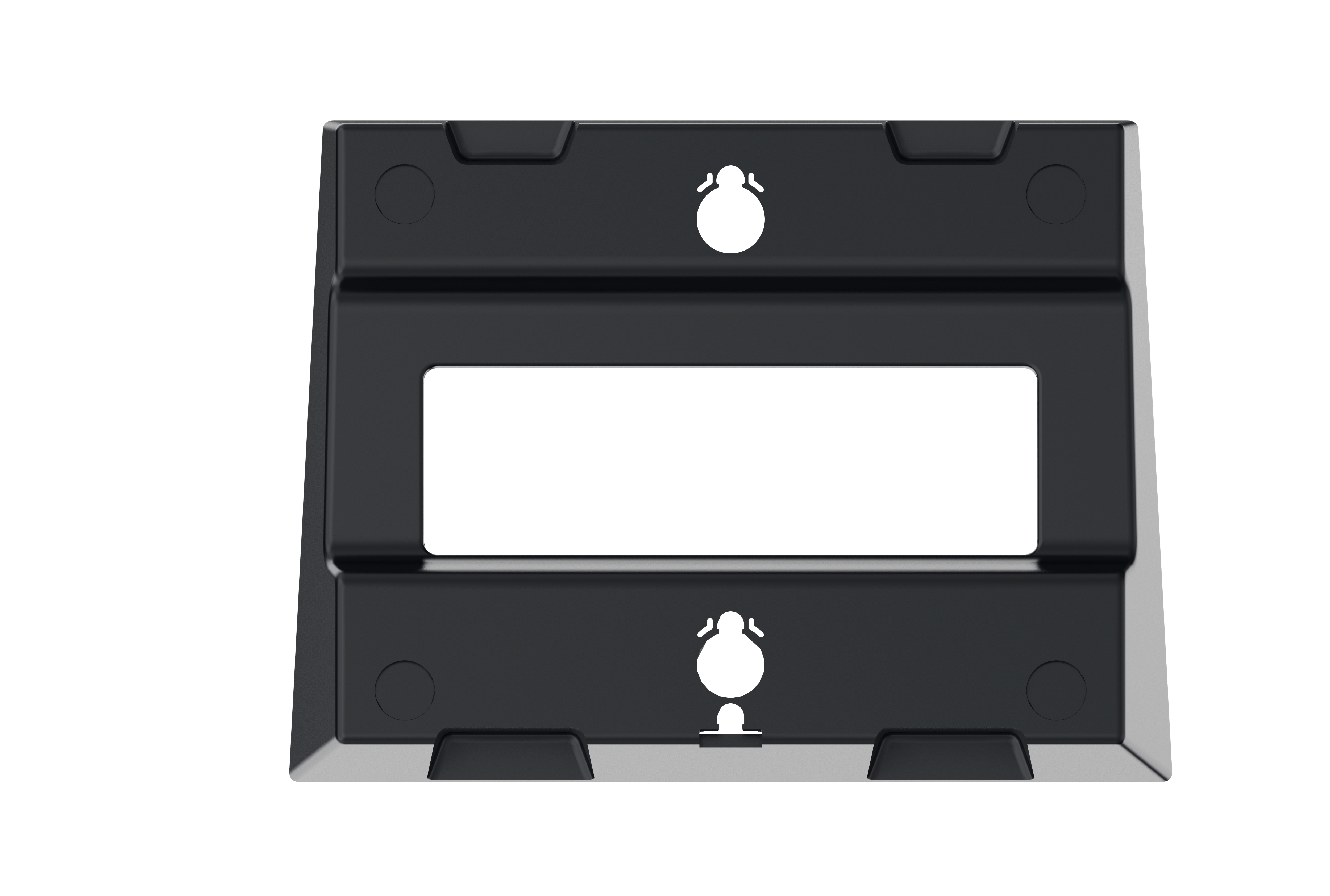
Fanvil WB107 Wall Mount Bracket
Frequently Asked Questions
First, confirm that your phone model is one of the compatible V series: V62, V64, V65, or V67. The bracket is designed specifically for these models. Next, ensure the bracket is oriented correctly—the mounting tabs should align with the slots on the back of the phone. If it still doesn't fit, check for any protective film or debris on the phone's rear surface that might prevent a snug fit.
A wobbly bracket usually means the mounting screws are not firmly secured into a solid surface. Verify that you have used appropriate wall anchors for your wall type (e.g., toggle bolts for drywall, masonry anchors for concrete). If the wall itself is hollow, relocate the bracket to a spot where you can screw into a stud or use heavier-duty anchors. Tighten all screws evenly to ensure the bracket is flat against the wall.
No, the bracket does not include any mounting hardware. You will need to provide your own screws and wall anchors suitable for your wall material. For typical drywall in Canadian offices, use screw anchors rated for the phone's weight (about 500g or less) and appropriate length.
For a clean installation, use a short, right-angle Ethernet patch cord to minimize cable strain. If possible, run the cable through the wall or use a surface-mount raceway to conceal it. The bracket itself does not have cable management slots, so consider routing the cable along the base of the phone before securing it to the bracket.
The WB107 is specifically designed for the V series models listed. Other Fanvil phones have different mounting hole patterns and may not align correctly. Using it with incompatible models could damage the phone or bracket. If you have a different model, contact your VoIP supplier to confirm compatibility.
The bracket typically uses small machine screws (around M3 or M4 size) for attaching to the wall plate. For the phone-side connection, the bracket uses the existing screw holes on the phone's rear (again, M3 or M4). You can check the user manual for your Fanvil phone for the exact screw size. If unsure, bring the bracket to a local hardware store to match the thread pitch.
No, the bracket is passive and does not interfere with PoE or network signals. As long as your Ethernet cable is properly connected and the wall jack is functioning, the phone will perform normally. If you experience connectivity drops after mounting, check the cable for kinks or damage, and ensure the wall mount did not strain the connector.
Yes, but you must use appropriate drywall anchors. Standard plastic expansion anchors can support the weight of the phone (under 1 kg). However, if you are mounting in a high-traffic area or where the phone might be bumped, anchoring into a stud is more secure. Always test the bracket's grip by giving it a gentle tug before attaching the phone.
To remove the phone, gently lift it upward and then pull it away from the bracket. The bracket has locking tabs that hold the phone in place; there is no screw to undo on the phone side. If the phone feels stuck, do not force it—check that the plastic tabs are not caught on any edge and try tilting the phone slightly while lifting.
Accessories
Fanvil WB107 Wall Mount Bracket
• The Fanvil WB107 Wall Mount Bracket is designed for the Fanvil V Series of IP phones. • This wall mount accessory saves space by allowing the phone to be mounted on a wall, creating a more efficient and organized workspace. Key Features: • Compatible with models V62, V64, V65, V67 • Space-saving design for optimal desk or wall installation
About This Product
The Fanvil WB107 Wall Mount Bracket is a simple, purpose-built accessory for the V62, V64, V65, and V67 IP phones. It is ideal for environments where desk space is limited or a clean, organized look is desired—such as reception areas, retail counters, hospital rooms, or shared workstations in GTA offices. By mounting the phone on a wall, you free up valuable desk real estate and reduce cable clutter. The bracket itself is easy to install, but you will need to consider wall type (drywall, concrete, etc.) and may have to route Ethernet cables through walls or use surface-mount raceways for a tidy finish.
One important tradeoff is that once mounted, the phone's viewing angle is fixed, so choose your wall location carefully to ensure comfortable access to the handset and screen. The bracket does not include any cable management features; you may want to pair it with a short Ethernet patch cord and possibly a surface-mount box. This accessory is overkill if you move your phone frequently between desks or have a dedicated desk where a standalone phone works fine. Conversely, it is underpowered for scenarios requiring a locking mechanism to prevent theft in public areas—it simply holds the phone securely without additional security.
For Canadian business deployments, the WB107 offers a low-cost way to standardize phone placement across multiple locations and works with any standard VoIP setup using these Fanvil models. The bracket ships without screws or wall anchors, so you will need to supply appropriate hardware for your specific wall material.
One important tradeoff is that once mounted, the phone's viewing angle is fixed, so choose your wall location carefully to ensure comfortable access to the handset and screen. The bracket does not include any cable management features; you may want to pair it with a short Ethernet patch cord and possibly a surface-mount box. This accessory is overkill if you move your phone frequently between desks or have a dedicated desk where a standalone phone works fine. Conversely, it is underpowered for scenarios requiring a locking mechanism to prevent theft in public areas—it simply holds the phone securely without additional security.
For Canadian business deployments, the WB107 offers a low-cost way to standardize phone placement across multiple locations and works with any standard VoIP setup using these Fanvil models. The bracket ships without screws or wall anchors, so you will need to supply appropriate hardware for your specific wall material.
Services We Provide
- Professional Installation & Configuration
- Ongoing Maintenance & Support
- Troubleshooting & Repairs
- System Upgrades & Updates



