
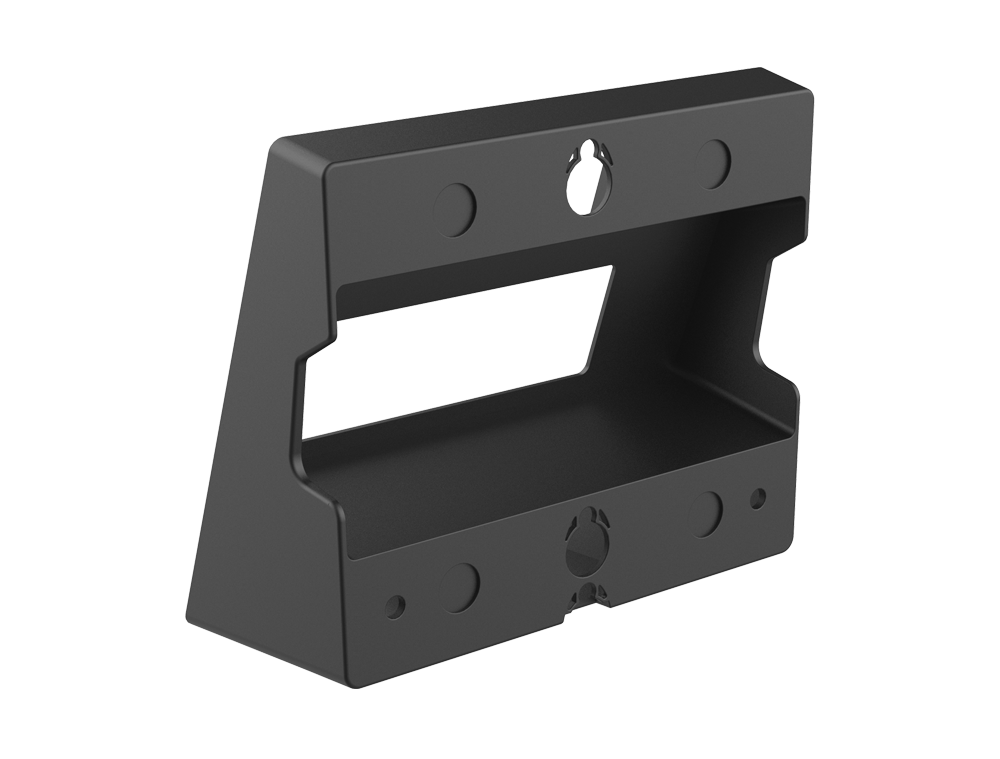
Fanvil WB108 Wall Mount Bracket
Frequently Asked Questions
First, ensure your phone model is listed on the bracket's packaging or product page; the WB108 is specifically for the X300 series (X301/X303 and their variants). Check that the phone's rear mounting hole pattern matches the bracket's hooks or screws. If the phone still doesn't fit, verify that the bracket is oriented correctly—most brackets have a clear top indication. If the issue persists, contact a Toronto-based VoIP support provider for hands-on guidance.
No, the WB108 is designed exclusively for the X300 series (X301 through X303 models). Using it with a different Fanvil model, like the X5 or X6, could result in an insecure fit or damage to the phone. For other models, check Fanvil's accessories list for a compatible bracket or mount.
First, mount the bracket to the wall using appropriate screws and wall anchors (not included) for your wall type. Then, align the keyhole slots on the back of your Fanvil phone with the bracket's mounting hooks or clips. Slide the phone downward gently until it locks into place. Ensure the cable routing holes on the bracket are aligned with your Ethernet/PoE cable to avoid pinching.
Start by checking that the bracket is firmly attached to the wall with suitable hardware—loose screws or improper anchors are a common cause. Next, confirm that your phone model is listed as compatible, as the bracket only fits the X300 series. Also, inspect the back of the phone for any broken mounting tabs or slots. If the bracket still won't hold the phone securely, it may be damaged; contact your vendor for a replacement.
Yes, the WB108 bracket typically includes cable management slots or cutouts to allow the Ethernet cable to exit from behind the phone. This helps achieve a clean, flush wall-mount installation. When mounting, be sure to feed the cable through the appropriate opening before placing the phone onto the bracket.
The bracket is designed to leave the phone's ports (Ethernet, handset, headset) accessible. However, if you are mounting a model with side-mounted ports, check the clearance provided by the bracket. For the X300 series, the ports remain usable, but if accessing them proves difficult, consider using a short extension cable for the handset. If the bracket obstructs any ports, it may be incorrectly installed or the phone may not be fully seated.
The WB108 bracket uses standard wall-mounting screws (typically #6 or #8 pan-head screws, 20-30 mm long) and appropriate wall anchors. The exact size depends on your wall material. For drywall, use a toggle bolt or molly bolt rated for at least 5 lbs. If you are unsure, visit a local hardware store with the bracket to test fit, or contact Fanvil support for the original specifications.
No, the WB108 bracket is purpose-built for the Fanvil X300 series. Third-party universal wall mounts may not have the correct hole pattern or keyhole design, and using them could result in an unstable installation. It is safer to stick with the official Fanvil bracket to ensure a secure fit and avoid damaging your phone.
Accessories
Fanvil WB108 Wall Mount Bracket
Wall Mount Bracket (X300 Series) is designed for various models, including: • X301 • X301P • X301G • X301W • X303 • X303P • X303G • X303W
About This Product
The Fanvil WB108 is a practical wall-mount bracket specifically designed for the X300 series of IP phones. This accessory is ideal for environments where desk space is limited, such as reception areas, hallways, warehouse floors, or retail counters. It securely holds the phone to a wall, keeping it accessible while freeing up valuable workspace. For small offices or home-based businesses in the Greater Toronto Area, this bracket can simplify installation by allowing the phone to be mounted near power and network outlets, reducing cable clutter. It is a straightforward, no-frills accessory that does exactly what it intends to do, with no additional features or moving parts. Buyers should be aware that this bracket is not universal and only fits the listed X300 models, so it is essential to verify phone compatibility before purchasing. This bracket is a good choice for anyone who needs to mount their Fanvil desk phone, but it would be unnecessary overhead for users who prefer their phone on a desk or who have a fully cordless setup.
Services We Provide
- Professional Installation & Configuration
- Ongoing Maintenance & Support
- Troubleshooting & Repairs
- System Upgrades & Updates



