
Grandstream 1 Year Security Update Package for GCC6000 Series GCC-Security-1H

Frequently Asked Questions

Log into the firewall’s web interface and navigate to the license management section. Confirm the new license key has been applied and that the device’s date and time are accurate—an incorrect system clock can cause the license to appear expired. If the key is correct and time is synced, a simple reboot often forces the firewall to re-read the license status.
Start by verifying that the firewall has a stable internet connection and can reach Grandstream’s update servers. Check the DNS settings on the GCC6000; if it cannot resolve the update hostnames, updates will fail. Temporarily disabling any strict egress firewall rules can help isolate whether the traffic is being blocked.
In the dashboard, look for a green status indicator next to the security services section, often labeled ‘Signature Version’ or ‘License Status’. You can also review the logs for recent signature update timestamps. If the last update was more than 24 hours ago, the service may not be functioning even if the license is valid.
No, the firewall continues to route traffic and enforce existing policies. Only the signature library updates cease, meaning new threats that emerge after expiry won’t be recognized. The device remains operational for all other functions like VPN, NAT, and access control.
Ensure the security profiles are actually applied to the relevant firewall rules or zones. On the GCC6000, subscribing to the update package does not automatically enable inspection—you must configure a security policy that references the anti-malware or IDS/IPS profiles. Check that the policy is ordered correctly and assigned to the traffic you intend to protect.
Typically, Grandstream ties the subscription to the specific device’s serial number or MAC address. Contacting Grandstream support with proof of purchase and the old and new device details is the recommended first step—they may be able to transfer the remaining term. Do not attempt to manually re-apply the same key to a second unit without guidance, as it could invalidate the license.
Grandstream usually delivers new features through firmware updates that pull from the active signature library. As long as your subscription is current and automatic updates are enabled, the email security module should appear once released. Keep an eye on the official GCC6000 firmware release notes for announcements.
A power loss should not erase the license, but file system corruption or an improper shutdown could cause the license file to become unreadable. First, reboot the device cleanly. If the problem persists, re-enter the license key through the web interface. If that fails, contact support—there may be a way to recover the license without a factory reset.
Check the update log or system events for entries like ‘signature update completed’ or error messages. You can also manually trigger an update from the security settings page and observe the result. If the manual update works but automatic ones don’t, verify the scheduler settings and that the firewall’s clock is set to the correct time zone.
Accessories

Grandstream 1 Year Security Update Package for GCC6000 Series GCC-Security-1H
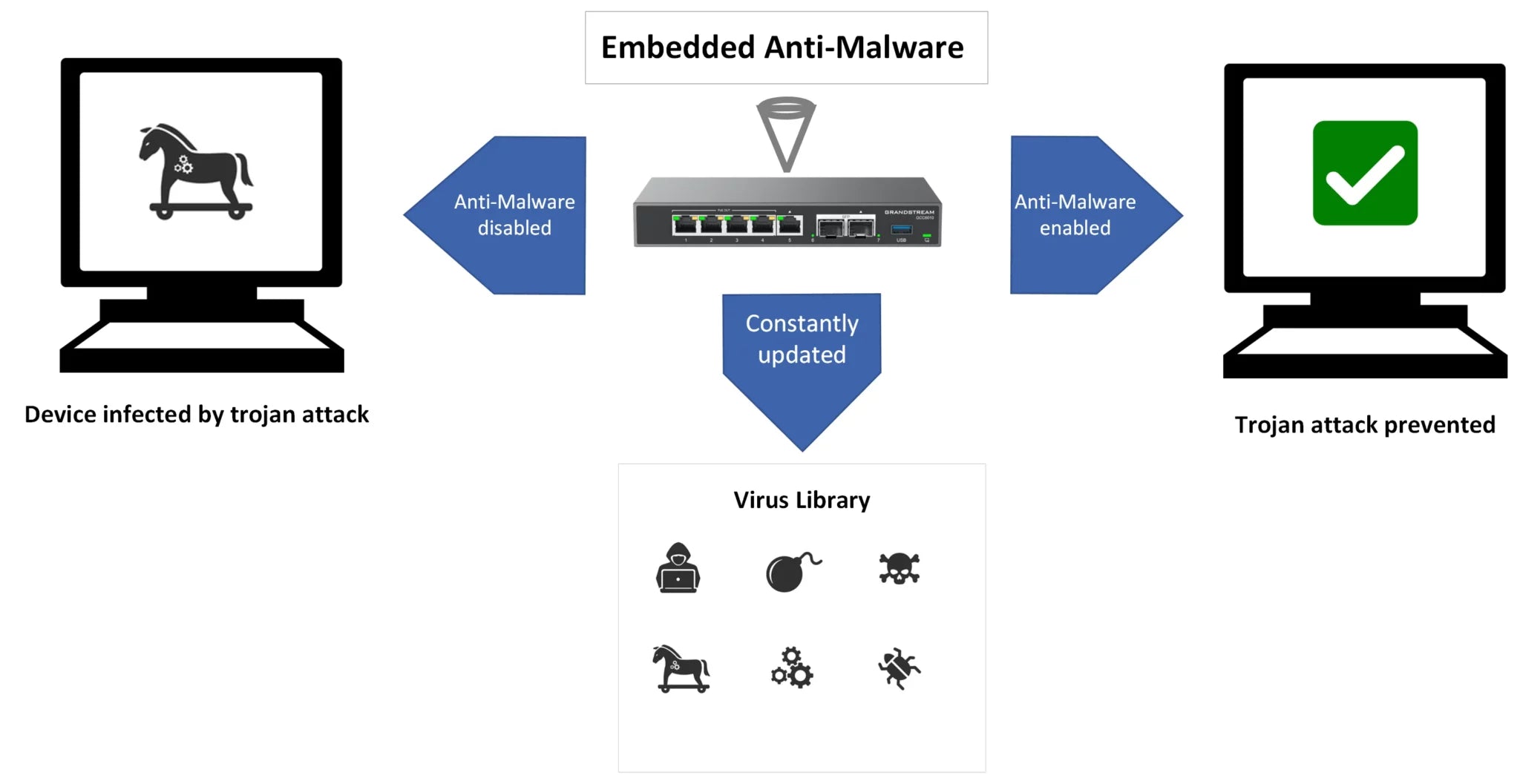
• Anti-Malware Protection: Protects your device from advanced threats and malware attacks. • IDS/IPS: Identifies and prevents intrusion attempts to safeguard your online security. • Application Identification and Control: Manages applications on your system, ensuring only trusted ones run. • Advanced Web Security: Enhances web browsing safety with features like secure browsing, phishing protection, and more. • Email Security: Securely manage your email communications with features such as spam filtering and attachment scanning (coming soon). • Key Benefits: • Lifetime Updates for the latest security signatures • Automatic Signature Library updates to ensure continuous protection • No renewal or cancellation policy on Firewall plans Important Note: If your firewall plan is not renewed, it will remain functional, but signature library updates will stop after expiration.

About This Product

This security update package is designed exclusively for the Grandstream GCC6000 series firewalls, providing a year of continuously refreshed threat intelligence. It suits small to mid-sized businesses that already own the hardware and need to keep their network defenses current without a full managed security service. In Canadian offices subject to PIPEDA or other data-protection requirements, maintaining live signature updates helps demonstrate reasonable safeguards during audits. The subscription covers anti-malware, intrusion detection and prevention, application control, and web security, with email security slated for a future release. Because the firewall remains functional even after expiry—just without new signatures—it can be a pragmatic choice for organizations that want robust protection but can tolerate a brief gap during renewal cycles. It pairs naturally with the GCC6000 appliances and is often bundled at the time of hardware purchase to avoid a lapse in coverage. For businesses running only basic routing and VPNs with no exposed services, the full threat suite may be more than necessary; conversely, high-compliance environments or those handling sensitive client data will find the package essential rather than optional. The automatic signature download mechanism means once activated, the firewall stays up to date without manual intervention, provided it has internet access. This hands-off approach reduces the burden on in-house IT staff, making it particularly attractive for lean teams in the Greater Toronto Area or similar markets where IT resources are stretched.
Services We Provide
  • Professional Installation & Configuration
  • Ongoing Maintenance & Support
  • Troubleshooting & Repairs
  • System Upgrades & Updates



