
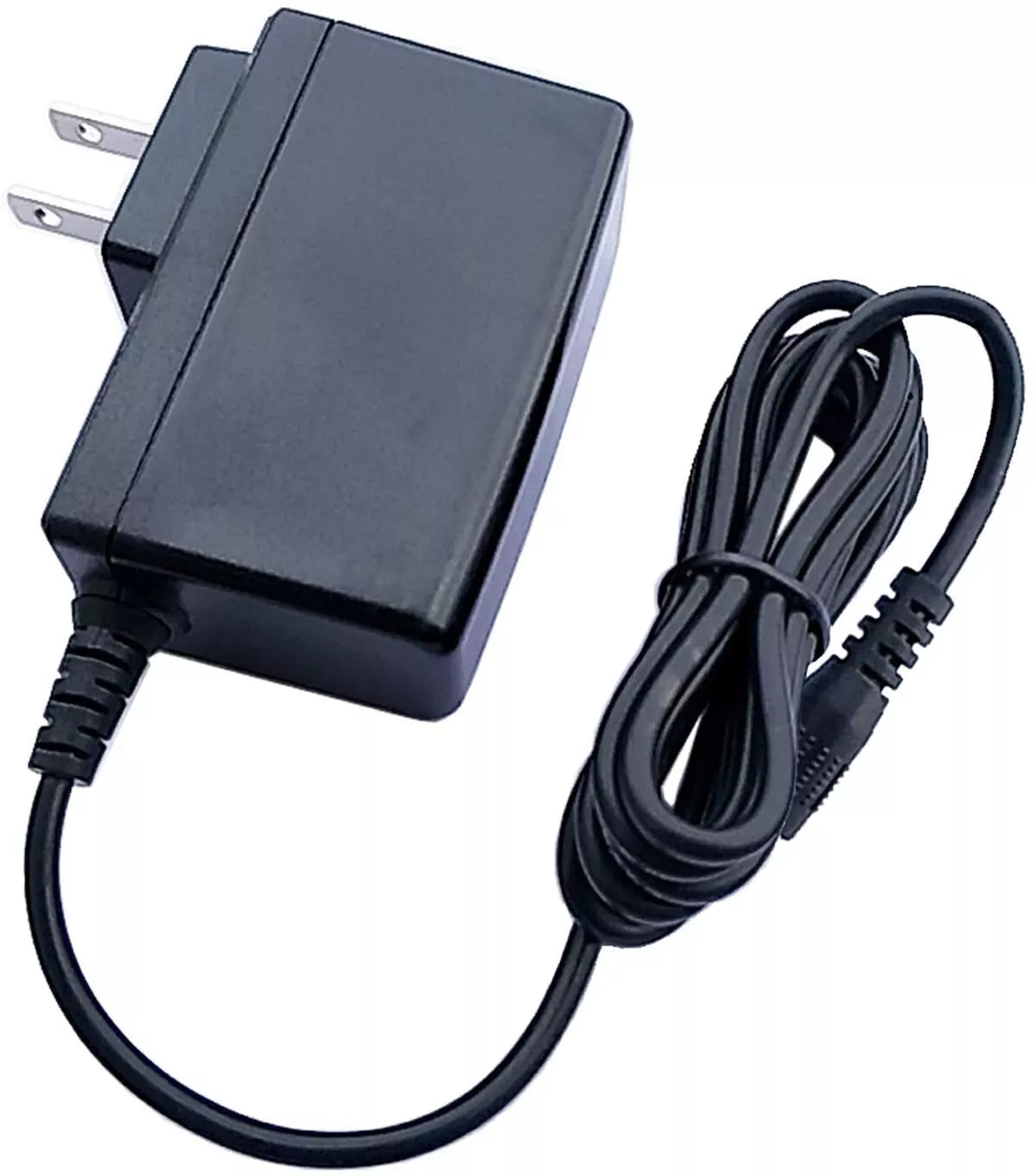
Grandstream 12V-2A Power Supply
Frequently Asked Questions
Start by confirming the wall outlet is live and the adapter's barrel plug is fully seated in the device's power port. Try connecting the adapter to a different outlet and look for any sign of life. If the device still shows no LED, test the adapter with a multimeter if possible, or swap in a known-good power supply of identical rating to see if the adapter itself has failed. If the issue continues, a Toronto-based VoIP support provider can usually help isolate the problem remotely.
Random reboots can sometimes be traced to a power supply delivering unstable voltage. First, reseat the connection at both the wall and device ends to eliminate a loose contact. Check that the adapter is not overheating—if it’s unusually hot, unplug it and allow it to cool before testing again in a well-ventilated spot. Try running the device with a different 12V/2A adapter (if available) to see if the reboots stop, which would point to this adapter as the culprit. If the adapter is found faulty, it should be replaced under warranty.
Some warmth is normal, but excessive heat can indicate a problem. Make sure the adapter is placed in an open area, not buried under cables or desk clutter, and that the device it powers is not drawing near its maximum current constantly. If the heat is concerning, unplug it and let it cool; then test with a different compatible device to see if the heat is consistent. Persistent overheating may suggest a defect, and you should stop using it and contact the supplier.
While many 12V/2A adapters share a similar barrel connector, polarity and precise voltage regulation can differ. Using a non-Grandstream adapter risks incorrect polarity or noisy power, which can lead to erratic behavior. This official supply is guaranteed to match your GAC2500, so it’s the safest choice to restore reliable operation without worrying about hidden compatibility issues.
No, this adapter is specifically designed for the models listed in its description: GWN7602, GAC2500, GVC3210, GWN7000, GWN4501, GWN4502, GWN4504, UCM6304, and UCM6308. Older desk phones typically use different voltage or connector sizes. For your GXP2160, refer to its original power supply specifications or check Grandstream’s documentation for the correct adapter part number.
The UCM6308 does not support Power over Ethernet; it must be powered by a 12V DC adapter. If you plugged it into a PoE switch and it doesn't power on, it’s because no power is being delivered. Use this adapter to supply power. If it still won’t start with the adapter, check the outlet and the connection.
Check the barrel plug and the device’s power port for any lint or debris; gently clean with compressed air if needed. When inserting, push it in until it clicks or bottoms out firmly. The plug should not wobble. If the connection remains loose, inspect the plug for damage or bending. A loose connection can cause intermittent power, so if cleaning doesn’t help, try the adapter on another compatible device to isolate the cause. If the plug is faulty, replacement is necessary.
If the multi-voltage adapter is a high-quality regulated supply and you can set the correct voltage and match the center-positive polarity of the Grandstream devices, it might work. However, compatibility is not guaranteed—noise, voltage spikes, or incorrect polarity settings can damage your access point. The cost of a genuine adapter is modest compared to the risk of frying a GWN4501, so many IT managers prefer the official part for peace of mind.
First, check if the adapter’s power brick has any LED indicator (if present) to see if it’s receiving power. Try plugging it into a known-good outlet, and test the GVC3210 with a different working 12V/2A adapter if possible. Sometimes a power surge can damage the adapter’s internal circuitry even if the outlet has power. If the adapter is found faulty, contact your supplier for a replacement. For a quick remote diagnosis, a Toronto-based VoIP support provider can assist if you’re in the area.
Yes, all Grandstream devices using this adapter have a center-positive polarity, which is standard for this class of equipment. The adapter is factory-set to deliver that, so you cannot accidentally reverse it. However, if you’re testing with a multimeter, you should read +12V on the inner contact relative to the outer barrel. Never assume it’s safe to use with a device that requires center-negative.
Accessories
Grandstream 12V-2A Power Supply
Grandstream 12V/2A Power Supply Unit (PSU) is suitable for the following models: GWN7602, GAC2500, GVC3210, GWN7000, GWN4501, GWN4502, GWN4504, UCM6304, and UCM6308. Key features of this PSU include: • 12V voltage output • 2A current capacity • Compatible with the specified models
About This Product
This power supply from Grandstream is an official replacement or spare adapter for several of their networking and communications devices. It is built to deliver exactly the right voltage and current those devices expect, which is important for long-term reliability in a business setting. In a Toronto office, for instance, having an authentic adapter on hand can mean a faster recovery when the original goes missing or stops working, compared to waiting for a generic substitute that might fit but not perform optimally.
The 12V/2A output matches a common specification, but the barrel connector is keyed to Grandstream’s hardware. While it is not intended as a universal charger, it pairs correctly with the listed access points, routers, conference phones, and PBX appliances. Using a genuine supply helps avoid subtle power instability that could cause random reboots or degraded wireless performance, issues that are hard to diagnose after the fact.
For a single-device deployment, this might be overkill to buy as a proactive spare unless uptime is critical. But for an IT closet with several Grandstream units, keeping one of these adapters in inventory is a sensible practice. It eliminates the risk of mismatched polarity or insufficient current from a no-name adapter that might have the same physical plug. If you are only replacing a lost adapter for a home-office phone, the price is reasonable enough to restore proper operation without compromise.
The 12V/2A output matches a common specification, but the barrel connector is keyed to Grandstream’s hardware. While it is not intended as a universal charger, it pairs correctly with the listed access points, routers, conference phones, and PBX appliances. Using a genuine supply helps avoid subtle power instability that could cause random reboots or degraded wireless performance, issues that are hard to diagnose after the fact.
For a single-device deployment, this might be overkill to buy as a proactive spare unless uptime is critical. But for an IT closet with several Grandstream units, keeping one of these adapters in inventory is a sensible practice. It eliminates the risk of mismatched polarity or insufficient current from a no-name adapter that might have the same physical plug. If you are only replacing a lost adapter for a home-office phone, the price is reasonable enough to restore proper operation without compromise.
Services We Provide
- Professional Installation & Configuration
- Ongoing Maintenance & Support
- Troubleshooting & Repairs
- System Upgrades & Updates



