
Grandstream 3 Year Security Update Package for GCC6000 Series GCC-Security-3H
Frequently Asked Questions
Confirm that you entered the activation key exactly as provided, paying attention to any dashes or capital letters. Then verify the appliance’s date and time are correct—an incorrect clock can cause the license server to reject the request. If the key was applied correctly and time is accurate, a simple reboot often forces the device to re-query its license status.
The device may need to complete a manual update pull. Log into the GCC6000’s web interface, navigate to the security services section, and click the option to update signatures now. Ensure the appliance has internet access to reach Grandstream’s update servers; sometimes a DNS misconfiguration blocks that connection. If the problem persists, a Toronto-based VoIP support provider can usually resolve this remotely by checking the service registration on the back end.
No. The subscription is tied to a single GCC6000 appliance via its unique identifier at activation. If you need coverage for multiple units, you must purchase one license per device. Attempting to move it after activation typically voids the agreement and leaves the original unit unprotected.
The firewall and all security services continue to run, but they will use the last set of signatures and rules downloaded before expiration. You lose access to new threat definitions, so the device can’t identify malware or attacks that emerged after the expiry date. The appliance remains functional for basic routing and previously configured policies.
Check the system logs for any error messages related to the update service. It’s possible a firmware update changed a network path or that the appliance’s gateway setting was inadvertently altered. Restore the default gateway and DNS settings to match your provider’s values, then trigger a manual update. If logs show a licensing handshake failure, reach out to the reseller to confirm the subscription hasn’t been accidentally deactivated.
According to the product notes, email security is marked “coming soon” and is not yet available. The current coverage includes anti-malware, intrusion detection and prevention, application control, and web security. Keep an eye on the GCC6000’s firmware release notes for that feature to appear.
First, double-check that the new licence overwrote any previous trial or short-term subscription that might still be counting down. In the licence management page, you should see both a start and end date reflecting the three-year term. If it’s showing the wrong expiry, delete the old trial key (if listed) and reactivate the new one. Should the issue continue, contact the vendor’s licence support—they can sync the records on their end.
Generally, the security subscription works with the firmware the GCC6000 shipped with, but newer signature formats may need a more recent build. If you are on very old firmware and updates fail, check the release notes for your model to see if a minimum version is required for the security engine. Upgrade via the web interface if recommended, but do not downgrade unless instructed by support, as that could cause data loss.
Accessories
Grandstream 3 Year Security Update Package for GCC6000 Series GCC-Security-3H
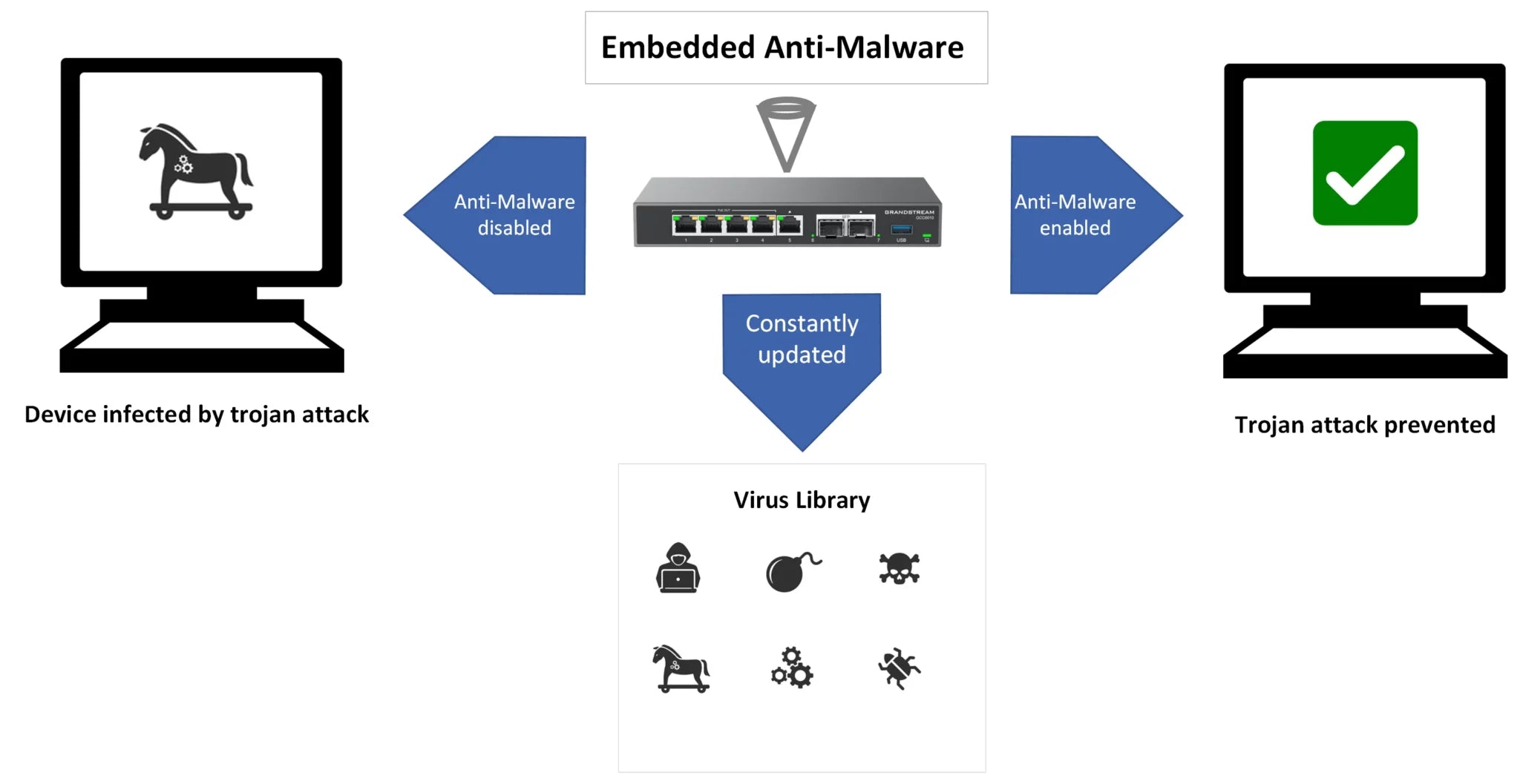
• Anti-Malware Protection to safeguard your devices from online threats • IDS/IPS for enhanced network security and threat detection • Application Identification and Control to protect sensitive data • Advanced Web Security to shield against cyber attacks • Email Security (coming soon) - stay tuned for updates Please note that if you choose not to renew your firewall plan, it will remain functional but the signature library will revert to its last update prior to expiration. Lifetime Update will cease one year after the product's official End of Life. Note: Firewall plans are non-cancellable and non-returnable.
About This Product
This is a three-year security update subscription for Grandstream’s GCC6000 series security appliances. It keeps the device’s threat detection capabilities current by delivering malware signatures, intrusion prevention rules, and application identification updates over the subscription term. Businesses that rely on the GCC6000 as a network edge protector or a secure VPN concentrator treat this as a recurring operational expense, not a one-time purchase.
For a small to mid-sized Canadian office—common in GTA business parks—the package fits environments where the GCC6000 is already the primary firewall and management wants predictable threat coverage without major capital upgrades. It pairs with the base hardware; think of it as the fuel that keeps the security engine running. The outlay is modest, but the value disappears if you plan to swap the device within the covered period, as the license is non-refundable and tied to the registered unit.
A practical limitation worth knowing: the plan only provides ongoing signature and rule updates. It does not unlock new feature modules, nor does it alter the hardware’s performance limits. When the subscription ends, the appliance continues to pass traffic and enforce its last-loaded rule set, but it stops pulling new threat intelligence, which gradually erodes its effectiveness against emerging attacks. Email security is listed as “coming soon,” so buyers should not count on that capability until the vendor ships an update.
If your deployment is a small branch with a single GCC6000 and firewall compliance requirements, this is an easy choice. For multi-site setups, each GCC6000 needs its own license, and the maths may shift toward a centralised security architecture instead. In transitional moments—like waiting for a forklift upgrade to a next-gen platform—the plan can also serve as a bridge to keep a trusted appliance viable while you budget for replacement.
For a small to mid-sized Canadian office—common in GTA business parks—the package fits environments where the GCC6000 is already the primary firewall and management wants predictable threat coverage without major capital upgrades. It pairs with the base hardware; think of it as the fuel that keeps the security engine running. The outlay is modest, but the value disappears if you plan to swap the device within the covered period, as the license is non-refundable and tied to the registered unit.
A practical limitation worth knowing: the plan only provides ongoing signature and rule updates. It does not unlock new feature modules, nor does it alter the hardware’s performance limits. When the subscription ends, the appliance continues to pass traffic and enforce its last-loaded rule set, but it stops pulling new threat intelligence, which gradually erodes its effectiveness against emerging attacks. Email security is listed as “coming soon,” so buyers should not count on that capability until the vendor ships an update.
If your deployment is a small branch with a single GCC6000 and firewall compliance requirements, this is an easy choice. For multi-site setups, each GCC6000 needs its own license, and the maths may shift toward a centralised security architecture instead. In transitional moments—like waiting for a forklift upgrade to a next-gen platform—the plan can also serve as a bridge to keep a trusted appliance viable while you budget for replacement.
Services We Provide
- Professional Installation & Configuration
- Ongoing Maintenance & Support
- Troubleshooting & Repairs
- System Upgrades & Updates



