
Grandstream CloudUCM Pro
Frequently Asked Questions
Start by verifying that the phone has internet access and DNS settings. Ensure the provisioning URL and extension credentials match what’s shown in the CloudUCM portal. A common culprit is a misconfigured firewall on the local network; temporarily placing the phone directly on the modem (bypassing routers and switches) can help isolate the issue. If the problem persists, a Toronto-based VoIP support provider can usually diagnose remote registration failures quickly.
One-way audio often points to NAT or firewall issues. Check that your router’s SIP ALG is disabled and that the ports required for RTP (usually 5004–65000) are open. If your network uses a strict firewall, you may need to enable the CloudUCM’s built-in SBC to better traverse NAT barriers. Confirm that the phone’s audio codec settings match what the CloudUCM is configured to accept.
Intermittent call drops are frequently caused by session timers or keep-alive mismatches. In the CloudUCM portal, verify that the session refresh interval is not set too low; a value of 1800 seconds is typical. Also ensure your internet connection is stable and not experiencing packet loss—run a continuous ping to the CloudUCM server’s IP address to check. If your router uses a dynamic IP that changes during a call, that can also tear down the session.
Poor audio quality, especially over Wi-Fi, can stem from network congestion or insufficient bandwidth. Try connecting a phone via an Ethernet cable to rule out wireless interference. In the CloudUCM interface, you can assign DSCP/CoS values to prioritize voice traffic; make sure your router respects those tags. If you’re using a VPN, test without it, as extra encapsulation often increases jitter.
Double-check that you are using the correct administrative URL and that the subscription hasn’t expired. Sometimes browser plugins or password managers autofill old credentials; try an incognito window. If an account lockout policy is enabled, wait 15 minutes and attempt again. As a safe first step, use the 'forgot password' function to reset your portal credentials—this only affects login, not the underlying PBX configuration.
Confirm that the CloudUCM’s recording storage is not full; the Pro tier includes 4 GB. If storage is near capacity, old recordings are automatically overwritten. Double-check the recording rules to ensure the specific call type is set to record. Also, verify that your external trunk allows recording—some SIP providers disable media forking. If you need to keep recordings beyond the cloud limit, consider an API integration to offload files.
In the CloudUCM portal, navigate to System Settings → Domain Name. You can enter a domain you own and then update your DNS records to point a CNAME to the CloudUCM’s assigned hostname. Ensure SSL certificates are uploaded to match the custom domain. After saving, test the new domain from an external network to confirm it resolves correctly.
Yes, the Pro tier includes API access for custom integrations. You can use the RESTful API to trigger actions on calls, retrieve recordings, or sync contacts. Grandstream also offers an SDK for developing third-party add-ons; some partners provide ready-made CRM plugins. For Canadian businesses using popular platforms like Salesforce or Zoho, a developer familiar with webhooks can usually build the bridge.
The built-in Session Border Controller helps remote phones connect securely without exposing your network. Activate it if you have remote workers or branch offices with firewalls that block SIP traffic. It handles NAT traversal and encrypts signaling, so you don’t need a separate SBC appliance. It’s particularly useful for Toronto companies with employees working from home on various ISPs.
From the CloudUCM interface, go to the Add-ons menu. You can browse and install approved third-party applications that run alongside your PBX. Make sure the add-on is compatible with the CloudUCM Pro version. Some add-ons may require additional license fees or configuration from the provider. If you encounter issues during installation, contact Grandstream support or the add-on developer before making any changes to your runtime environment.
Accessories
Grandstream CloudUCM Pro
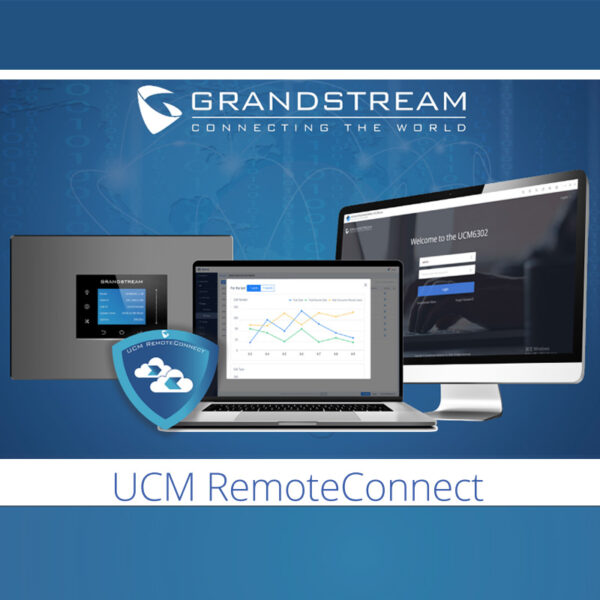
Pro Annual Subscription Fee. • Up to 100 extensions • 32 concurrent audio/video calls • Built-in SBC (Signaling Backend) • 4GB Cloud storage • Comprehensive UC features • Recording capabilities • API integration • Custom domain name availability • Third-Party add-ons and SDK available
About This Product
Grandstream's CloudUCM Pro subscription is aimed at small to mid-sized businesses that prefer a fully managed cloud PBX over maintaining on-premises hardware. It fits well with distributed teams or offices in the GTA that want centralized call control without the capital outlay of a physical UCM appliance. This tier supports up to 100 extensions and 32 concurrent audio/video calls, making it a practical choice for organizations that have outgrown basic VoIP services but don't yet need the capacity of a dedicated server.
It pairs naturally with Grandstream's own IP phones, gateways, and ATAs, but thanks to its built-in Session Border Controller and SIP standards compliance, it can also integrate with third-party endpoints. The cloud hosting means you avoid onsite server management, power consumption, and single-point-of-failure hardware risks. However, it does introduce a dependency on internet connectivity; a reliable ISP connection becomes even more critical. Companies with very high call volumes or demanding on-premises integrations might still prefer a physical UCM for lower latency and local survivability.
From a Canadian business perspective, the service is a good fit for Toronto-area offices that need a professional call routing engine with features like recording and API integration. The 4 GB of included cloud storage for recordings may be sufficient for small teams, but businesses with heavy call logging or compliance requirements should plan for an external archiving solution. The annual subscription model keeps upfront costs predictable, and you avoid many of the recurring headaches of maintaining an on-premises PBX.
The CloudUCM Pro is not intended for large enterprises or call centres that need hundreds of concurrent paths. It's also overkill for very small setups under 10 extensions where a simpler cloud service or a on-premises UCM6300-series appliance might be more cost-effective. Overall, it strikes a balance for growing Canadian businesses that want enterprise-grade UC features without a full-time IT telecom specialist.
It pairs naturally with Grandstream's own IP phones, gateways, and ATAs, but thanks to its built-in Session Border Controller and SIP standards compliance, it can also integrate with third-party endpoints. The cloud hosting means you avoid onsite server management, power consumption, and single-point-of-failure hardware risks. However, it does introduce a dependency on internet connectivity; a reliable ISP connection becomes even more critical. Companies with very high call volumes or demanding on-premises integrations might still prefer a physical UCM for lower latency and local survivability.
From a Canadian business perspective, the service is a good fit for Toronto-area offices that need a professional call routing engine with features like recording and API integration. The 4 GB of included cloud storage for recordings may be sufficient for small teams, but businesses with heavy call logging or compliance requirements should plan for an external archiving solution. The annual subscription model keeps upfront costs predictable, and you avoid many of the recurring headaches of maintaining an on-premises PBX.
The CloudUCM Pro is not intended for large enterprises or call centres that need hundreds of concurrent paths. It's also overkill for very small setups under 10 extensions where a simpler cloud service or a on-premises UCM6300-series appliance might be more cost-effective. Overall, it strikes a balance for growing Canadian businesses that want enterprise-grade UC features without a full-time IT telecom specialist.
Services We Provide
- Professional Installation & Configuration
- Ongoing Maintenance & Support
- Troubleshooting & Repairs
- System Upgrades & Updates



