
Grandstream Lifetime Security Update Package for GCC6000 Series GCC-Security-Life
Frequently Asked Questions
If the package is not renewed, the firewall will continue to function, but the signature library will remain at the version from the last update before expiration. This means new threats will not be detected, leaving your network vulnerable. For a Toronto-based business, it is best to set a calendar reminder to renew before the expiry date to maintain protection.
No, this package is specifically tied to the GCC6000 series and cannot be transferred to another model. If you upgrade to a different firewall, you would need to purchase a compatible security package for that new device. Contact your VoIP support provider to confirm compatibility before making any hardware changes.
First, verify that the signature database is up to date by checking the firewall's dashboard or system logs. If the database is current, the site may be using a new variant or a different domain not yet in the signature set. As a safe first step, try manually updating the signatures from the firewall's update menu, and if the issue persists, contact your support provider for further analysis.
Log into the firewall's web interface and navigate to the IDS/IPS section. Look for a status indicator showing that the service is enabled and that the signature database is current. You can also review the logs for any alerts or blocked events to confirm it is working. If you see no activity, the feature may be disabled or misconfigured.
First, ensure that the firewall has a working internet connection and that the update server address is correctly configured in the system settings. Then, manually trigger an update check from the maintenance or update menu. If updates still fail, verify that the subscription is still active by checking the license status page. A simple power cycle of the firewall can also resolve temporary update glitches.
Yes, the IDS/IPS and application control features can help detect and block threats targeting VoIP protocols, such as SIP scanning or toll fraud attempts. However, for comprehensive VoIP security, you should also configure the firewall's SIP-aware settings and ensure your PBX is properly secured. If you are unsure, a Toronto-based VoIP support provider can assist with the configuration.
This can happen if a security rule is blocking legitimate traffic. As a safe first step, temporarily disable the IDS/IPS or application control feature to see if traffic resumes. If it does, review the logs to identify which rule caused the block and adjust the policy accordingly. If the problem persists, contact support before making any permanent changes.
Check the product's End of Life (EOL) status on the Grandstream website or in your account portal. The Lifetime Update Package will continue to provide updates until one year after the official EOL date. After that, the service will remain functional but no new signatures will be delivered. For a business in the GTA, it is wise to plan for a hardware upgrade before that deadline.
Yes, as long as the firewall is a GCC6000 series model and the subscription is registered to that device's serial number. You can deploy it in any location, but the license is tied to that specific unit. If you move the firewall to a different office, the package will still apply. Just ensure the device has internet access to receive updates.
Application identification relies on signature updates and may not cover every new or custom application. First, ensure the signature database is fully updated. If the app is still not recognized, you can manually create a custom application rule using its IP addresses or ports. For persistent issues, a support provider can help fine-tune the configuration.
Accessories
Grandstream Lifetime Security Update Package for GCC6000 Series GCC-Security-Life
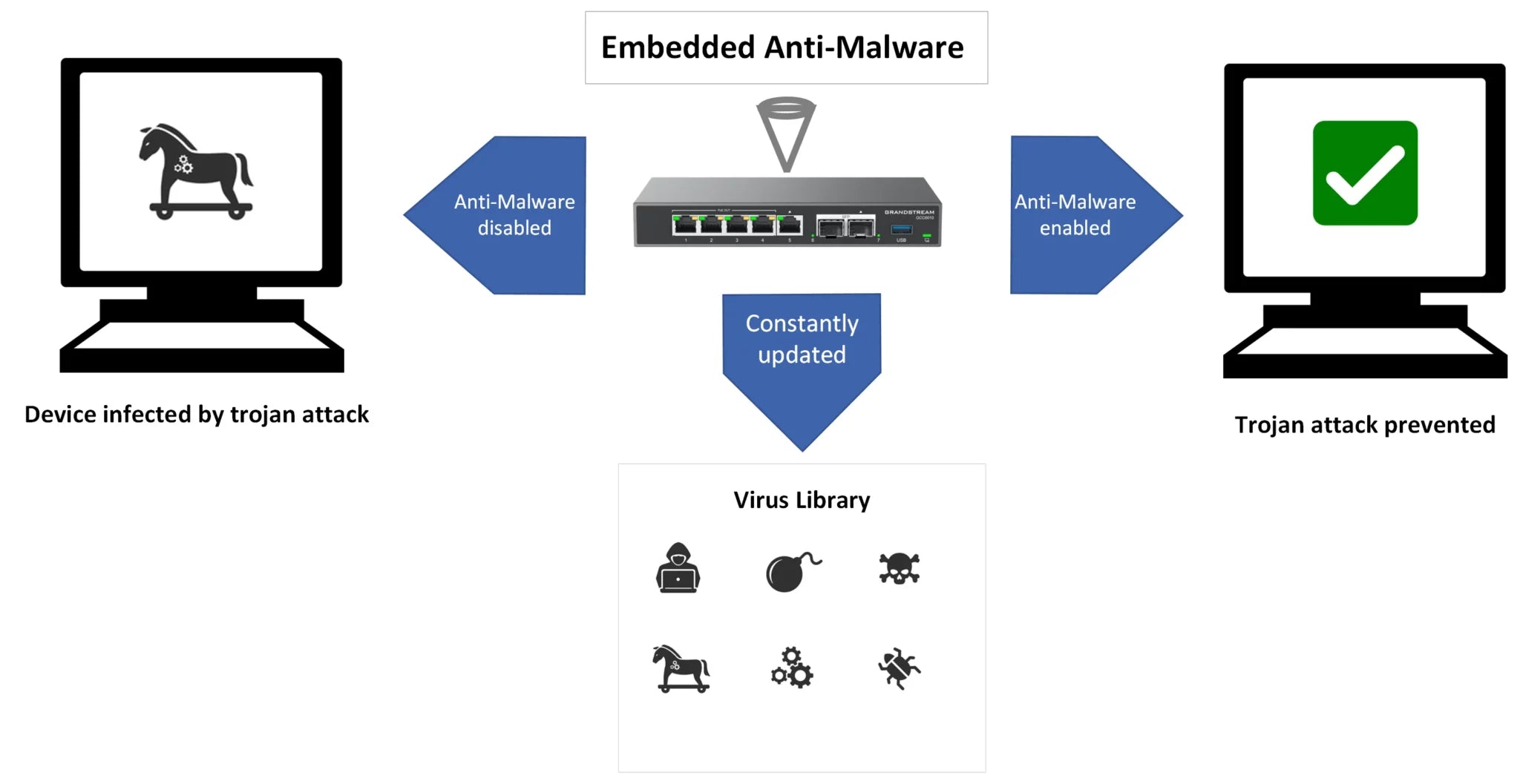
Anti-Malware Protection IDS/IPS Application Identification and Control Advanced Web Security • Email Security available soon Important Notes: • If your firewall plan is not renewed, you will still have access to the service, but the signature library will revert to its last update before expiration. • Lifetime Update will expire one year after the product's official End of Life (EOL), at which point the service will remain functional, but no further updates will be applied. Note: Firewall plans are non-cancellable and non-returnable.
About This Product
This is a subscription-based security update package designed specifically for the Grandstream GCC6000 series of network firewalls. It is intended for businesses that already own or are planning to deploy a GCC6000 series appliance and require ongoing protection against malware, intrusions, and web-based threats. The package is best suited for small to medium-sized offices, including those in the Greater Toronto Area, where a managed security solution for VoIP and data traffic is needed without the overhead of a full IT security team.
This service pairs with the GCC6000 firewall hardware to provide signature-based detection and application control, with email security promised as a future addition. A key tradeoff is that the "lifetime" updates are tied to the product's End of Life (EOL) date, meaning the service will stop receiving signature updates one year after the firewall model is officially discontinued. Buyers should also note that the subscription is non-cancellable and non-returnable, so it is important to confirm that the GCC6000 series is the right fit for their network before purchasing.
For a Canadian business context, this package is a practical choice for a GTA office that wants to maintain a consistent security posture on its Grandstream firewall without annual renewal negotiations. However, it may be overkill for a very small operation with minimal security needs, or underpowered for a large enterprise that requires a more comprehensive, multi-layered security stack with dedicated support.
This service pairs with the GCC6000 firewall hardware to provide signature-based detection and application control, with email security promised as a future addition. A key tradeoff is that the "lifetime" updates are tied to the product's End of Life (EOL) date, meaning the service will stop receiving signature updates one year after the firewall model is officially discontinued. Buyers should also note that the subscription is non-cancellable and non-returnable, so it is important to confirm that the GCC6000 series is the right fit for their network before purchasing.
For a Canadian business context, this package is a practical choice for a GTA office that wants to maintain a consistent security posture on its Grandstream firewall without annual renewal negotiations. However, it may be overkill for a very small operation with minimal security needs, or underpowered for a large enterprise that requires a more comprehensive, multi-layered security stack with dedicated support.
Services We Provide
- Professional Installation & Configuration
- Ongoing Maintenance & Support
- Troubleshooting & Repairs
- System Upgrades & Updates



