
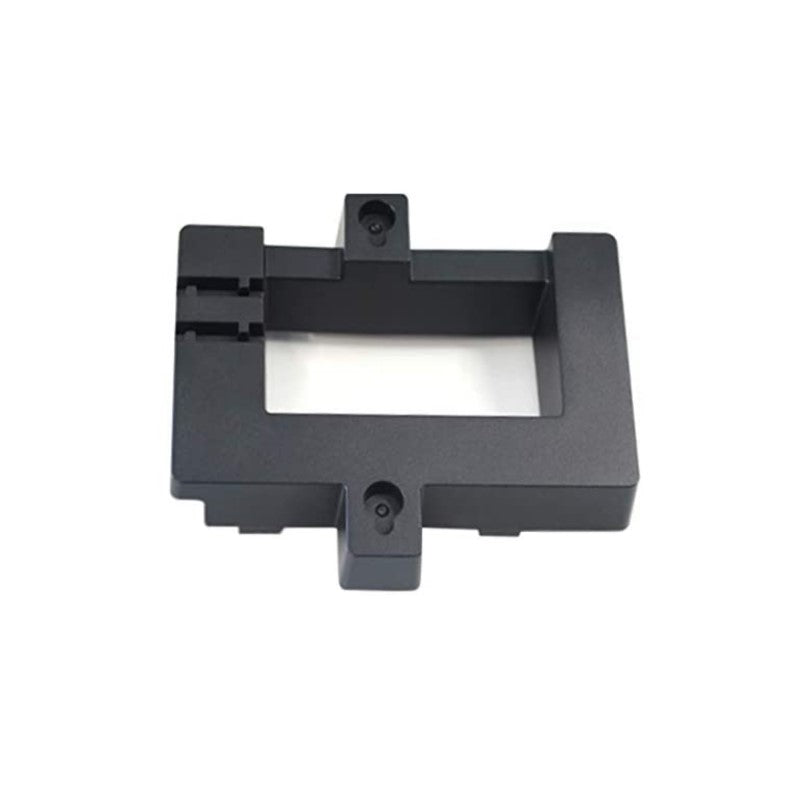
Grandstream Wall Mount Bracket GRP_WM_L for GRP2614 / GRP2615 / GRP2616 / GXV3350
Frequently Asked Questions
No, the GRP_WM_L is specifically listed for the GRP2614, GRP2615, GRP2616, and GXV3350. The mounting hole pattern and back casing are different on the GRP2613, which uses its own wall mount accessory. Using the wrong bracket risks an insecure fit and potential damage.
Yes, Power over Ethernet works normally with the wall mount installed. The bracket is designed with a cable channel that routes the Ethernet cord out the back or bottom so the phone can sit flush against the wall while the connection remains fully functional.
First, ensure the Ethernet and handset cords are seated completely inside the dedicated cable grooves on the back of the bracket. If any part of a cable is protruding, even slightly, it will prevent the phone from lying flat. Also confirm that the wall screws aren’t protruding too far from the surface.
This is a common result of the handset orientation changing from desk to wall position. Look for the small plastic tab built into the phone’s handset cradle area—it usually needs to be pulled out, reversed, and reinserted to act as a hook in the wall-mount orientation. The installation guide illustrates this step.
You should not mount directly into drywall without anchors, as the weight of a phone like the GXV3350 combined with handset handling will eventually pull the screws out. Use appropriate wall anchors rated for at least a few pounds, or better yet, secure the bracket into a wall stud or a plywood backer board for a reliable installation.
The bracket doesn’t block the side USB or headset ports on these models, and headphones or handsets plug in normally. However, using an external expansion module with a wall-mounted phone can be awkward physically, as the module generally expects a desk-based orientation. It will still connect, but the cable management and viewing angle may not be ideal.
On the GXV3350’s Android interface, there is a display orientation setting that lets you rotate the screen 180 degrees. Go into the device’s settings, find the display menu, and adjust the orientation until it matches your new wall-mounted position.
Accessories
Grandstream Wall Mount Bracket GRP_WM_L for GRP2614 / GRP2615 / GRP2616 / GXV3350
Wall mount bracket for GRP2614 / GRP2615 / GRP2616 / GXV3350. Key features: • Compatible with various models: GRP2614, GRP2615, GRP2616, and GXV3350 • Easy installation process outlined in the provided wall mount installation guide
About This Product
The Grandstream GRP_WM_L wall mount bracket is a straightforward accessory designed for businesses that want to secure their desktop phones in a fixed, permanent location. It’s the right tool when a reception area, a manufacturing floor, a warehouse station, or a shared hot-desk needs the phone off the flat surface and anchored to a wall. The main appeal is simplicity—this piece of hardware doesn’t add intelligence or connectivity, it just changes the form factor of a desk phone into a wall unit, keeping worksurfaces clear and reducing the chance a handset gets knocked to the ground.
In practice, this bracket makes the most sense for the GRP2614, GRP2615, GRP2616, and GXV3350 models. Those phones range from essential multi-line devices to an Android-based video collaboration endpoint, so the environments vary. A GRP2614 on a factory wall serves a different purpose than a GXV3350 in a small huddle room, but the mounting requirement is often similar: the phone needs to stay put. If you’re evaluating this, the trade-off to keep in mind is that wall mounting will mean the phone’s base and handset cradle orientation changes, which can affect things like handset retention. The installation guide covers this, but it’s a physical change worth considering before you commit to the location.
Where this bracket becomes overkill is in a standard cubicle farm where every phone already has a dedicated desk footprint and moving isn’t part of the workflow. It’s also not the right solution if users need to frequently adjust screen angles or share the phone between seated and standing use; the fixed angle of a wall mount is less flexible than a desk stand. For the GXV3350 in particular, wall mounting is a deliberate choice that suits a kiosk-style or information-point deployment rather than a typical office desk.
For a Canadian business, particularly in the GTA where real estate is expensive and every square foot matters, reclaiming desk space with a wall-mounted phone can be a small but real win. The bracket works with standard structured cabling practices and doesn’t create any compatibility concerns with the major Canadian carriers or hosted VoIP platforms; it’s a purely mechanical accessory. The value comes down to whether your floor plan benefits from putting the phone on the vertical plane.
In practice, this bracket makes the most sense for the GRP2614, GRP2615, GRP2616, and GXV3350 models. Those phones range from essential multi-line devices to an Android-based video collaboration endpoint, so the environments vary. A GRP2614 on a factory wall serves a different purpose than a GXV3350 in a small huddle room, but the mounting requirement is often similar: the phone needs to stay put. If you’re evaluating this, the trade-off to keep in mind is that wall mounting will mean the phone’s base and handset cradle orientation changes, which can affect things like handset retention. The installation guide covers this, but it’s a physical change worth considering before you commit to the location.
Where this bracket becomes overkill is in a standard cubicle farm where every phone already has a dedicated desk footprint and moving isn’t part of the workflow. It’s also not the right solution if users need to frequently adjust screen angles or share the phone between seated and standing use; the fixed angle of a wall mount is less flexible than a desk stand. For the GXV3350 in particular, wall mounting is a deliberate choice that suits a kiosk-style or information-point deployment rather than a typical office desk.
For a Canadian business, particularly in the GTA where real estate is expensive and every square foot matters, reclaiming desk space with a wall-mounted phone can be a small but real win. The bracket works with standard structured cabling practices and doesn’t create any compatibility concerns with the major Canadian carriers or hosted VoIP platforms; it’s a purely mechanical accessory. The value comes down to whether your floor plan benefits from putting the phone on the vertical plane.
Services We Provide
- Professional Installation & Configuration
- Ongoing Maintenance & Support
- Troubleshooting & Repairs
- System Upgrades & Updates



