
Yealink AX83H Portable Wi-Fi 6 Phone | Seamless Roaming, 9-Hour Battery-1301013

Frequently Asked Questions

This is usually a Wi-Fi roaming issue. First, check that your access points support the 802.11k/v/r fast roaming protocols and that they are enabled on your network. If they are, try moving closer to an access point to see if the call stabilizes. If the issue persists, a Toronto-based VoIP support provider can usually resolve this remotely.
Start by verifying that the SIP server address, username, and password are entered correctly in the phone's account settings. Also confirm that the phone is connected to the correct Wi-Fi network and has a valid IP address. If those are correct, check that your firewall or router is not blocking SIP traffic on ports 5060 or 5061.
Go to the phone's menu, select Bluetooth, and set it to discoverable mode. Put your headset into pairing mode, then select it from the list of available devices on the phone. Once paired, you can choose the headset as the audio device for calls.
Battery life depends on usage and network conditions. First, make sure the phone is fully charged and that you are using the included charger. If the battery drains quickly, check if the phone is constantly searching for a Wi-Fi signal in a weak coverage area. Moving closer to an access point can improve battery life. If the problem continues, the battery may need replacement.
Yes, the AX83H is a SIP-based phone that works with any SIP-compatible VoIP service. Most Canadian carriers and business VoIP providers support SIP registration. You will need to configure the phone with the SIP credentials provided by your carrier.
From the home screen, go to Settings > Wi-Fi and select your network. Enter the password and choose to save the network. The phone will automatically connect to that network when it is in range. For enterprise deployments, you can pre-configure Wi-Fi profiles via the Yealink Device Management Platform.
Choppy audio is often caused by poor Wi-Fi signal or network congestion. Try moving closer to an access point or reducing the number of devices on the same network. Echo can be reduced by lowering the speaker volume or enabling the phone's built-in echo cancellation in the audio settings. If the problem persists, check for interference from other wireless devices.
The AX83H supports multicast paging and intercom. To page, dial the multicast address configured in your system. For intercom, dial the extension of the target phone and press the Intercom soft key. Both features need to be enabled on your PBX or server.
This usually means the phone cannot reach your SIP server. First, confirm that the Wi-Fi connection has internet access by trying to browse a website on another device. Then, check the SIP server address and port in the phone's account settings. If the server is reachable, verify that your account credentials are correct.
The AX83H does not have a 3.5mm headset jack. It supports Bluetooth headsets via its built-in Bluetooth 5.0, or you can use the handset or speakerphone. For wired options, consider a Bluetooth adapter that connects to your wired headset.
IP Phones

Yealink AX83H Portable Wi-Fi 6 Phone | Seamless Roaming, 9-Hour Battery-1301013
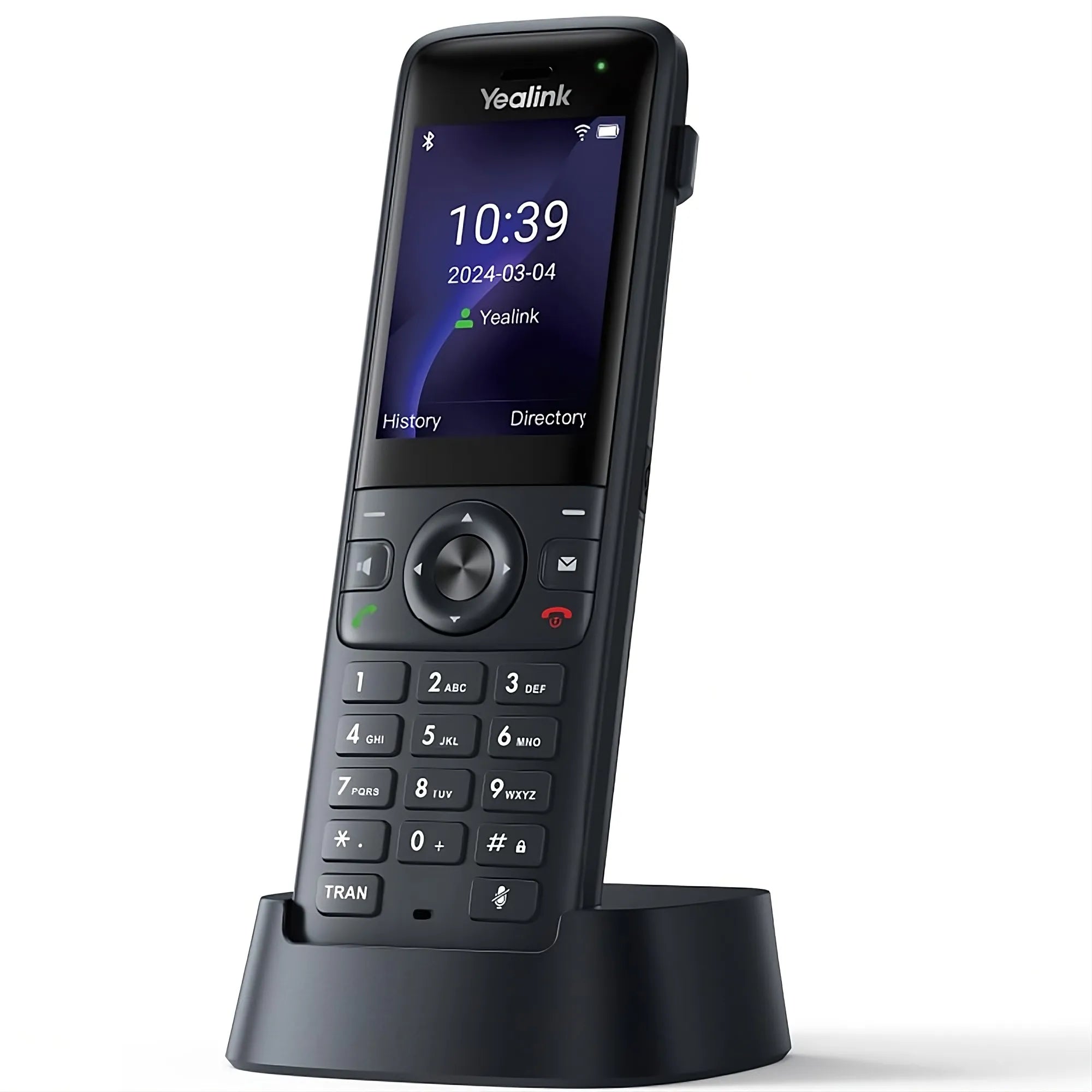
The Yealink AX83H is a high-performance portable Wi-Fi IP color screen phone designed for enterprise environments that require maximum mobility, such as warehouses, supermarkets, hotels, and large offices. • Built-in Dual-Band Wi-Fi 6: Supports 802.11ax on both 2.4G/5G bands, providing better anti-interference and faster speed than previous Wi-Fi generations. • Seamless Roaming Technology: Supports IEEE 802.11 k/v/r fast roaming protocol, enabling automatic, millisecond-quick access point (AP) switching without experiencing call disconnections. • Extended Battery Life: Equipped with a 2000 mAh rechargeable battery, offering up to 9 hours of talk time and 200 hours of standby time—ensuring it lasts through busy shifts. • Superior Audio and Bluetooth Headset Support: • Yealink Optima HD Audio: Delivers industry-leading, distraction-free voice quality. • Smart Noise Cancellation: Leverages technology to actively filter out extraneous background noises, allowing for fluent and effective conversations. • Built-in Bluetooth 5.0: Supports connecting to Bluetooth headsets for hands-free operation and a freer way of mobile office collaboration. • Scalable Features and Unified Management: • Account Capacity: Supports registering up to 4 SIP accounts for flexible user and line configuration. • IP-PBX Features: Includes advanced features like Local 5-way conferencing, Anonymous Call, Call Park/Pickup, Intercom, and Multicast Paging. • Unified Management: Uses unified firmware and supports bulk deployment via the Yealink Device Management Platform (YDMP/YMCS), simplifying maintenance and upgrades across the fleet. The package includes: • Yealink AX83H WiFi IP Phone Unit • Charger Cradle • Rechargeable Battery (2000 mAh) • Power Adapter • Quick Start Guide • Belt Clip

About This Product

The Yealink AX83H is a portable Wi-Fi 6 phone built for workers who need to stay connected while moving around a large facility. It is a strong fit for environments like warehouses, retail floors, hotels, or sprawling office campuses where a desk phone would be impractical. The device pairs naturally with a Wi-Fi 6 access point infrastructure to take full advantage of its fast roaming and interference resistance, and it can replace a traditional DECT cordless system in settings where Wi-Fi coverage is already robust. A key tradeoff is that its performance depends heavily on the quality of the wireless network; in areas with weak or congested Wi-Fi, call reliability may suffer. It is overkill for a small office with a single access point, where a simpler cordless phone would suffice, and it may be underpowered for a high-call-volume contact center that demands a dedicated wired headset and desktop station. For Canadian businesses, particularly those in the GTA with multi-floor offices or warehouse operations, the AX83H's seamless roaming and long battery life make it a practical choice for staff who are constantly on the move.
Services We Provide
  • Professional Installation & Configuration
  • Ongoing Maintenance & Support
  • Troubleshooting & Repairs
  • System Upgrades & Updates



