
Yealink MP52 E2 Teams IP Phone | Android 13, HD Voice, Gigabit PoE-1301016
Frequently Asked Questions
Yealink MP52 E2 Teams IP Phone | Android 13, HD Voice, Gigabit PoE-1301016
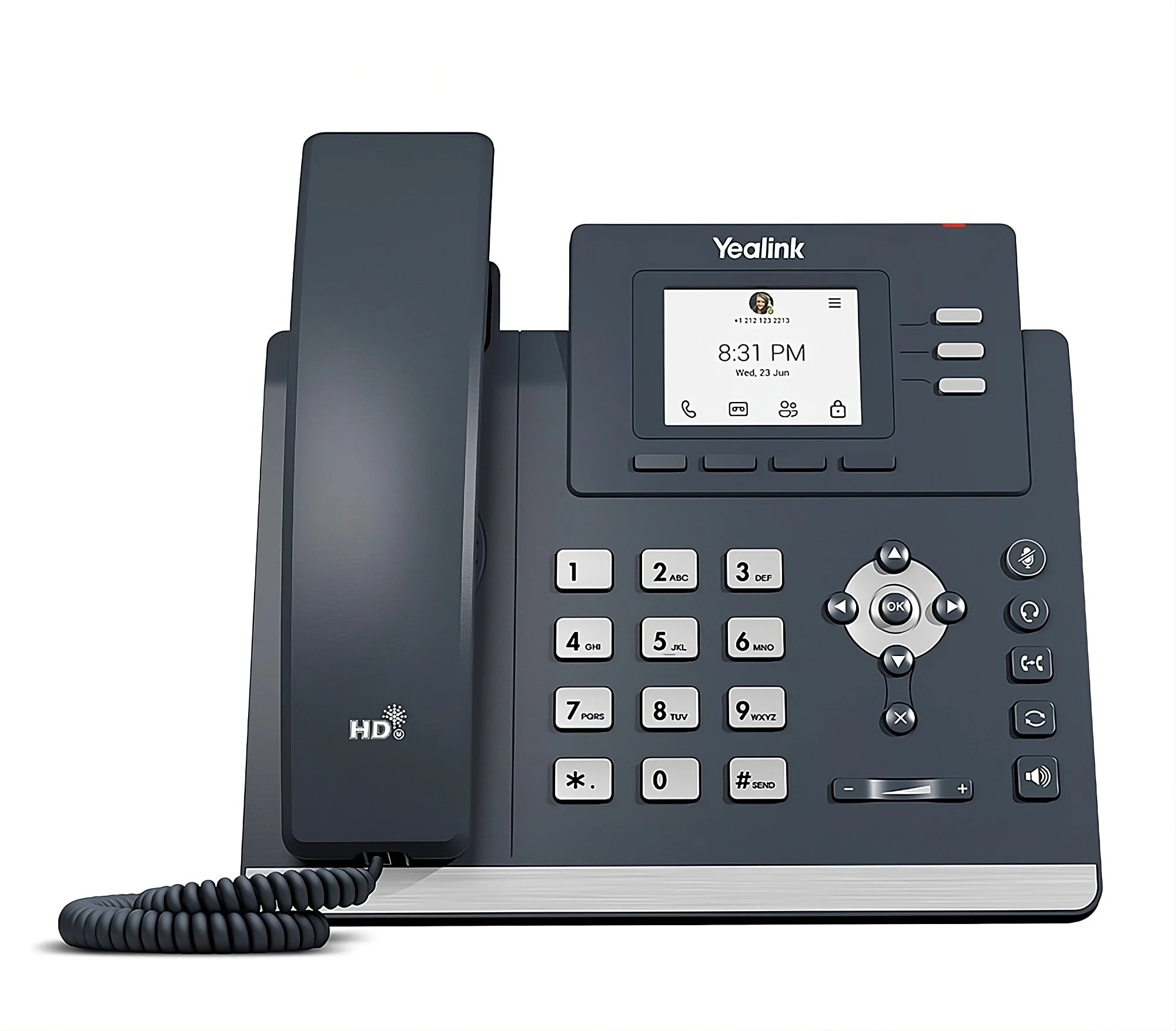
• The Yealink MP52 E2 is a cost-effective Microsoft Teams phone designed for common areas, offering stability, simplicity, and durability. • Powered by Android 13 operating system, this device provides the best practice solution for businesses migrating from Skype for Business to Teams. Key Features: • Durable Non-Touch Display: A 2.4-inch non-touch color screen paired with physical navigation buttons for a virtually damage-proof phone. • Ergonomic Handset: A magnetic handset ensures the receiver stays securely in place, minimizing accidental drops and damage. • Wall Mountable: Designed to be wall mountable (MP52 wall bracket sold separately) for deployment in areas with limited desk space or where the device must be secured against theft. Audio Quality: • Crystal Clear Audio: Excellent audio quality essential for clear communication, even in noisy public spaces. • AI Noise Proof Technology: Leverages Yealink's proprietary technology to eliminate disruptive background noise. • Full-Duplex Speakerphone: Built with AEC (Acoustic Echo Cancellation) for hands-free conversations around a small huddle table or desk. Security and Management: • Secure Android 13 Operating System: Provides a secure, fast, and modern platform for long-term compatibility with Microsoft's evolving Teams environment. • Dual-Port Gigabit Connectivity: Equipped with two Gigabit Ethernet ports (PoE enabled) guaranteeing high-speed network pass-through and simplified installation. • Centralized Provisioning: Supports Zero-Touch Provisioning via Activation Code and is fully manageable through the Microsoft Teams Admin Center and Yealink Device Management Platform. What's Included: • Yealink MP52 E2 Teams IP Phone Unit • Handset with Handset Cord • Desk Stand • Ethernet Cable (2m CAT5E UTP Cable) • Quick Start Guide
About This Product
Under the hood, Android 13 provides a modern, secure platform that aligns well with Microsoft’s ongoing Teams development. The dual Gigabit ports with PoE simplify cabling, letting you pass a network connection through to a nearby PC or thin client without an extra switch port. The magnetic handset cradle is a small but thoughtful detail: in spaces where the phone might be jostled or cleaned frequently, it keeps the handset seated instead of dangling. While the phone includes AI-based noise suppression and a full-duplex speakerphone, its 2.4-inch screen and non-touch interface mean it is not suited for heavy calendar management, directory browsing, or video-centric workflows. It is a voice-first endpoint.
A buyer should understand the tradeoffs. The MP52 E2 is a single-purpose Teams voice device, not a collaboration hub. It pairs naturally with a Teams Rooms system in an adjacent meeting space or serves as a lobby phone that routes calls to a central attendant. It is less appropriate as a daily driver for knowledge workers who need presence indicators, extensive contact lists, or the ability to join video meetings from the desk. Wall-mounting is supported but requires a separate bracket, so plan that into your deployment if floor or desk space is at a premium.
For organizations migrating from Skype for Business to Teams, this phone offers a straightforward, manageable endpoint that can be provisioned via Activation Code and monitored through the Teams Admin Center. It is overkill for a purely analog replacement scenario where a simple ATA would suffice, and underpowered for an executive office where a touchscreen Teams display phone with a larger panel and richer collaboration features would be expected. In the right common-area role, however, it hits a sweet spot of cost, durability, and native Teams integration.
Services We Provide
- Professional Installation & Configuration
- Ongoing Maintenance & Support
- Troubleshooting & Repairs
- System Upgrades & Updates



