
Yealink UH44 Mono Teams USB-C/A – 1308188

Frequently Asked Questions

First, make sure the boom arm is down in the speaking position—lifting the arm mutes the mic. Verify that the headset is selected as the microphone device in Teams (Settings → Devices) and that your mute button isn’t active. Test the microphone in another app like Voice Recorder; if it still doesn’t work, try a different USB port or a direct port instead of a hub.
Check that the USB connection is secure and try moving the cable away from possible interference sources like power bricks or wireless chargers. Plug the headset directly into a rear USB port on a desktop, or a different port on a laptop, bypassing any docks or hubs. If the issue continues, update your computer’s USB drivers and the headset firmware, but contact support before attempting a firmware change if you’re unsure. A Toronto-based VoIP support provider can often diagnose this remotely.
Unplug the headset, wait a few seconds, and plug it back in. Try every USB-C and USB-A port on your machine, using the included adapter if needed. Restart the computer and check the Device Manager (Windows) or System Information (Mac) to see if the headset appears under audio devices. If it remains undetected, test it on another computer to isolate whether the headset or your original machine is at fault.
Ensure the microphone boom is positioned close to your mouth—about two finger widths away—and not covered by clothing or obstructions. AI noise cancellation is always active, but it works best when your voice is the dominant sound; if the background noise is excessively loud or constant, it may not be fully suppressed. Confirm in your softphone settings that the UH44 is selected as the microphone and that no other mic is picking up ambient sound.
The UH44 is a mono headset by design, so audio plays only through the right ear cushion while leaving your left ear free for ambient awareness. This is normal. If you need stereo audio or prefer both ears covered, consider a dual-ear model instead.
Power management settings on some computers can suspend USB ports to save energy; disable USB selective suspend in your operating system’s power options. Try a different USB port that doesn’t share bandwidth with other high-demand devices, and ensure the cable isn’t pulled or tightly bent. If the problem persists, a Toronto-based VoIP support provider can help review your system configuration.
In Teams, click your profile picture → Settings → Devices. Under Audio devices, choose the Yealink UH44 for both Speaker and Microphone. You can also make it the Windows default by going to Sound settings and selecting the headset as the output and input device, which many applications will then use automatically.
Yes. The UH44 is a standard USB audio device and works with any softphone on Windows or Mac that allows you to select an audio device. Its Teams certification simply means it’s been tested for optimal performance with Teams, not that it’s locked to that platform.
Yes, the package includes a USB-C to USB-A adapter, so you can plug it directly into a USB-A port. The adapter maintains all functionality and doesn’t degrade audio quality. You won’t need any additional software or drivers.
Lifting the microphone boom arm all the way up engages the mute function. Most models give an audible tone or have an LED indicator that lights red when muted, though the exact behavior can vary. You can also check the mute status in your softphone’s call controls to confirm.
Headsets

Yealink UH44 Mono Teams USB-C/A – 1308188
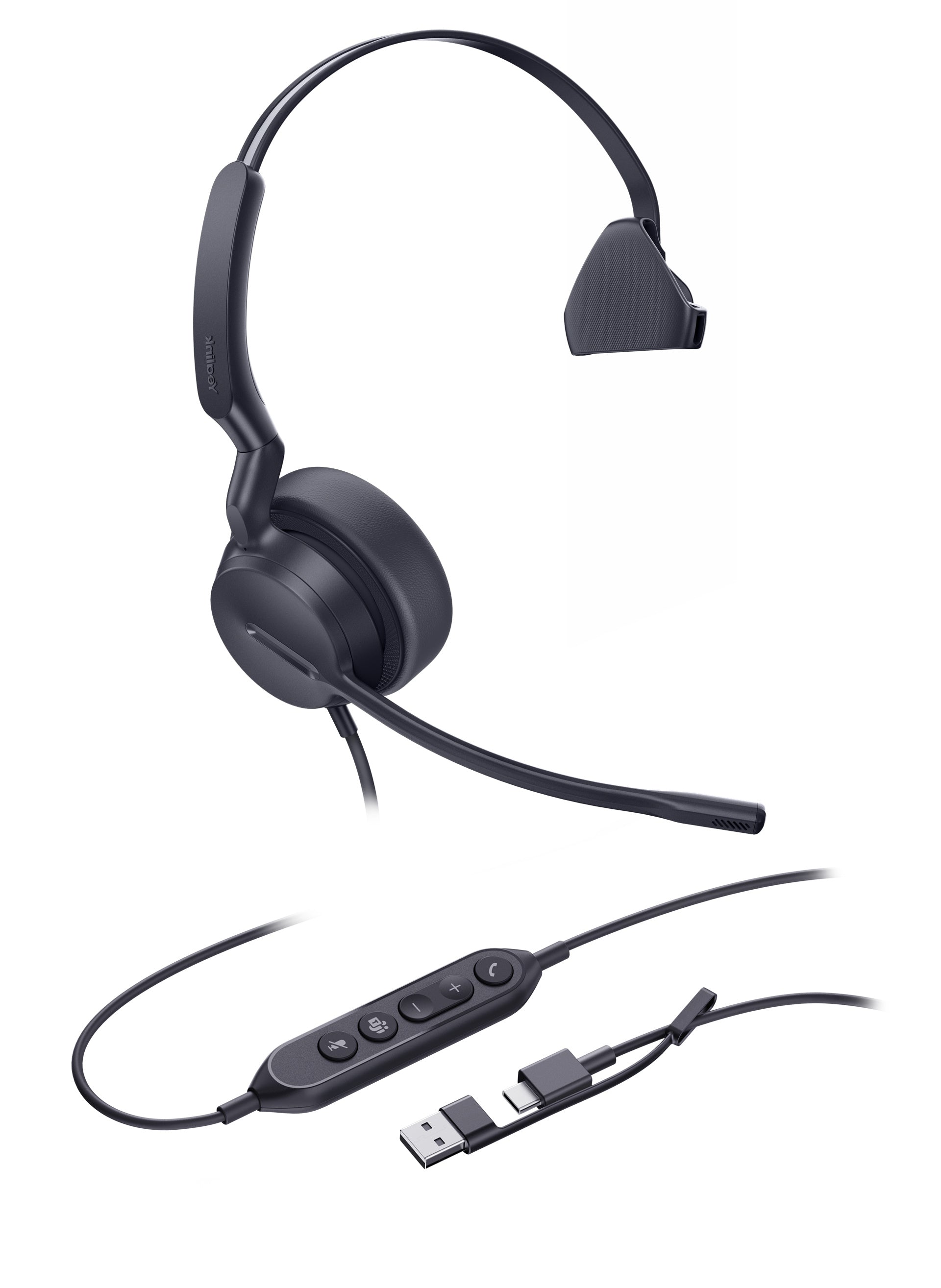
• Yealink UH44 Mono Teams USB-C/A is a professional USB-wired headset that delivers outstanding audio performance and noise canceling capabilities. Its superior design and comfortable materials ensure all-day comfort. • Key Features: • 2-Mic & AI Noise Cancellation • All-Day-Wearing Comfort • Flexible and Fast Plug-and-Play with USB-C/A Cord • High-Quality Audio (Professional-Grade 35mm Speakers) • Lift Mic-Boom to Mute • Teams Certified • Technical Specifications: Audio: Microphone quantity: 2, Microphone frequency response range: 100Hz-14kHz, Speaker size: Ø 35mm, Speaker sensitivity: 113.8±3dB 0.980V Speaker Frequency Response Range: 20Hz-20kHz Speaker Bandwidth: • Music mode: 20Hz-20kHz • Talk mode: 100Hz-20kHz Hearing Protection: • Peak Block Protection (EN50332) • Australian G616 Protection (AU G616) • Daily Noise Exposure Protection

About This Product

The Yealink UH44 Mono Teams USB-C/A is a straightforward wired headset built for desk workers who spend much of their day on Microsoft Teams calls. It trades wireless freedom for a dependable, always-on connection and a lightweight, comfortable design suitable for all-day use, making it a sensible choice in cubicle farms or home offices where a stable audio link matters more than roaming the room. The included USB-C cable and USB-A adapter ensure it works with modern and legacy laptops alike, and the plug-and-play nature means it’s ready seconds after you plug it in—no drivers or pairing hassles.

In a noisy open-plan office or a bustling home environment, the dual-microphone AI noise cancellation helps isolate your voice from background chatter and keyboard clicks, though it won’t completely silence nearby construction or a room full of people. It pairs naturally with softphone systems beyond Teams, like Zoom or RingCentral, since the Teams certification primarily ensures an optimized experience with Microsoft’s platform, not exclusivity. For Canadian businesses adopting unified communications with Office 365, this headset slots in with minimal IT overhead and consistent call quality across GTA offices.

The mono earpiece is a deliberate design choice: it keeps one ear free for awareness of surroundings—useful in collaborative workspaces or when you need to hear a colleague call your name—but it means you won’t get the immersive stereo sound some users prefer for media or when they need to focus entirely on the caller’s voice. If your role involves extended concentration-heavy calls or you find mono headsets fatiguing after hours, a dual-ear headset might suit you better. Similarly, the wired connection, while dependable, restricts movement; workers who frequently step away from their desk during calls would be better served by a wireless model.

For a typical knowledge worker who spends a few hours a day in meetings but also needs to hear office ambient sounds, the UH44 is a practical, cost-effective fit. It’s not designed for contact centers with high-density headset usage requiring advanced acoustic shock protection beyond the hearing safeguards already built in, nor for environments where audio content creation or music is a focus. In a small business setting or a standard corporate deployment in the Toronto area, it handles the everyday call load without fuss, and at its price point it’s a sensible upgrade from basic earpods or a laptop’s built-in mics.
Services We Provide
  • Professional Installation & Configuration
  • Ongoing Maintenance & Support
  • Troubleshooting & Repairs
  • System Upgrades & Updates



