
Yealink UH46 Mono Teams USB-C/A – 1308184

Frequently Asked Questions

First, check that the USB cable is firmly connected to both the headset and your computer. Try plugging it into a different USB port, preferably directly on the computer rather than through a hub or dock. If the issue persists, restart your computer and test again.
Ensure the headset is selected as the default audio device in your computer's sound settings. On Windows, go to Sound Settings and set the UH46 as both the output and input device. On macOS, check System Preferences > Sound. Also, verify that the volume on the headset's inline control is turned up.
The three-microphone array and AI noise cancellation are designed to reduce steady background sounds like fan hum or traffic, but they may not eliminate sudden, loud noises. Make sure the microphone boom is positioned correctly—close to your mouth, about one finger-width away. Also, check that your softphone app has not overridden the headset's microphone settings.
Simply plug the headset into your computer via USB. It is Teams certified, so it should be automatically recognized. In Teams, go to Settings > Devices and select Yealink UH46 as the speaker and microphone. The inline controls let you answer, end, and mute calls directly.
The UH46 is designed for computers with USB-A or USB-C ports. It may work with some tablets that support USB audio, but it is not optimized for mobile devices. For smartphone use, you would typically need an adapter that supports USB audio, and call control features may not work.
The mono design means audio comes through only one earpiece, leaving the other ear free. This is useful for staying aware of your surroundings or for switching between the headset and a desk phone. However, you will not get stereo sound, so music or multimedia will sound flat.
The headband is adjustable—slide the earpiece up or down to fit your head size. The microphone boom can be rotated to the left or right side. For all-day comfort, take breaks every hour and ensure the ear cushion sits fully over your ear without pinching.
Since the UH46 is wired, disconnections are usually caused by a loose USB connection or cable strain. Check that the USB plug is fully inserted and that the cable is not bent sharply at the connector. Try a different USB port. If the problem continues, the cable may be damaged and the headset may need replacement.
Yes, the UH46 works with Macs that have a USB-A or USB-C port. It is plug-and-play, so no drivers are needed. You may need to select it as the audio device in System Preferences > Sound. Some call control buttons may not work on macOS, but audio and microphone functions should work.
These features protect your hearing by limiting sudden loud sounds and monitoring daily noise exposure. They are built into the headset and work automatically, so you do not need to adjust anything. They are especially useful in noisy environments or for long shifts, as they help prevent hearing fatigue.
Headsets

Yealink UH46 Mono Teams USB-C/A – 1308184
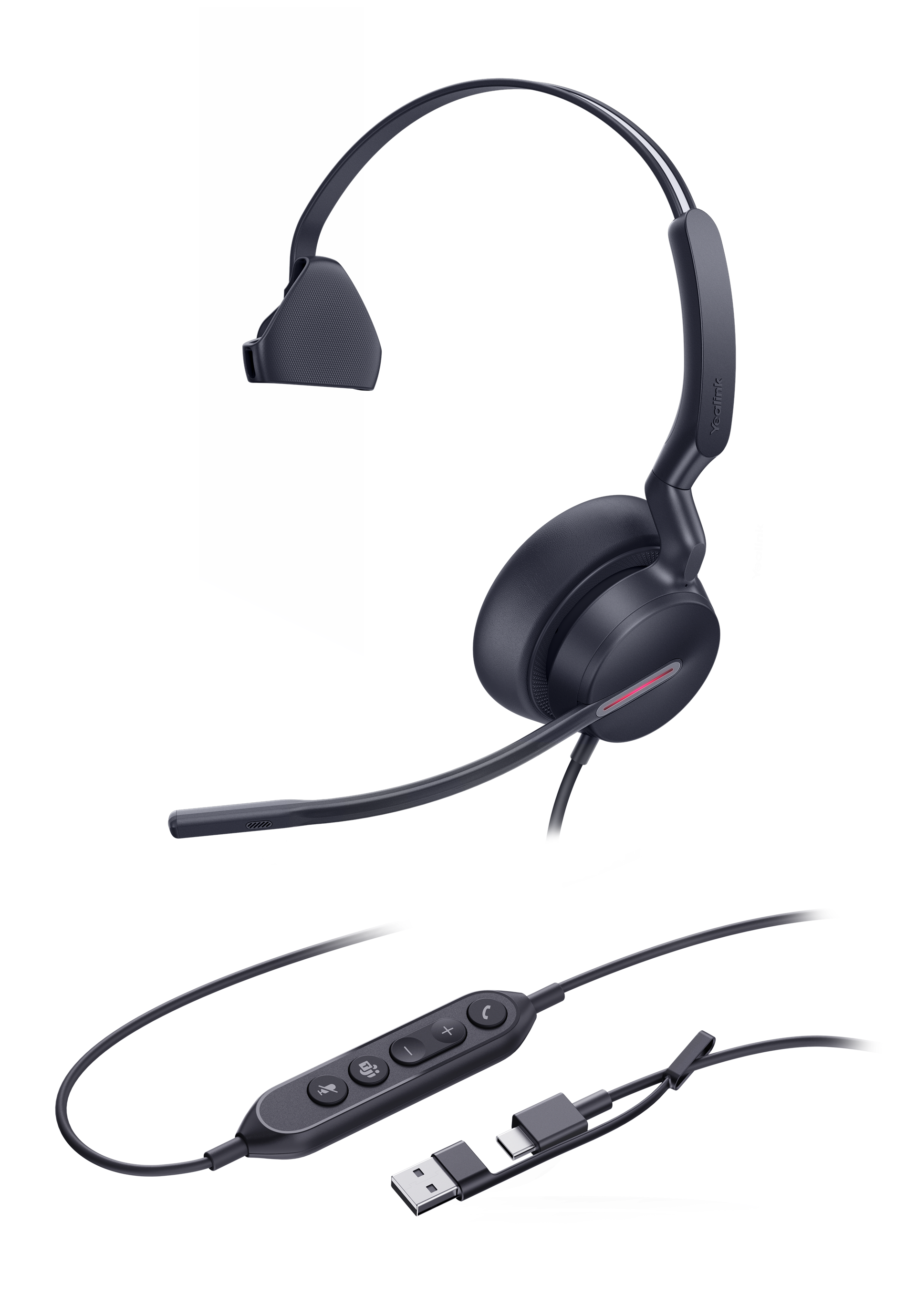
The Yealink UH46 Mono Teams USB-C/A is a professional USB wired headset designed with excellent craftsmanship and comfortable materials, ensuring all-day comfort. The UH46 features advanced three-microphone noise-canceling technology, delivering exceptional noise reduction performance. Key Features: • 3-Mic & AI Noise Cancellation • All-Day-Wearing Comfort • Plug-and-Play with USB-C/A Cord • High-Quality Audio Experience • Wear on both sides • Teams Certified Technical Specifications: Audio: • Microphone quantity: 3 • Microphone frequency response range: 100Hz-14kHz • Speaker size: Ø 35mm • Speaker sensitivity: 113.8±3dB 0.980V • Speaker frequency response range: 20Hz-20kHz Hearing Protection: • Peak Block Protection (EN50332) • Australian G616 Protection (AU G616) • Daily Noise Exposure Protection For a full list of specifications, please refer to the product datasheet.

About This Product

The Yealink UH46 Mono is a wired USB headset for professionals who spend long hours on calls and need reliable noise cancellation without the complexity of a desk phone or softphone setup. It plugs directly into a computer or laptop via USB-C or USB-A, making it a straightforward choice for remote workers, call centers, or open-plan offices in the GTA and beyond. The single-ear (mono) design suits users who want to stay aware of their surroundings while on calls, and the Teams certification ensures seamless integration with Microsoft Teams, including call control features. It pairs well with any softphone or UC platform that supports USB headsets, replacing older analog or Bluetooth models that may suffer from interference or battery life issues. The tradeoff is that it is wired, so mobility is limited to the length of the USB cable, and the mono form factor may not suit everyone—those needing immersive audio for media or full noise isolation for focus-heavy tasks should consider a stereo or over-ear model. For a small office or a single user, the UH46 is a practical, no-fuss investment; for large-scale deployments, you will want to verify that the USB-A/USB-C adapter works smoothly with your fleet of laptops or docks.
Services We Provide
  • Professional Installation & Configuration
  • Ongoing Maintenance & Support
  • Troubleshooting & Repairs
  • System Upgrades & Updates



