
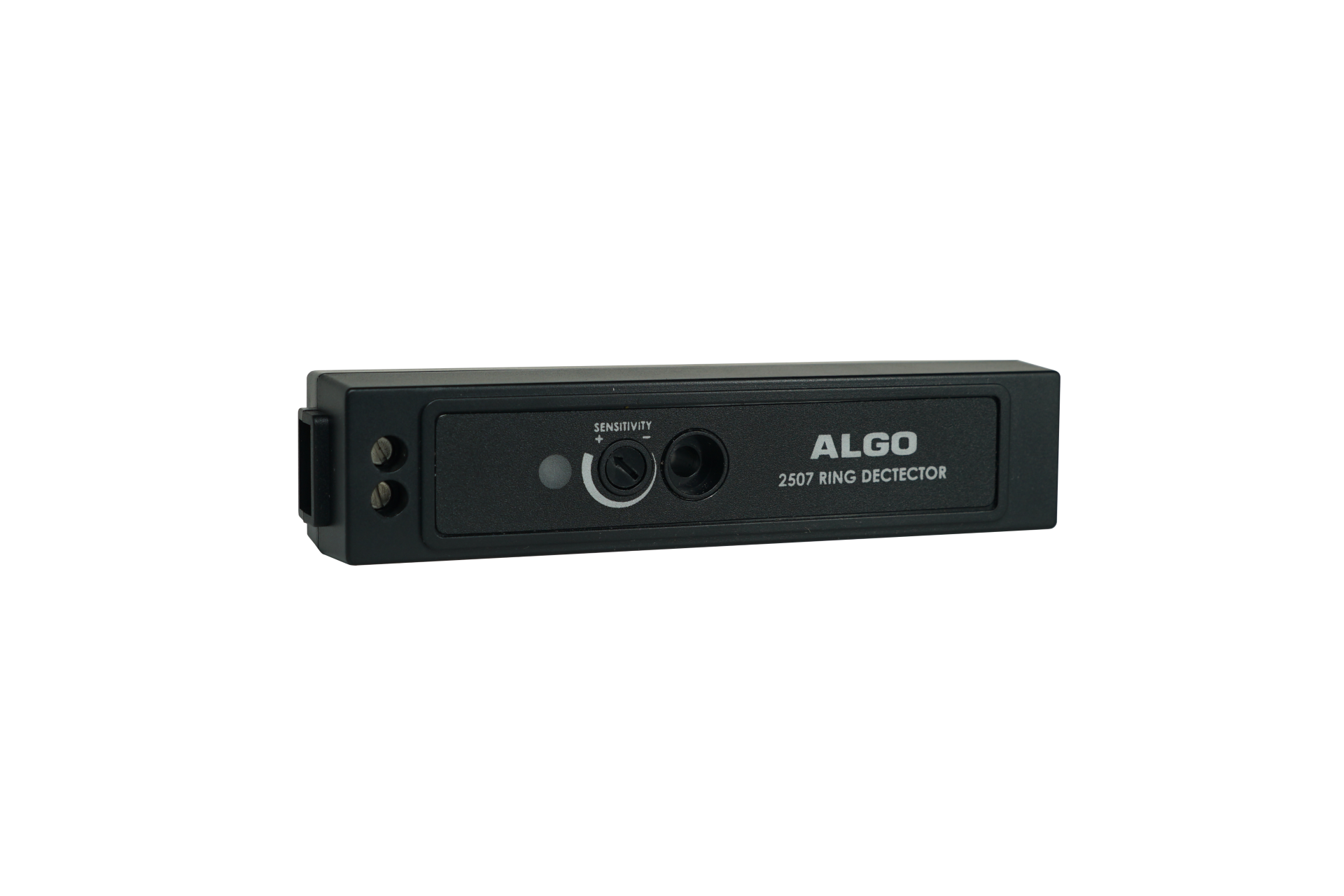
Algo 2507 ring detector
Frequently Asked Questions
First, confirm the phone itself is ringing—mute the handset and listen for a ringer. Then check the cable connection between the phone and the Algo 2507 is fully seated. If the phone is on a Teams deployment, verify the phone firmware is version 4.1 or higher (check under Settings > About). If the issue persists, a Toronto-based VoIP support provider can usually resolve this remotely.
Ensure the phone is actually receiving an incoming call and that the Algo 2507 is powered (look for a small LED indicator on the unit itself). Confirm the visual alert mode is enabled in the device's configuration—some units have a physical switch or jumper for strobe vs. steady flash. Also verify the phone's ringer volume is turned up, as the detector relies on the signal from the phone's ring output.
Intermittent issues often come from a loose cable or a slightly misaligned connection to the phone's headset or auxiliary port. Try reseating both ends of the cable. If the phone is on a PoE switch, a power cycle of the phone (unplug for 30 seconds) can reset the ring signal path. Also check for firmware updates on both the phone and the Algo 2507, as compatibility improvements are sometimes released.
Officially, the device is designed for the listed Poly and Yealink models (VVX, CCX, T55A, T56A, T58A, MP54, MP56, MP58). Using it with other phones may work if they have a standard headset port that carries a ring signal, but there are no guarantees. For a reliable setup in a Canadian office, stick to the supported models to avoid frustration.
Set up is similar to a standard desk phone: connect the Algo 2507 to the phone's headset or dedicated accessory port, then ensure the phone's firmware is at least 4.1 and that Teams calling features are working normally. The detector will automatically sense the ring signal from Teams calls. No special Teams configuration is needed on the phone side, but test with a placeholder call after connecting.
First, make sure the phone's own ringer volume is set high, as the detector amplifies that signal. Also check if the device has a separate volume control (some models have a potentiometer). If both are maxed and it's still quiet, the cable may be damaged or the phone's ring output may be weak—try swapping the cable. In large open offices, consider positioning the detector closer to workstations.
The Algo 2507 is powered by the connection to the phone—it doesn't have a separate PoE port or AC adapter. As long as the host phone is powered (via PoE or its own supply), the detector will draw its power from the phone's accessory port. If the phone loses power, the detector will also stop working.
A low level of background noise or hum can occur if the cable is picking up electrical interference. Try moving the cable away from power cables or fluorescent lights. If the buzzing persists, it may indicate a grounding issue—check that the phone's power supply is properly grounded. In most GTA offices, a short shielded cable resolves this.
The phone must be running firmware version 4.1 or above. You can check this on Poly phones under Settings > Status > Firmware, or on Yealink phones under Status > Version. If your phone is below 4.1, update via the phone's web interface or through your provisioning server. Some Canadian MSPs can push this update remotely.
No, the Algo 2507 is a simple ring detector that activates on any incoming call to the connected phone. It doesn't support per-line filtering. If you need selective ringing, you would need a phone that supports multiple ring profiles or a separate paging system. For most desk-phone use cases in small offices, this limitation isn't a problem.
IP Paging
Algo 2507 ring detector
The Algo 2507 ring detector is designed to enhance your VoIP telephone experience with loud ringing, notifications, and visual alerts. Its compatibility makes it an ideal solution for MS Teams environments. Key features: • Enables loud ringing, notification, and visual alerting directly from a compatible VoIP telephone • Compatible with Poly VVX series and CCX series, Yealink T55A, T56A, T58A, MP54, MP56, MP58 telephones • Requires firmware 4.1 or above For detailed specifications, please refer to the product datasheet: <https://cdn.shopify.com/s/files/1/0643/6736/2234/files/2507-Ring-Detector-Product-Sheet.pdf?v=1754969267>
About This Product
The Algo 2507 ring detector is designed for environments where standard phone ringers aren't enough—think open-plan offices, workshop floors, or retail spaces in the GTA where audible or visual alerts help ensure calls aren't missed. It pairs directly with compatible Poly and Yealink desk phones, translating the phone's ringer into a loud external tone or flashing light. Before buying, note that it only works with the specific phone models listed and requires firmware 4.1 or higher; it's not a standalone device or a replacement for a paging system. For spaces with constant background noise or for users with hearing impairments, this accessory fills a valuable gap, but in a quiet private office it may be overkill. It's underpowered for large-scale notification across multiple zones—for that you'd want a dedicated IP paging amplifier. Deployment is straightforward: connect the detector to the phone, confirm firmware compatibility, and test the ring trigger. Canadian carriers and Teams deployments are on spec, as the unit's compatibility list covers many phones used in regional enterprise rollouts.
Services We Provide
- Professional Installation & Configuration
- Ongoing Maintenance & Support
- Troubleshooting & Repairs
- System Upgrades & Updates



