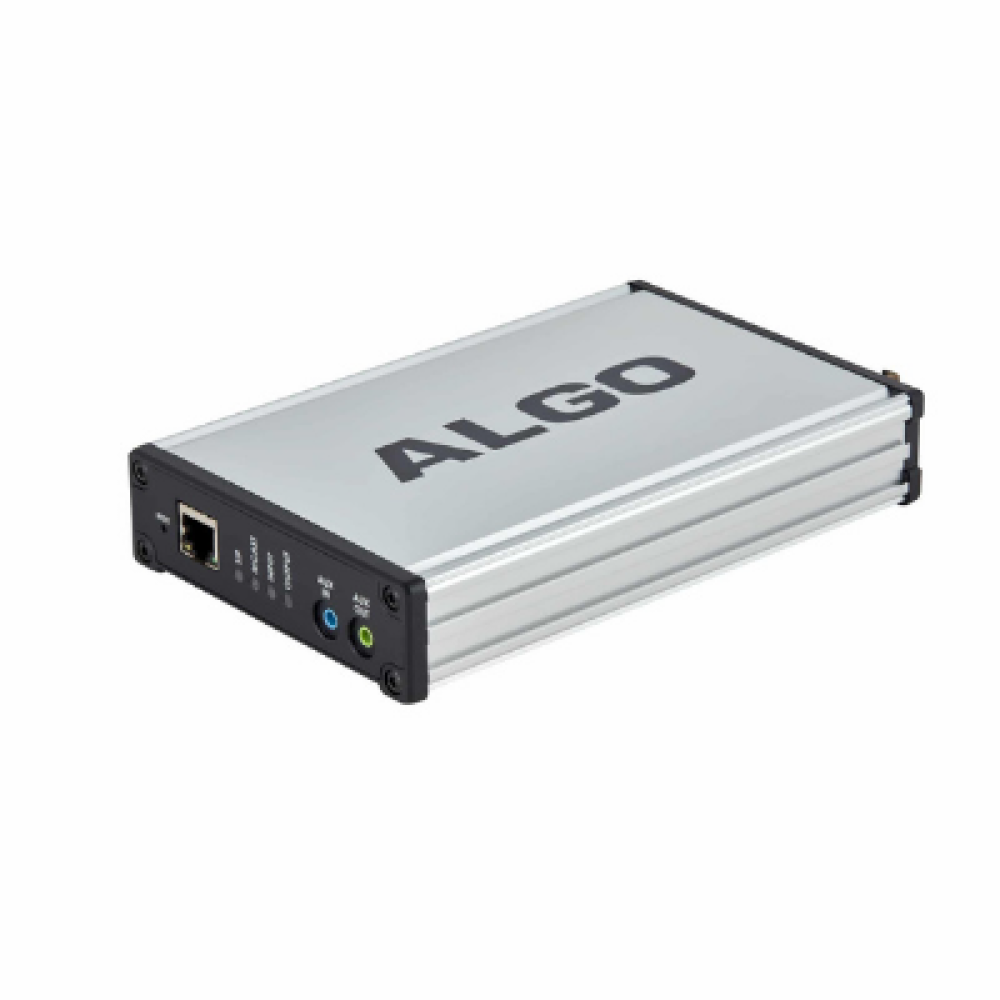
Algo 8300 IP Controller

Frequently Asked Questions

Confirm the switch port provides IEEE 802.3af PoE; many unmanaged switches don’t. Try a known‑good PoE port or a standalone injector. If the power LED remains off, check the Ethernet cable for damage or try a different cable. A Toronto-based VoIP support provider can often verify PoE delivery remotely if your switch supports SNMP.
The controller likely obtained a different address via DHCP. Look in your router’s DHCP lease table to find its current IP. If you set a static IP, make sure your computer is on the same subnet and that a firewall isn’t blocking port 80 or 443.
First, check the controller’s date, time, and time zone settings — an incorrect clock is the most common cause. Also verify the audio file assigned to the schedule hasn’t been deleted or renamed. Manually trigger the bell from the web interface to quickly test if the endpoint can play it.
The controller expects G.711 or G.722 encoded files. If you uploaded an MP3, conversion may have introduced artifacts. Re-encode the source as 8 kHz 16-bit mono WAV (G.711) and re-upload. Ensure the output volume is set appropriately in the controller’s endpoint configuration, not only on the speaker itself.
Often this follows a network change that gave the endpoints new IP addresses. Discovery relies on multicast, so confirm multicast is allowed on the switches (IGMP snooping should permit it) and the controller and endpoints reside on the same VLAN. Reboot the missing endpoint and wait up to two minutes for rediscovery.
The 8300 processes bulk commands sequentially; a large batch of simultaneous changes can temporarily slow the web interface. Try staggering your changes or using the scheduler to apply them during off‑peak hours. If sluggishness is constant, check the status page for high CPU usage, which could point to a network loop or excessive traffic.
The controller doesn’t handle calls directly; it provisions Algo SIP endpoints to register with your PBX. Enter the SIP credentials, server address, and extension details into the endpoint configuration inside the controller’s interface. The endpoints will then behave like standard SIP extensions for live paging or ringing.
It can provision Algo door phones for SIP calling and relay activation, but day‑to‑day access schedules and unlock logic are configured on the door phone itself. The controller’s scheduler can trigger audio chimes for door events, though it doesn’t replace a full access control system.
The controller manages and sends configuration only to Algo devices. Non‑Algo speakers that can join a standard multicast group might be manually set to listen on the same multicast address the 8300 uses, but they won’t appear in the controller’s interface and cannot receive firmware updates or provisioning from it.
Inside the controller’s firmware management page, upload the new binary for the device model and then push it to selected endpoints. Read the release notes first and schedule the update during a quiet window because each endpoint will reboot. If you prefer a staged rollout, a Toronto-based VoIP support provider can help coordinate a managed upgrade.
IP Paging

Algo 8300 IP Controller

The Algo IP Controller is a centralized tool for monitoring and managing Algo IP Endpoints, ideal for large deployments. It works with any Algo SIP device, including paging adapters, speakers, strobe lights, and door phones/intercoms. Key features: • PoE (IEEE 802.3af Class 0) 48V, 12.95 W • 1 GByte available for audio memory • Supports G.711 A-law, G.711 u-law, and G.722 audio codecs • SIP and multicast-compatible • Compatible with any Algo paging adapters, speakers, strobe lights, and door phones/intercoms • Easily manageable through web browser interface • UL/CSA, FCC, and CE Certified What's Included: • Algo 8300 Bell Scheduler & Controller • Network Cable • Wall Mount Bracket For a full list of specifications, please refer to the product datasheet.

About This Product

The Algo 8300 IP Controller is built for facility managers and IT teams who oversee a large fleet of Algo IP endpoints — paging speakers, strobes, door phones, and intercoms — across a campus, warehouse, or multi-floor office building. Instead of logging into each device individually, you manage schedules, audio files, and core settings from a single browser-based interface that sits on the local network. That central point of control reduces errors and saves serious time when policy changes or emergency announcements need to roll out everywhere at once.

Because it integrates via standard SIP and multicast, the 8300 fits naturally into existing Voice-over-IP environments without a proprietary server. Its 1 GB of onboard audio memory means critical bell schedules and prerecorded messages stay local, so everyday paging remains functional even if the phone system or WAN link is temporarily down. This makes it particularly useful in environments where local resilient paging is a safety requirement, such as schools, hospitals, and manufacturing floors.

There are trade‑offs to be aware of. The controller manages only Algo hardware; in a mixed-vendor deployment you’ll still need another tool for non‑Algo devices. For a small office with just two or three Algo speakers, the individual web configuration on each unit may already meet your needs, making the 8300 an unnecessary extra box. On the other side, single-site controllers work well for distributed retail or branch-office setups, but they don’t replace a full‑scale network management platform for multi‑site health monitoring and firmware governance. In a Canadian context — think of a GTA corporate headquarters spread across several floors — the 8300 simplifies day‑to‑day paging changes without requiring on‑site IT staff at every location.
Services We Provide
  • Professional Installation & Configuration
  • Ongoing Maintenance & Support
  • Troubleshooting & Repairs
  • System Upgrades & Updates