
Algo 8301 Paging Adapter & Scheduler

Frequently Asked Questions

Start by confirming the device has a valid IP address and can reach the SIP server; check the network settings and DNS servers. Next, verify that the SIP credentials (username, password, and registrar address) entered in the web interface match exactly what your VoIP provider supplied. You might temporarily use a softphone with the same credentials on the same network to rule out account or network issues. If the problem persists, a Toronto-based VoIP support provider can usually resolve this remotely.
First, ensure the dry page output is properly connected to a line‑level or paging input on your amplifier—sometimes the plug isn’t seated completely or the wrong input is selected. Check that the amplifier is powered on, its volume is up, and its input selector matches the connected port. If you have a known‑working audio source, temporarily connect it to that amplifier input to confirm the amp is functional. Should the issue persist, a local VoIP support provider can often run remote diagnostics.
Confirm that the 8301 obtained an IP address—you can check your DHCP server lease table or use the Algo locator tool. Verify your computer is on the same subnet and that you aren’t blocked by a firewall. Power‑cycle the adapter and the network switch port it’s connected to; sometimes a port negotiation mismatch clears after a restart.
The scheduler relies on NTP, so first check that the 8301 can reach an NTP server and that its time zone, daylight saving, and date/time settings are accurate. If the device shows the correct time but announcements are still off, verify each schedule entry—start time, days, and zone—matches your intent. Inconsistent timing usually points to an NTP sync failure or a time zone misconfiguration.
Multicast traffic must stay within the same VLAN unless multicast routing is explicitly configured. Verify the 8301 and the speakers are on the same subnet and that IGMP snooping is not dropping the traffic. Temporarily connect a speaker and the adapter to an isolated switch port to see if pages go through, which helps pinpoint whether the issue is network-wide.
Make sure your phone system is sending DTMF tones in‑band or as RFC2833 events, and that the 8301’s DTMF settings match. Review the zone mapping in the adapter’s interface—each zone digit must be defined correctly. Test by pressing the zone digit while the page is active and see if the correct output relays or multicast groups activate.
The 8301’s dry page output provides an unbalanced audio signal (often on an RCA jack). You’ll need an appropriate cable—typically RCA to whatever connector your amplifier accepts (1/4", bare wire, etc.)—and plug it into a line‑level or paging input. If your amplifier requires a contact closure to activate paging, the 8301 also provides a dry contact, which you wire to the amp’s paging‑trigger terminals.
Yes, the 8301 is compatible with most hosted VoIP services. You’ll need the standard SIP credentials (server address, username, and password) from your provider, and you’ll configure those in the adapter’s SIP settings. It works well in Canadian deployments with platforms like RingCentral, 8x8, and 3CX as long as the network passes SIP traffic properly.
The scheduler is entirely built into the 8301—no external server or software is required. You program daily, weekly, or one‑time announcements through the web interface. The only external dependency is an NTP server for time synchronization, which is usually your router or a public time server.
IP Paging

Algo 8301 Paging Adapter & Scheduler
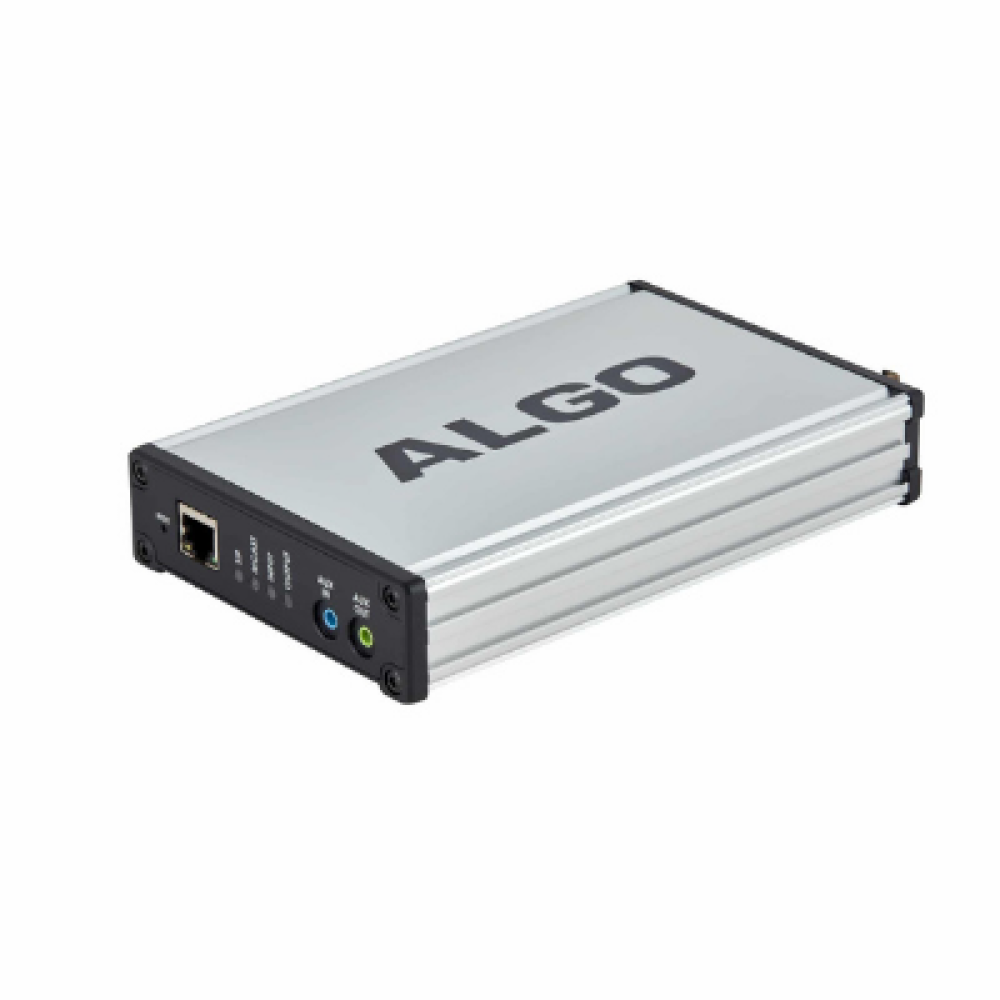
The PoE 8301 IP paging adapter provides a seamless bridge from VoIP to a legacy analog voice paging/public address (PA) system, offering dry page output and scheduling capabilities. Compatible with most hosted/cloud and premise-based VoIP telephone systems. Key features: • Superior audio clarity and intelligibility • PoE (802.3af) for plug-and-play network connectivity • Eliminates narrowband FXS port or ATA • Multicasting capability to include Algo IP speakers and strobes • Synchronization of scheduler and IP clocks using NTP server • Wideband G.722 codec support for HD voice • Auto-provisioning (TFTP, FTP, HTTP, HTTPS) with additional secure options • Configurable for DTMF zone selection Certified UL/CSA, FCC, and CE compliant, the 8301 SIP Paging Adapter and Scheduler includes brackets for wall mounting.

About This Product

The Algo 8301 fits a common need in offices upgrading their phone system to VoIP but still relying on an existing analog public address amplifier and speaker network. Rather than replacing the entire paging infrastructure, the 8301 sits between the LAN and the amplifier, taking SIP-based paging calls and converting them into a clean audio signal and dry contact closure. This is particularly valuable for schools, warehouses, and multi‑floor offices in the GTA where the paging wiring and speakers are already in place and functional.

It’s best paired with a compatible third‑party amplifier and passive speakers, or can multicast pages to Algo IP speakers and strobes across the same network, creating a hybrid system. The built‑in scheduler is a real differentiator—using NTP for accurate timing, it allows scheduled announcements like recess bells or shift‑change tones without needing an external server. For Canadian businesses migrating from legacy PBX to a cloud service like RingCentral or 3CX, the 8301 avoids the audio‑cutting problems often associated with FXS‑port adapters and delivers G.722 HD voice when the calling side supports it.

However, the 8301 provides only a dry page output; it does not include a built‑in amplifier, so a separate power amplifier is required to drive speakers. It also relies entirely on PoE for power—there’s no DC jack—so make sure your switch provides 802.3af. The scheduler, while capable, doesn’t replace a full‑blown paging control system with granular multi‑zone logic beyond DTMF zone selection. For a small office with just one or two IP speakers, a simpler Algo IP speaker or endpoint might be more cost‑effective; the 8301 is overkill unless you’re bridging an existing analog amp or need multicasting to multiple hardware types.
Services We Provide
  • Professional Installation & Configuration
  • Ongoing Maintenance & Support
  • Troubleshooting & Repairs
  • System Upgrades & Updates



