
Algo 8198 SIP PoE+ Ceiling Speaker

Frequently Asked Questions

First, verify that the cable is connected to a PoE+ port (802.3at) on a network switch or a PoE+ injector. A standard PoE (802.3af) port may not supply enough power. Check the link/activity lights on both the speaker and switch; if they are off, try a different cable and port. A simple power-cycle of your PoE switch can also reset the port’s power delivery.
Double-check the SIP server address and port in the web GUI, and ensure any outbound proxy settings match what your provider requires. If your firewall blocks SIP traffic, the registration will fail; confirm that UDP/TCP ports 5060–5061 and the RTP port range are open. Also, check that the date and time on the speaker are correct, as a large clock skew can cause TLS certificate errors.
First, verify that multicast is properly configured if you’re using group paging. On your network, make sure IGMP snooping is enabled and that the querier is functioning on the VLAN the speaker uses; without it, multicast streams can be dropped. If only the satellite speakers lose audio, reseat the cables and ensure the total cable length from the main unit does not exceed the recommended maximum—long runs can attenuate the shared amplifier signal.
Log into the speaker’s web interface and confirm that Ambient Noise Response is enabled under the audio settings. The microphone used for sensing is on the speaker itself; ensure it isn’t obstructed by ceiling tiles, insulation, or dust. As a safe test, temporarily increase the system volume to a moderate level and generate some consistent noise—if the volume still doesn’t budge, a reboot from the web GUI can restore the sensor’s calibration without losing your settings.
First, make sure the speaker’s firmware is on a version that supports the Teams SIP Gateway, and that you’ve generated the provisioning URL from the Teams admin center. The speaker must be configured to use the correct SIP server (the Gateway address Microsoft provides) and authentication credentials from the provisioning step. If it still won’t appear, verify that the speaker’s MAC address is correctly entered in the Teams admin portal—a character mismatch will silently fail.
Typically, no. Start by checking that the speaker has re-obtained a valid IP address and that it has successfully re-registered to the SIP server—you can see this in the dashboard. If registration shows as failed, the speaker may have lost its network time during the outage, which can break TLS; wait a few minutes for NTP to sync, or manually point it to a reliable NTP server. A simple reboot is safe and often resolves post-outage glitches. If the issue persists, a Toronto-based VoIP support provider can usually resolve this remotely.
The Algo 8198 is designed for PoE+ (IEEE 802.3at) to deliver its full 16W of audio. If you connect it to a standard PoE (802.3af) port, it may power on but audio output power will drop significantly, often to about half, which can result in low volume or clipping during pages. For reliable performance, use a PoE+ injector or upgrade your switch port.
The main unit supports up to three passive satellite speakers via speaker wire terminals. They are powered entirely by the main speaker’s amplifier, sharing its 16W total output—no separate power adapters are needed. You’ll have to manage the cable lengths and total impedance so the amplifier isn’t overloaded; Algo’s documentation specifies the maximum distance, typically around 100 meters with appropriate gauge wire.
Yes, because it’s a standards-based SIP device. As long as your provider allows third-party SIP endpoints and supports the G.711, G.722, or Opus codecs, you can register the 8198 directly to their platform. However, not all hosted providers publish the exact server settings for paging devices; you may need to ask their support for the SIP domain and outbound proxy values. If you're unsure about compatibility, a Toronto-based VoIP support provider can usually test the registration in a few minutes.
First, verify the audio source—if you’re using a handset or microphone that is turned up too high, the clipping may be happening before the speaker receives it. Check the input gain settings on the calling device. On the speaker itself, reduce the speaker volume a few dB via its web GUI and test again. If distortion persists only on satellite speakers, the shared amplifier may be driven into clipping if the combined load is too low; confirm the speaker wiring matches Algo’s recommended configuration.
IP Paging

Algo 8198 SIP PoE+ Ceiling Speaker
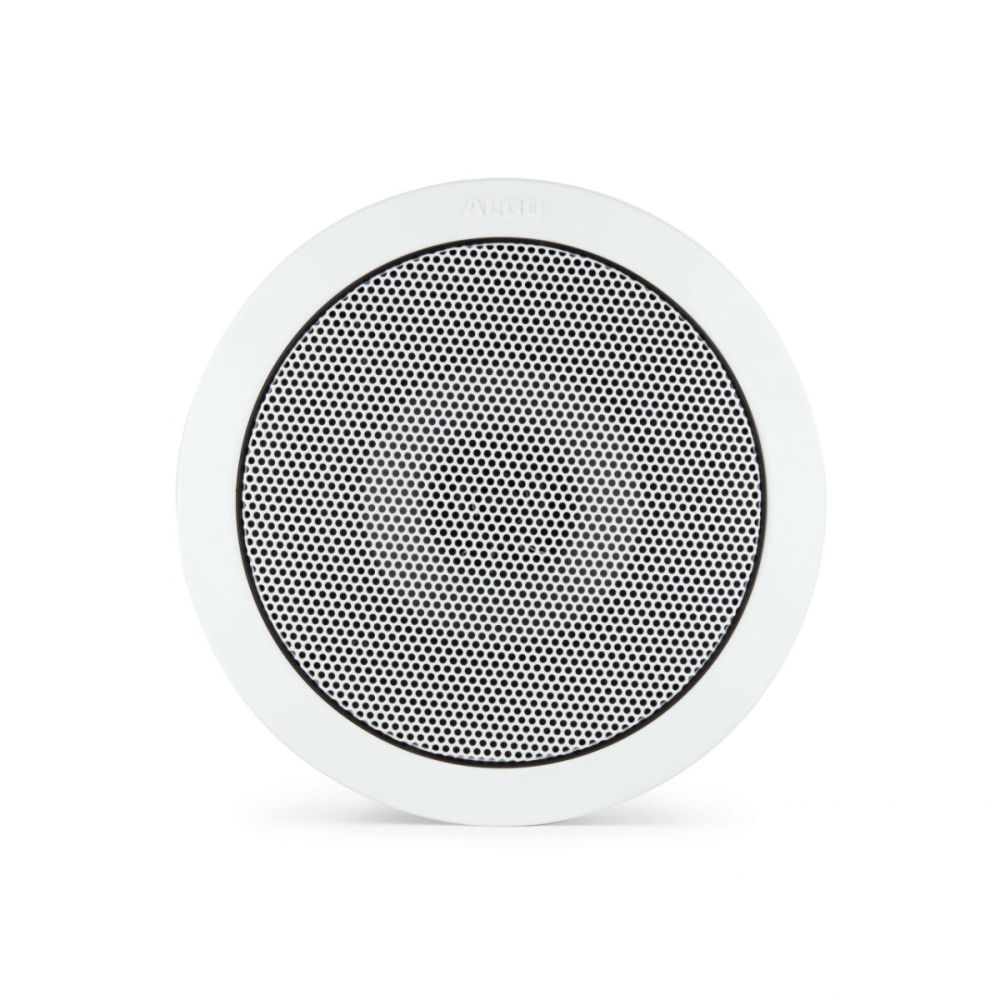
• The Algo 8198 SIP PoE+ Ceiling Speaker is designed for public address and alerting, offering native compatibility with Microsoft Teams via the Microsoft Teams SIP Gateway. • It's a SIP-compliant and multicast-capable PoE speaker that can expand up to three satellites connected to the main unit, sharing up to 16W audio power. • The speaker features Algo’s Ambient Noise Response Technology, automatically adjusting volume in any environment, and delayed page feature for effective voice messaging. • Compatible with leading SIP-based premise or hosted UC platforms, mass notification software platforms, Polycom Group Page, and standard RTP multicast. Key Features: • Supports SIP, Multicast, Polycom Group Page, InformaCast, Revolution (Syn-Apps), RESTful API • PoE+ compatible with 16W audio output power • Web GUI configurable and centralized provisioning available • Secure with TLS, MTLS, SRTP, and near limitless zoning options • Multicast scalable and ambient noise responsive • Codec support for G.711, G.722, OPUS 48 kHz

About This Product

The Algo 8198 is built for organizations that rely on Microsoft Teams for collaboration and need clear, automated voice paging and alerting across office floors, classrooms, or light industrial spaces. Because it connects over SIP and appears in Teams as a native endpoint through the Teams SIP Gateway, it eliminates the need for a separate paging server in many deployments—a practical simplification for mid-sized businesses that already live in the Teams ecosystem. Its ceiling-mount design and PoE+ power mean you can install it without dedicated speaker cabling, but the unit does require a PoE+ switch or injector; standard PoE will not deliver full audio output.

One key consideration is the shared 16W audio amplifier. Up to three satellite speakers can be daisy-chained to the main unit, but the total power is split across them. This is fine for hallways, meeting-room zones, or a single open-plan area, but if you need to cover a large warehouse or noisy production floor with a single speaker cluster, you’ll need to add separate powered speakers elsewhere. The ambient noise response technology genuinely helps—it automatically raises and lowers volume so pages remain intelligible without startling people when the room gets quiet.

For Canadian deployments, the speaker works well with hosted SIP providers commonly used in the GTA and across the country, provided they support third-party SIP endpoints and the G.711/G.722/Opus codecs it uses. If your building already has a multicast-capable network, you can use it for building-wide announcements without additional hardware, but you should confirm that your switches handle IGMP snooping correctly, or you may get audio dropouts. This is not a speaker you’d choose for background music or high-fidelity sound reproduction; it’s purpose-built for voice, and in that role it’s effective and low-maintenance.
Services We Provide
  • Professional Installation & Configuration
  • Ongoing Maintenance & Support
  • Troubleshooting & Repairs
  • System Upgrades & Updates



