
Algo 8373 Zone Paging Adapter

Frequently Asked Questions

First, confirm that the 8373 is powered on and that the audio output is securely connected to the amplifier input. The adapter provides an isolated, balanced audio output, so a common issue is a mismatch between the output level and the amplifier's input sensitivity. Check the web interface to ensure the output level is not set to zero and that the Automatic Level Control is configured appropriately for your system. If the issue persists, a Toronto-based VoIP support provider can usually resolve this remotely.
Verify that the provisioning server URL and authentication credentials entered in the 8373's web interface exactly match those provided by the Teams SIP Gateway. A typical failure point is a network firewall blocking the required SIP and RTP ports between the adapter's VLAN and Microsoft's servers. Check that the adapter has a valid NTP server configured, as a significant time skew can cause TLS certificate validation to fail and prevent registration.
The 8373 has three internal relays that can be used for zone control. You can map these relays to different SIP extensions or multicast addresses within the web interface. When a page is sent to a specific extension configured for a relay, that relay will close, activating only the amplifier channel connected to the desired speaker zone. Ensure your amplifier supports per-zone triggering via contact closure.
This is often caused by the input signal being too hot for the amplifier. In the 8373's web interface, try reducing the output level incrementally. Also, review the Automatic Level Control (ALC) settings; while ALC helps normalize volume, it can introduce distortion if its gain is set too high for a consistently loud input source. Test with a normal speaking voice at a consistent distance from the paging device.
Yes, the 8373 supports Polycom Group Paging. It can be configured to listen for the specific multicast IP address and port used by your Polycom phones for group pages. Once it receives the multicast stream, it will decode the audio and send it out through its balanced output to your amplifier, effectively integrating your Polycom handsets with the overhead paging system.
A simple power cycle is a safe first step: disconnect the PoE or power supply for 10 seconds and reconnect it. Once it reboots, log into the web interface and check the network settings to ensure there is no IP address conflict with another device on your LAN. If SNMP supervision is enabled, verify that the SNMP manager is not flooding the device with requests, which can sometimes overwhelm a small embedded processor.
Confirm that all target speakers are members of the same multicast group and are listening on the identical port number configured in the 8373. A common network issue is that multicast routing or IGMP snooping is not properly configured on the switches between the adapter and the non-responsive speakers, causing the multicast stream to be blocked from reaching certain network segments.
Check the auto-provisioning settings in the web interface to confirm the correct protocol (TFTP, FTP, or HTTP) and the exact path to the configuration file are set. The adapter will look for a file named after its MAC address. Ensure your provisioning server is accessible from the adapter's IP subnet and that no firewall is blocking the required port. If the issue persists, a Toronto-based VoIP support provider can usually resolve this remotely.
IP Paging

Algo 8373 Zone Paging Adapter
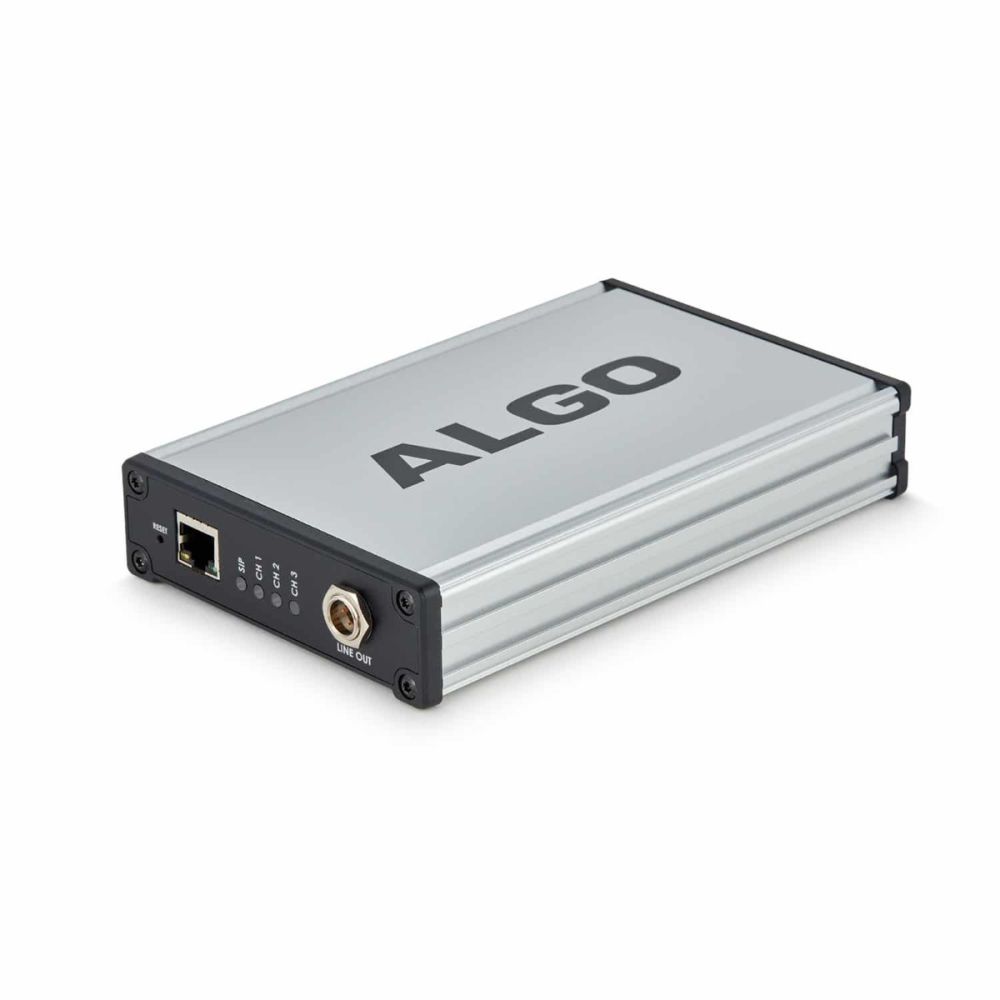
• The Algo 8373 eliminates the need for a legacy zone controller, supporting RTP multicast and Polycom Group Page for seamless integration with existing voice paging systems. • Certified for native compatibility with Microsoft Teams via the Microsoft Teams SIP Gateway, offering an easy upgrade path for Microsoft-centric customers. Key Features: • Wideband G.722 codec support for HD Voice • Isolated and balanced audio output • Automatic level control • Internal zone control relays (3) • Multicast receive or broadcast capability • SIP compatibility with leading UC vendors • Configurable through web interface • Auto-provisioning via TFTP, FTP, HTTP • SNMP supervision • Multiple SIP registration for Page (50) extensions • Compliance with UL/CSA, FCC, CE standards

About This Product

The Algo 8373 Zone Paging Adapter is built for organizations that need to bridge modern IP communication platforms with existing analog paging infrastructure. It is particularly well-suited for schools, warehouses, and mid-sized office buildings where a traditional 70V/100V speaker system is already in place and the goal is to modernize without a costly rip-and-replace. By eliminating the need for a legacy zone controller, the 8373 allows a facility to retain its investment in overhead speakers while gaining the flexibility of SIP-based paging.

For Microsoft-centric environments, the native compatibility with the Teams SIP Gateway makes this adapter a straightforward choice. It allows users to initiate live pages directly from their Teams client, turning a familiar collaboration tool into a facility-wide communication system. Beyond Teams, its broad SIP compatibility ensures it fits into mixed-vendor environments, pairing well with platforms from Cisco, Mitel, or Asterisk-based systems commonly deployed in Canadian businesses.

A practical consideration is its three internal zone relays. This provides multi-zone paging capability out of the box, but for a facility with a large number of distinct zones, a single adapter may be insufficient. In such a deployment, multiple 8373 units or a more complex paging gateway would be required. It is an ideal fit for a single-building school or a small-to-medium warehouse floor, but a sprawling campus with dozens of independent zones might find it underpowered for centralized control.

For a Toronto-based business or a GTA school board, the device’s support for G.722 wideband audio ensures announcements are clear and intelligible, which is critical for emergency notifications. The multicast capability also allows for efficient network usage, sending a single stream to multiple endpoints, a feature that simplifies scaling across a LAN. It is overkill, however, for a small office that only needs a simple overhead page and lacks an existing analog speaker loop; a standalone SIP speaker would be a simpler alternative.
Services We Provide
  • Professional Installation & Configuration
  • Ongoing Maintenance & Support
  • Troubleshooting & Repairs
  • System Upgrades & Updates



