
Fanvil A10W Audio Intercom
Frequently Asked Questions
First, verify that the SIP credentials (username, password, and server address) are entered correctly in the intercom’s web interface or keypad provisioning menu. Double-check that the network connection is active—if using Wi-Fi, confirm the unit is on the same subnet as the PBX or phone service. If the issue persists, a Toronto-based VoIP support provider can usually resolve this remotely.
Start by resetting the Wi-Fi connection: unplug the power adapter, wait 10 seconds, plug it back in, and re-scan available networks. Make sure the Wi-Fi password is correct and that the access point is broadcasting the 2.4 GHz or 5 GHz band that the A10W supports. Move the intercom closer to the router temporarily to rule out range issues.
Check that the intercom’s speaker volume is not set too high, which can cause acoustic feedback. If the device is mounted in a small, hard-walled space, try reducing the gain or enabling the built-in noise reduction setting via the web interface. Also ensure no other audio equipment is near the intercom that could bleed into the microphone.
First, confirm that the microphone hole on the front of the intercom is not blocked by debris or mounting material. Test by placing a call from another phone and speaking directly into the unit’s grille. If the problem remains, check the audio codec settings (G.711, G.722, Opus) on both the intercom and the VoIP platform to ensure they match and that the microphone is not muted in the web interface.
The three detachable keys need to be assigned actions through the intercom’s web configuration page. Log in, navigate to the key settings, and map each key to a feature like 'Unlock Door', 'Call Extension', or 'Speed Dial'. After saving, test each key by pressing it firmly; the LED should light briefly to confirm a press was registered.
Try connecting the A10W via the wired Ethernet port instead of Wi-Fi for a more stability, especially if your wireless environment is congested. If you must use Wi-Fi, check for interference from nearby devices and ensure the router or access point is broadcasting on a less crowded channel. A power cycle of both the intercom and network equipment can also clear transient issues.
Access the intercom’s web interface by entering its IP address in a browser. Under the SIP settings, enter your account domain or server address, along with the extension number and password provided by your provider. Make sure the transport protocol (UDP or TCP) matches your provider’s requirements, then save and reboot the unit.
Yes, the A10W includes a relay output that can control a door lock mechanism. You will need to wire the lock power supply and the intercom relay according to the product manual, and configure the relay activation trigger (e.g., pressing a function key or using a DTMF code). For safety, consult a qualified electrician if you are not comfortable working with low-voltage lock hardware.
Unplug the DC power adapter for at least 30 seconds, then reconnect it. If the unit does not boot normally, check that the power adapter is securely plugged in and the outlet is live. If using PoE (via a converter or a passive injector), verify that the power source is functioning. If the device still hangs, contact your support provider before any attempt to reset or re-provision the settings.
IP Paging
Fanvil A10W Audio Intercom
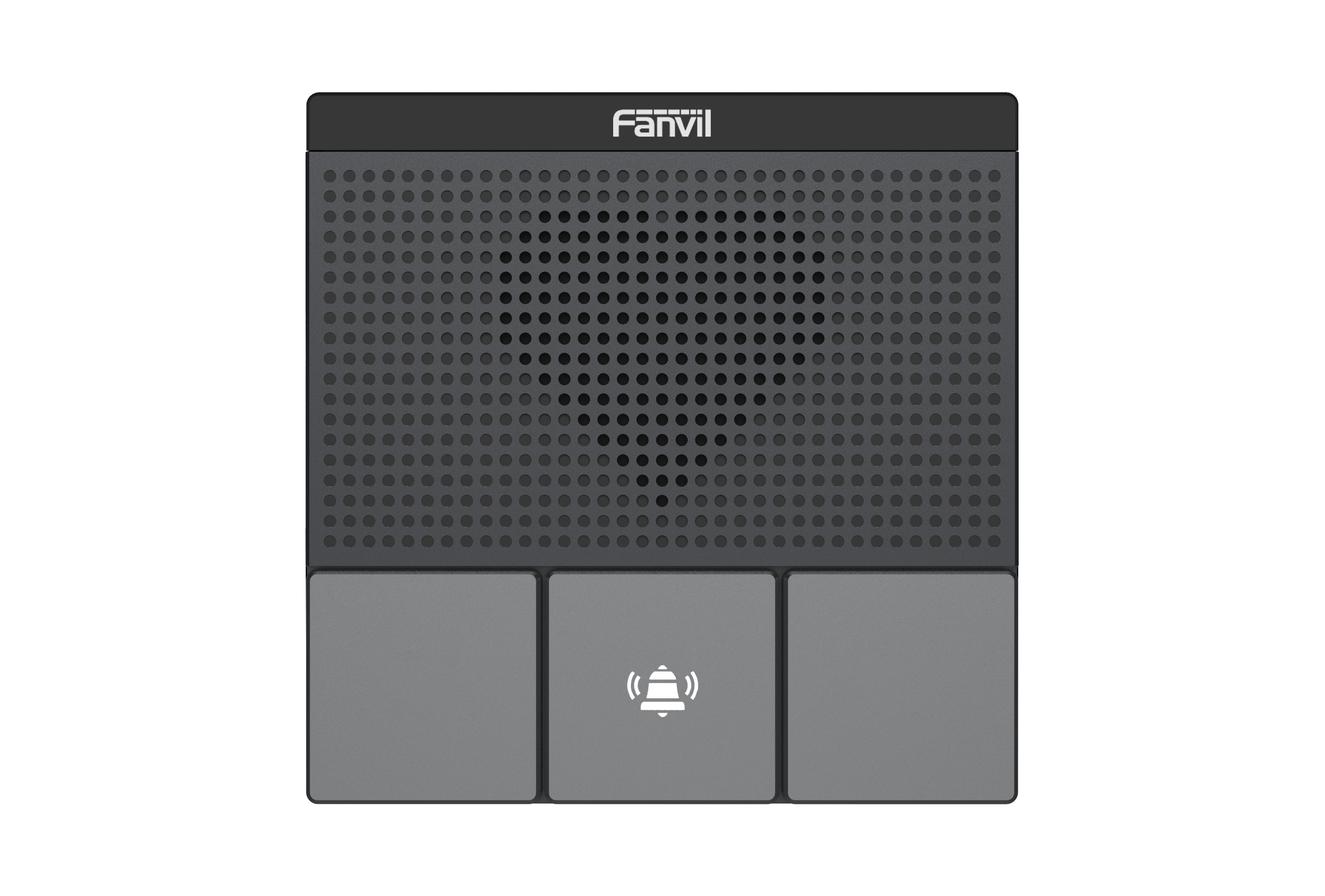
The Fanvil A10W Audio Intercom features: • 3 detachable function keys • HD audio with G.722, Opus, and full-duplex Acoustic Echo Canceller (AEC) Noise Reduction technologies • Dual-band Wi-Fi (2.4GHz & 5GHz) • 2 SIP lines • Built-in 10/100 Mbps network port • 2-way audio call • DC12V_1A power supply • Wall-mounted installation For a full list of specifications, please refer to the product datasheet: https://cdn.shopify.com/s/files/1/0643/6736/2234/files/Fanvil_A10.pdf?v=1717010818
About This Product
The Fanvil A10W Audio Intercom is designed for small offices, retail storefronts, and apartment buildings that need a simple, cost-effective door-entry solution. It replaces traditional analog intercom systems with a SIP-based approach, letting the existing phone system handle door calls without extra hardware. The unit mounts flush on a wall and connects via Wi-Fi or a wired Ethernet port, making it flexible for installations where running a cable is impractical.
This intercom pairs naturally with a hosted PBX or on-premises SIP server, and its two SIP lines can handle a front-door and back-door entrance or a main door plus an emergency line. The three detachable function keys can be programmed for frequently used actions like unlock, directory lookup, or call forwarding. HD audio with Opus and G.722 codecs ensures clear conversations, and the built-in acoustic echo canceller minimizes background noise in busy lobbies.
A key tradeoff is that the A10W is audio-only; there is no video feed, so it won't suit sites where visual verification is required. The single 10/100 Ethernet port limits network speed, though this is fine for voice traffic. Wi-Fi reliance can introduce connectivity hiccups if the access point is far away, so a wired link is preferred for reliability. For larger multi-tenant buildings with many units, the limited line capacity makes it underpowered; a multi-line intercom or video door phone would be more appropriate.
In a Canadian business context, the A10W works well with common SIP providers such as Rogers Business Phone, Bell Voice, and independent VoIP carriers like VoIP.ms. Toronto-area office deployments benefit from its straightforward installation and compatibility with standard Canadian VoIP configurations. It is overkill for a single-line home office setup but a practical fit for a small retail shop or a professional suite with up to two entry points.
This intercom pairs naturally with a hosted PBX or on-premises SIP server, and its two SIP lines can handle a front-door and back-door entrance or a main door plus an emergency line. The three detachable function keys can be programmed for frequently used actions like unlock, directory lookup, or call forwarding. HD audio with Opus and G.722 codecs ensures clear conversations, and the built-in acoustic echo canceller minimizes background noise in busy lobbies.
A key tradeoff is that the A10W is audio-only; there is no video feed, so it won't suit sites where visual verification is required. The single 10/100 Ethernet port limits network speed, though this is fine for voice traffic. Wi-Fi reliance can introduce connectivity hiccups if the access point is far away, so a wired link is preferred for reliability. For larger multi-tenant buildings with many units, the limited line capacity makes it underpowered; a multi-line intercom or video door phone would be more appropriate.
In a Canadian business context, the A10W works well with common SIP providers such as Rogers Business Phone, Bell Voice, and independent VoIP carriers like VoIP.ms. Toronto-area office deployments benefit from its straightforward installation and compatibility with standard Canadian VoIP configurations. It is overkill for a single-line home office setup but a practical fit for a small retail shop or a professional suite with up to two entry points.
Services We Provide
- Professional Installation & Configuration
- Ongoing Maintenance & Support
- Troubleshooting & Repairs
- System Upgrades & Updates



