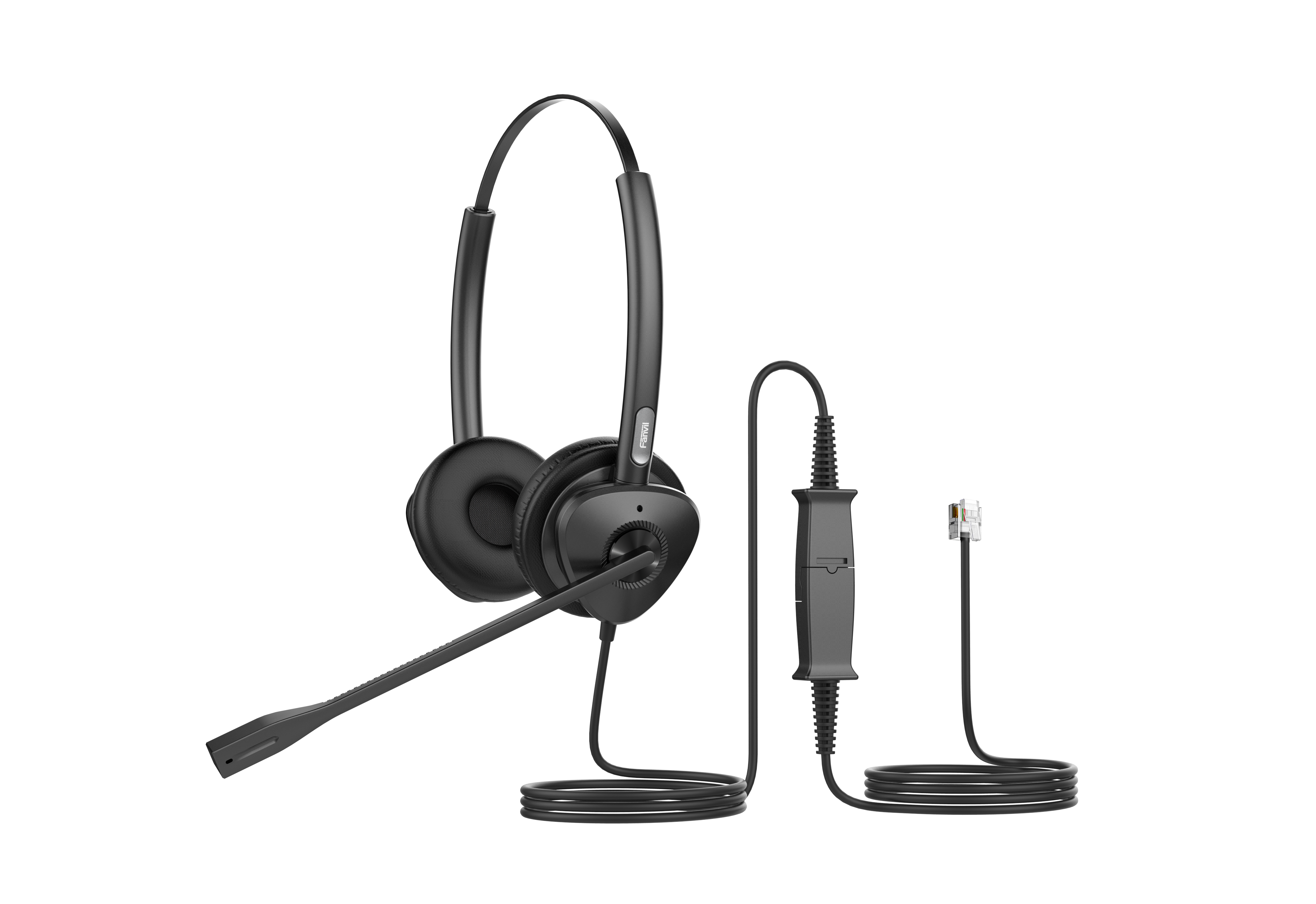
Fanvil HT302 QD to RJ9 Dual Headset
Frequently Asked Questions
First check the Quick Disconnect connection between the headset cable and the main cord; pull it apart and firmly reseat it until it clicks. Then confirm the RJ9 plug is fully inserted into the correct headset port on the phone, not the handset port, and test again. If the phone has a headset button, make sure you have pressed it to route audio to the headset rather than the handset.
Confirm the headset is connected to a phone that supports wideband audio and that wideband is enabled in the phone’s codec settings—narrowband codecs will reduce call quality regardless of the headset’s capability. On compatible Fanvil IP phones, check that the dynamic EQ feature is not disabled in the audio or headset settings menu.
Different IP phones sometimes use slightly different RJ9 pin assignments, especially for the speaker and microphone lines. Try the headset with a known-compatible phone first to isolate the issue; if the second phone is a different brand, consult its documentation to confirm it follows the standard headset pinout and that the headset port is enabled in its configuration.
Position the bendable boom arm so the microphone capsule sits about two finger-widths from the corner of your mouth, not directly in front of your lips, to minimize breath and ambient noise. The passive noise reduction works best when the ear cushions form a full seal around your ears, so adjust the headband for a snug but comfortable fit.
Power-cycle the IP phone by unplugging its network or power cable for ten seconds, then reconnecting it. When the phone restarts, check whether the headset key responds. A phone that lost its headset port configuration, for example after a brief power fluctuation, often restores normal behaviour after a full reboot.
The HT302 terminates with an RJ9 connector meant for a desk phone’s headset port, not a USB or 3.5 mm jack. To use it with a computer you would need an adapter that converts RJ9 to USB or dual 3.5 mm plugs, and even then compatibility depends on the adapter’s wiring. If your primary work is softphone-based, a dedicated USB headset normally offers a simpler, more reliable experience.
Some IP phones have separate volume control settings for the handset, speaker, and headset. Go into your phone’s audio or preferences menu and verify the headset receive volume is raised independently. On certain third-party phones, you may also need to adjust the headset gain in the phone’s web configuration portal.
Inspect the RJ9 port on the phone for dust or debris; gently clean it with a dry, lint-free cloth or compressed air if available. Also, unplug and replug the headset to wipe the contacts. An intermittent microphone connection often traces back to a slightly misaligned plug or contamination in the port.
VoIP Headsets
Fanvil HT302 QD to RJ9 Dual Headset
• The HT301/HT302 QD to RJ9 headset is designed for call center and office communication, featuring passive noise reduction technology for an immersive HD audio experience. • Key features include: • Wideband HD audio with anti-electromagnetic frequency interference • Dynamic EQ function for rich audio quality • All-day comfort with ergonomic design and soft leather ear cushions • Ultra-lightweight with a 260° bendable boom arm for customizable wearability • Strong compatibility with Fanvil IP phones and third-party mainstream IP phones For detailed specifications, please refer to the product datasheet.
About This Product
The Fanvil HT302 is a wired QD-to-RJ9 headset built for controlled office and call center environments where clear, uninterrupted voice communication is a daily requirement. Its passive noise reduction focuses on physical isolation, making it a practical choice for agents working in open-plan floors or moderately busy rooms, without relying on active electronics that need power or introduce latency. The wideband audio and anti-interference shielding help keep calls intelligible even in spaces dense with wireless devices, which is a common concern in Toronto-area business towers and shared workspaces.
This headset connects directly to compatible desk phones using the RJ9 port, so it avoids the pairing steps, battery management, and range limits of wireless alternatives. It pairs naturally with Fanvil’s own IP phone lineup but remains usable across mainstream third-party IP phones that accept a standard RJ9 headset, provided the Quick Disconnect pinout matches. For a small call center or a professional handling high call volumes from a fixed desk, the HT302 offers a simple, reliable upgrade over a handset without introducing wireless complexity.
Comfort is a clear strength here. The ultralight frame, soft leather cushions, and deeply adjustable boom arm support all-day wear without the fatigue that heavier or less flexible headsets can cause. That said, the passive design means it will not cancel out loud, unpredictable background noise the way an active noise-cancelling headset would, so it is less suited to extremely loud environments like factory floors. Also, because it is a corded RJ9 device, mobility is limited to the length of the cord; desk-hopping or walking-and-talking workflows call for a different tool.
For a desk-bound professional making or taking calls on a VoIP hardphone, the HT302 occupies a sensible middle ground: better audio and ergonomics than many bundled handsets, at a fraction of the cost and setup friction of a wireless DECT or Bluetooth headset. It is overkill for occasional, low-volume use where a standard handset suffices, and underpowered if the job demands active noise cancellation or full untethered movement around the office.
This headset connects directly to compatible desk phones using the RJ9 port, so it avoids the pairing steps, battery management, and range limits of wireless alternatives. It pairs naturally with Fanvil’s own IP phone lineup but remains usable across mainstream third-party IP phones that accept a standard RJ9 headset, provided the Quick Disconnect pinout matches. For a small call center or a professional handling high call volumes from a fixed desk, the HT302 offers a simple, reliable upgrade over a handset without introducing wireless complexity.
Comfort is a clear strength here. The ultralight frame, soft leather cushions, and deeply adjustable boom arm support all-day wear without the fatigue that heavier or less flexible headsets can cause. That said, the passive design means it will not cancel out loud, unpredictable background noise the way an active noise-cancelling headset would, so it is less suited to extremely loud environments like factory floors. Also, because it is a corded RJ9 device, mobility is limited to the length of the cord; desk-hopping or walking-and-talking workflows call for a different tool.
For a desk-bound professional making or taking calls on a VoIP hardphone, the HT302 occupies a sensible middle ground: better audio and ergonomics than many bundled handsets, at a fraction of the cost and setup friction of a wireless DECT or Bluetooth headset. It is overkill for occasional, low-volume use where a standard handset suffices, and underpowered if the job demands active noise cancellation or full untethered movement around the office.
Services We Provide
- Professional Installation & Configuration
- Ongoing Maintenance & Support
- Troubleshooting & Repairs
- System Upgrades & Updates