Yealink BH76 with Charging Stand UC Black USB-A – 1208629
Frequently Asked Questions
Yealink BH76 with Charging Stand UC Black USB-A – 1208629
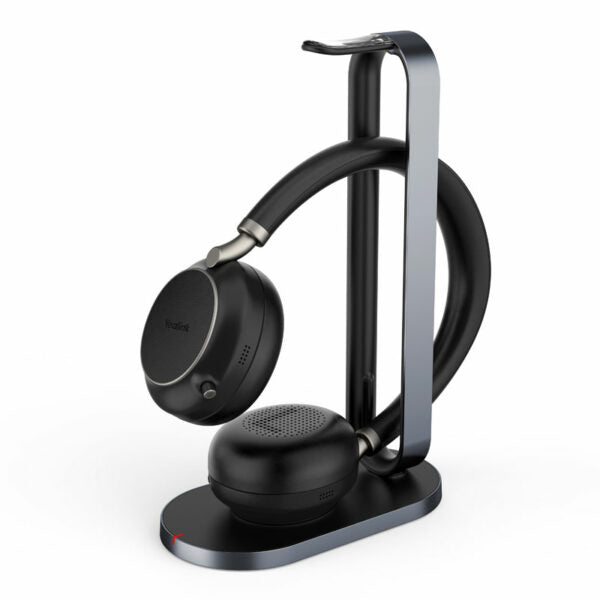
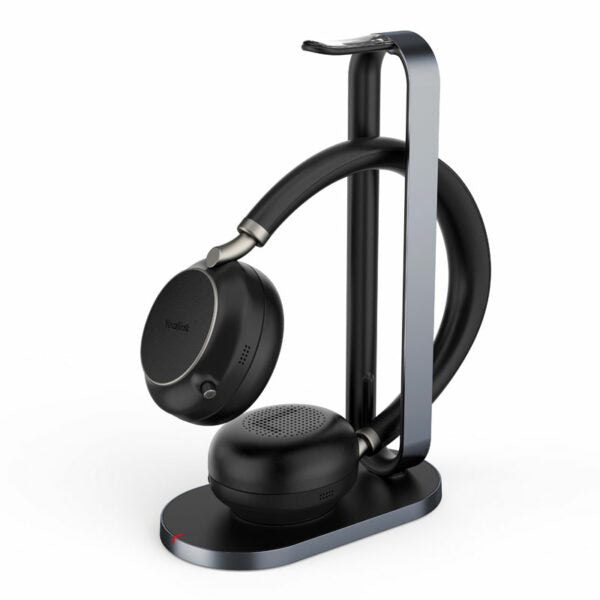
The Yealink BH76 Bluetooth Wireless Business Headset offers a stylish appearance and ultimate audio quality playback experience, featuring retractable hidden microphone arm technology, 4 levels of active noise cancellation (ANC), and Yealink Acoustic Shield Technology supported by multiple microphones. Key features: • Retractable hidden microphone arm for convenient use • Multiple microphones with Acoustic Shield Technology for superior sound quality • 4 levels of ANC for reduced background noise • Qualcomm aptX digital audio algorithm for high-definition professional audio • Up to 40 hours wireless battery life • Qi wireless charging stand for added convenience • Dual-side busylight for full visible angles • Excellent audio experience and all-day wearing comfort • UC Certified for seamless communication Additional information: • Weight: 1.59 lbs • Dimensions: 10.79 × 10.28 × 3.78 in • Headset Type: Bluetooth, DECT, Teams Certified, USB Technical Specifications: • Battery: + Talking time: up to 35 hours + Music time: up to 40 hours + Standby time: 112 hours + Charging Time (cable): within 2 hours + Charging Time (wireless charging): within 3 hours • Audio: + Active Noise Cancellation: YES + Speaker size: 35 mm Ø + Speaker sensitivity: 117 dB @1 mW-1k Hz + Speaker max input power: 50 mW + Speaker frequency range: 20 Hz-20k Hz • Connectivity: + Connection (computer and mobile devices): USB-A Bluetooth adapter, Bluetooth + Bluetooth device: Yes + Bluetooth version: Bluetooth 5.2 + Bluetooth profiles: HSP v1.2 , HFP v1.7, A2DP v1.3, AVRCP v1.6, PBAP v1.1, SPP v1.2
About This Product
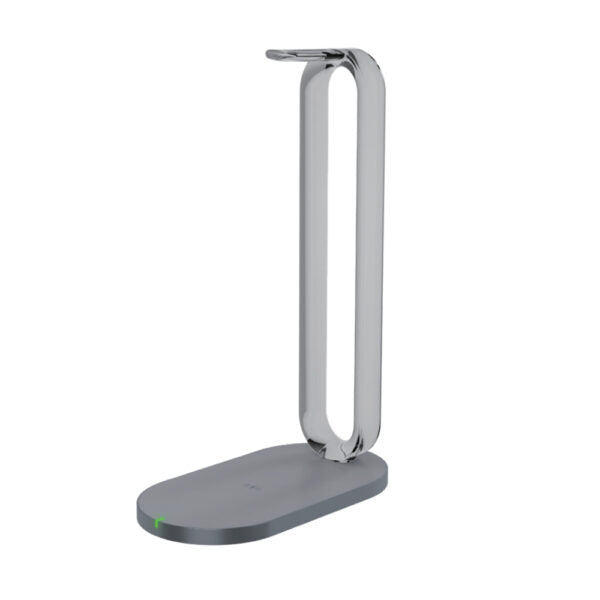
At this price point, the BH76 competes with mid-range wireless headsets that prioritize all-day comfort and UC platform compatibility. The included Qi charging stand removes cable clutter, and the dual-side busy light is a small but practical feature for signaling availability in a shared workspace. It pairs smoothly with softphones and collaboration apps via the USB-A Bluetooth adapter, making it a straightforward upgrade from a wired headset or an aging Bluetooth model.
The main trade-off is the lack of a dedicated desk phone connection out of the box—this is a Bluetooth and USB headset, so if your workflow still revolves around a traditional SIP desk phone, you’ll need an intermediary like a Bluetooth-enabled base or a computer-based softphone. Battery life is strong at around 35 hours of talk time, but heavy ANC use will reduce that, and wireless charging is slower than plugging in. For a Toronto office where employees frequently move between meeting rooms and their desk, the BH76’s range and quick reconnect are practical, but a DECT headset might serve better if mobility across floors is a priority.
This headset is overkill for a receptionist who only needs to answer a handful of calls a day, and it’s underpowered for a call center agent who requires a dedicated wired connection with instant mute and volume controls at their fingertips. It shines in a hybrid work model where one device handles computer audio, music, and mobile calls without switching gear.
Services We Provide
- Professional Installation & Configuration
- Ongoing Maintenance & Support
- Troubleshooting & Repairs
- System Upgrades & Updates