Yealink BHC76 Wireless Charging Stand 1308057

Frequently Asked Questions

First, confirm that the USB-C power adapter is securely connected to the stand and plugged into a known-working wall outlet. Try a different outlet to rule out a dead circuit. If the LED remains off, test the power adapter with another USB-C device to determine whether the adapter or the stand is the source of the issue.
Check that the headset is properly centered on the charging pad. Even a small misalignment can interrupt the Qi charging field. Remove any thick case or metal attachments from the headset, as these can interfere with wireless power transfer.
Yes, you can safely leave the headset on the stand. The BHC76 includes over-voltage and over-temperature protection, and the Qi standard manages power delivery to prevent overcharging once the battery is full. The stand is designed to be a permanent docking point.
First, ensure the smartphone itself supports Qi wireless charging; many budget phones do not. If it does support Qi, remove any metal plates, credit cards, or thick cases, as these can block the charging field or trigger foreign-object detection. Try repositioning the phone so it aligns with the center of the pad.
Yes. The BHC76 has a maximum wireless output of 15W, but real-world transfer efficiency is around 70%, meaning a phone may only receive about 10W. This stand is optimized for headset charging and casual top-ups, not for fast-charging modern smartphones from empty.
Verify that your specific Yealink headset model supports Qi wireless charging. Many Bluetooth headsets, even from Yealink, rely on contact-pin or USB charging and do not contain a Qi receiver coil. The BHC76 only charges devices that are explicitly Qi-compatible.
The BHC76 is a passive charging accessory with no data connectivity, configuration interface, or network presence. It requires no provisioning and cannot be discovered or managed by any VoIP platform. Simply connect it to USB-C power and place a compatible device on it.
The BHC76 is most practical where a headset and its charging stand stay together as a dedicated personal set, not in a shared-desk pool. In hot-desking, a user moving between desks would need to carry the stand with the headset or rely on a different charging method at each desk.
VoIP Headsets

Yealink BHC76 Wireless Charging Stand 1308057
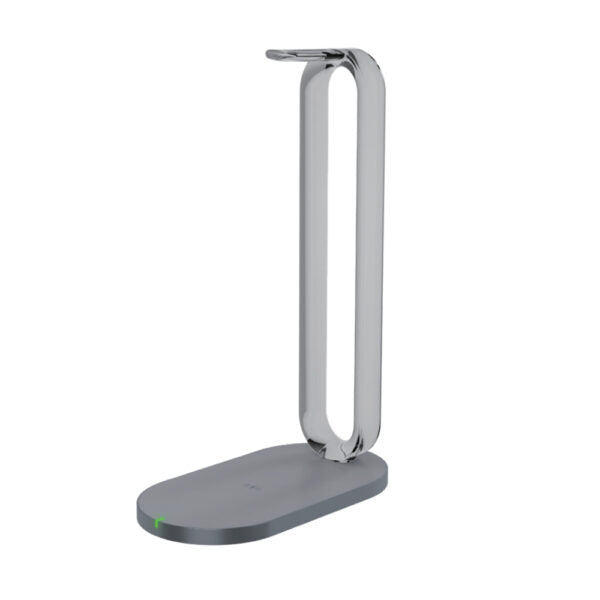
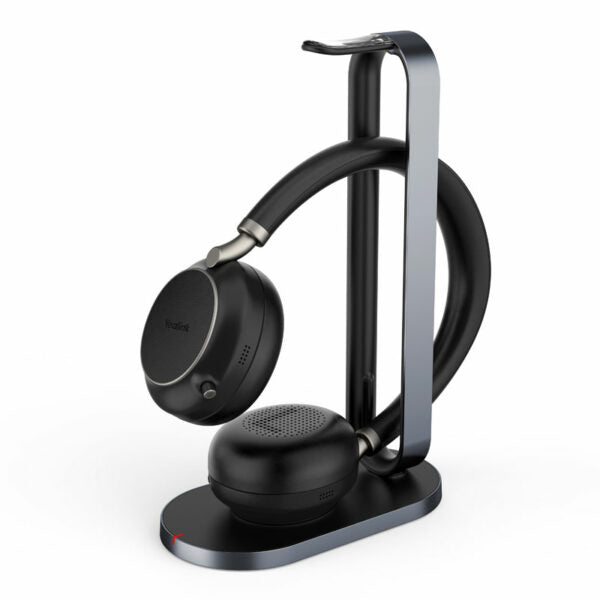
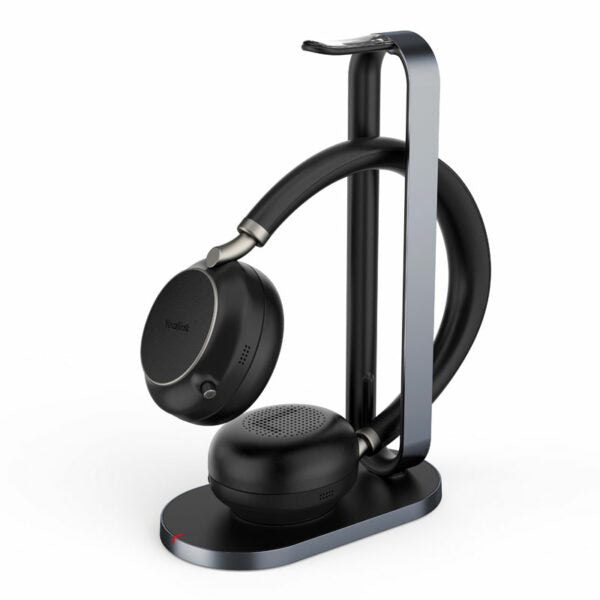
The multifunctional wireless charging stand BHC76 offers a convenient and compact solution for charging your Bluetooth headset, as well as any mobile device that supports Qi technology. The charging stand doubles as a headset stand when not in use, providing a neat desktop experience. Key features of the BHC76 include: • Compatible with all wireless charging receiver terminals that comply with Qi Standard • 15W max wireless output for efficient charging • 70% max wireless efficiency • Protection functions including OVP/OCP/OTP, state remind via LED, and temperature protection up to 60℃ • Regulatory compliance with Qi standard, Energystar, ERP, CE, FCC, C-Tick, RoHS, and REACH For detailed specifications, please refer to the product data sheet available for download on our website.

About This Product

The Yealink BHC76 is a practical accessory for professionals who already rely on a Yealink Bluetooth headset and want to streamline their desk setup. It combines a stable charging base with a headset stand, which helps keep a workspace organized without adding clutter. This is not a high-speed, multi-device charging hub; it is a purpose-built dock that prioritizes a clean desk and a reliably charged headset over raw charging performance. For a Toronto office or a home workstation, it eliminates the daily hunt for a charging cable and gives the headset a dedicated home between calls.

Pairing the BHC76 with a compatible Yealink headset creates a simple workflow: dock the headset at the end of the day and pick it up fully charged the next morning. The 15W Qi output means it can also top up a smartphone or earbuds case, though the 70% efficiency rating makes it less suitable as a primary fast-charger for power-hungry phones. The built-in protection against over-voltage, over-current, and excessive temperature is a reassuring safety net for a device that may be left connected on a desk for years.

This stand is best suited for individual users in managed office environments, particularly those who have standardized on Yealink communication endpoints. It fits naturally in call centers, private offices, and executive desks where a single user owns the headset. It is less practical in hot-desking scenarios or shared workstations, where a headset is moved frequently and the charging stand may become an orphaned accessory.

A buyer should understand that the BHC76 does not include a headset or any modular connectivity beyond wireless Qi charging. It will not charge a headset that lacks Qi support, and it does not pass through data or audio. For a Canadian business, this is a simple, compliant accessory that meets Energy Star and ERP requirements, which can be a minor but real consideration for corporate sustainability reporting. If your deployment requires charging multiple device types rapidly or managing a fleet of shared headsets, a different charging architecture would be more appropriate.
Services We Provide
  • Professional Installation & Configuration
  • Ongoing Maintenance & Support
  • Troubleshooting & Repairs
  • System Upgrades & Updates