Fanvil i10S Audio Intercom
Frequently Asked Questions
First, confirm the Ethernet cable is securely connected and the PoE switch is delivering powerâcheck the link light. Then log into the deviceâs web interface and verify that the SIP server address, port, and credentials match what your provider or PBX expects. A common oversight is a typo in the authentication password; re-enter it carefully. If the issue persists, a Toronto-based VoIP support provider can usually resolve this remotely.
Ensure that the destination extension is registered and not set to Do Not Disturb. In the i10S settings, confirm the dialed number under the button configuration matches the extension exactly. Also check that the codec settings on both devices alignâG.711u or G.711a are safe starting points. A quick test is to call the intercomâs own extension from another phone to see if audio works in the opposite direction.
The i10S has an IP54 rating, which protects against dust and splashing water, but it is not designed for prolonged exposure to freezing temperatures, heavy rain, or direct snow. For Canadian winters, install it in a sheltered indoor vestibule or a weather-protected entryway. If you need a fully outdoor-rated intercom, look for a model with an IP65 or higher rating and an extended temperature range.
The i10S is supported as a generic SIP door phone in 3CX. In the 3CX management console, add a new extension, select âDoor Phoneâ as the device type, and enter the MAC address. Then use the provisioning link or manually configure the SIP server details in the i10S web interface. Fanvilâs device management system also offers a 3CX auto-provisioning template to speed up the process.
Check the buttonâs function assignment in the web interfaceâit may be set to a delayed dial or to require a long press. Also verify that your network has no packet loss or jitter that could delay the SIP INVITE. A quick diagnostic is to watch the deviceâs system log while pressing the button; it will show if the event is registered and if the call attempt is sent.
One-way audio often points to a NAT or firewall issue. If your PBX is on a different network, ensure SIP ALG is disabled on your router and that the RTP port range is forwarded correctly. Also confirm that the i10S has the correct subnet mask and default gateway. Temporarily placing the intercom on the same local network as the PBX can help isolate whether the problem is network-related.
Yes, you can configure the button to dial a ring group or a queue extension on your PBX rather than a single extension. The intercom itself doesnât manage ringing logic; it simply sends a SIP call to the number you specify. Set up the group on your PBX side and enter that groupâs extension as the destination in the i10S button settings.
Inspect the Ethernet cable and try a different port on the PoE switchâa marginal connection can cause intermittent power or link loss. Check the switchâs PoE budget to ensure it isnât overloaded. Also review the i10S firmware version; an outdated version may have stability fixes. A safe first step is to update to the latest stable firmware from Fanvilâs support site, but only after confirming the cause isnât physical.
Log into the i10S web interface, navigate to the âFunction Keyâ or âButtonâ settings page, and modify the target number in the relevant field. Save the changes and the intercom will use the new destination immediately. No reboot or reset is required. If youâre provisioning via a management system, push the updated configuration from there.
IP Door Phones
Fanvil i10S Audio Intercom
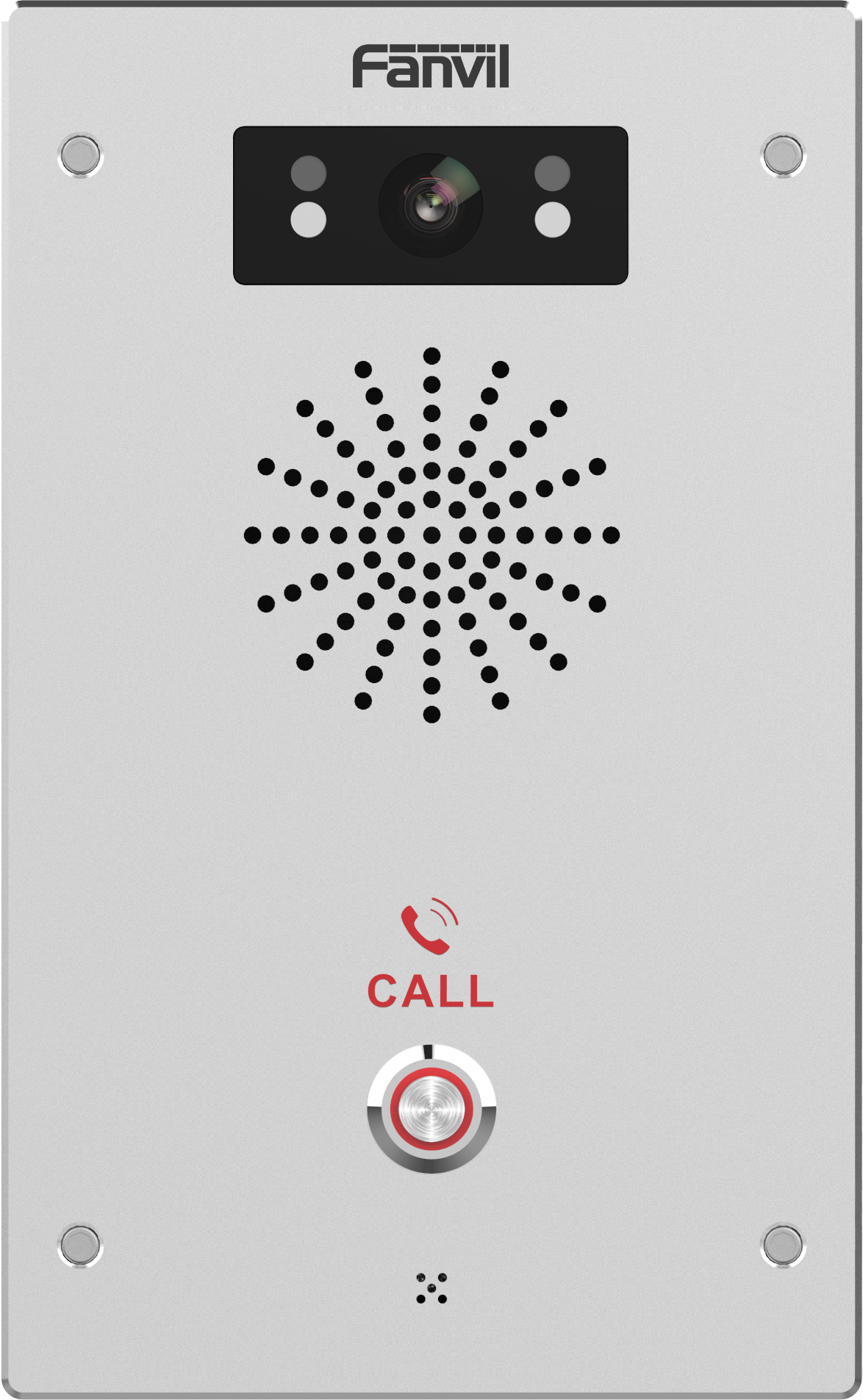
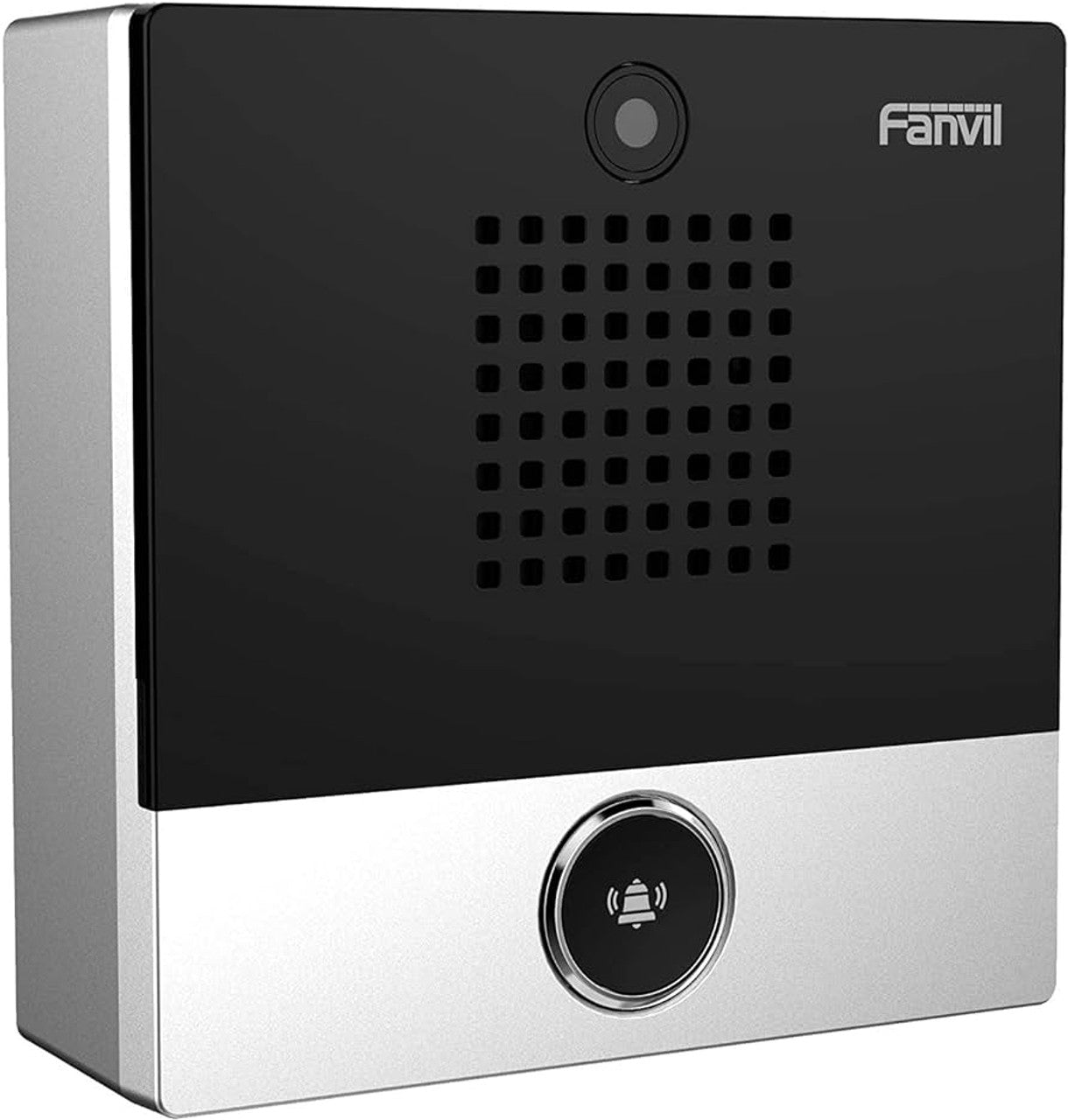
The Fanvil i10S intercom features a dustproof and waterproof design, making it ideal for indoor spaces. With its compact design, the i10S looks elegant and can be easily mounted to a wall using a surface box. Key Features: • 1 button • 2 SIP lines • HD Audio • PoE (Power over Ethernet) • Waterproof and dustproof (IP54) • Easy to deploy and manage through Fanvil's Device Management System • Compatible with multiple platforms, including 3CX, OpenVox, Yeastar, epygi, Xorcom, Asterisk, and many more For a full list of specifications, please refer to the product datasheet.
About This Product
The Fanvil i10S is a purpose-built IP intercom for indoor spaces where a simple, reliable call point is needed. Itâs a single-button unit, so it suits environments like office lobbies, healthcare reception areas, or retail back-of-house doorsâanywhere a visitor or staff member needs to trigger a call to a preconfigured extension. The compact, wall-mount design and IP54 rating mean it can handle dusty or occasionally damp indoor locations without fuss, though itâs not intended for fully exposed outdoor installation.
Because it runs on PoE and supports two SIP lines, the i10S integrates cleanly into existing VoIP infrastructures without extra power cabling. It pairs well with platforms like 3CX, Asterisk, and Yeastar, making it a straightforward addition for businesses already using those systems. Itâs not a full access control panel: thereâs no keypad, no video, and no relay output for door strikes. If your door entry needs involve tenant directories or multi-button selection, this device would be underpowered.
For Canadian businesses, the i10S is a practical choice for GTA-area offices or clinics that want a managed, network-based intercom rather than a standalone analog buzzer. Itâs easy to provision remotely through Fanvilâs management system, which simplifies multi-site deployments. The main tradeoff is its simplicityâif you later need video or a second button, youâd need to swap it out, so itâs best chosen for well-defined, single-call-point scenarios.
In terms of audio quality, the HD voice support provides clear communication, but the intercomâs small form factor means the speaker volume is adequate for quiet to moderate indoor environments, not noisy industrial settings. Overall, itâs a cost-effective, no-frills SIP intercom that does one job well.
Because it runs on PoE and supports two SIP lines, the i10S integrates cleanly into existing VoIP infrastructures without extra power cabling. It pairs well with platforms like 3CX, Asterisk, and Yeastar, making it a straightforward addition for businesses already using those systems. Itâs not a full access control panel: thereâs no keypad, no video, and no relay output for door strikes. If your door entry needs involve tenant directories or multi-button selection, this device would be underpowered.
For Canadian businesses, the i10S is a practical choice for GTA-area offices or clinics that want a managed, network-based intercom rather than a standalone analog buzzer. Itâs easy to provision remotely through Fanvilâs management system, which simplifies multi-site deployments. The main tradeoff is its simplicityâif you later need video or a second button, youâd need to swap it out, so itâs best chosen for well-defined, single-call-point scenarios.
In terms of audio quality, the HD voice support provides clear communication, but the intercomâs small form factor means the speaker volume is adequate for quiet to moderate indoor environments, not noisy industrial settings. Overall, itâs a cost-effective, no-frills SIP intercom that does one job well.
Services We Provide
- Professional Installation & Configuration
- Ongoing Maintenance & Support
- Troubleshooting & Repairs
- System Upgrades & Updates