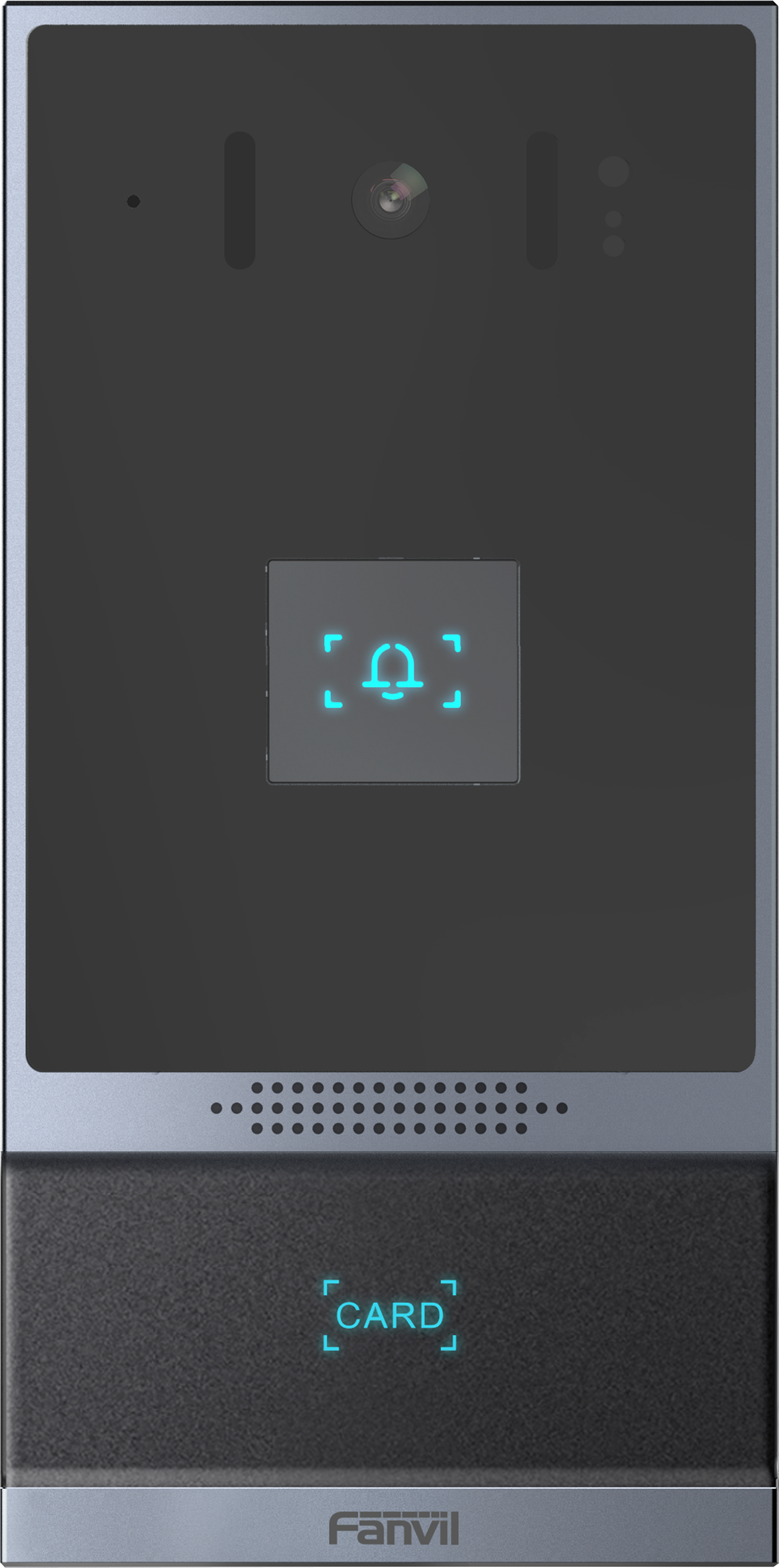
Fanvil i16SV Outdoor SIP Video Intercom

Frequently Asked Questions

Verify that the SIP server address, user credentials, and transport protocol (UDP/TCP) are entered exactly as provided by your VoIP provider. Also confirm the device has network connectivity and can reach the server—try pinging the server address from another device on the same LAN. If the issue persists, a Toronto-based VoIP support provider can usually resolve this remotely.
Ensure the firmware is up to date and that the video codec setting is compatible with your receiving device. Temporarily disabling any firewall or VLAN restrictions between the intercom and the monitoring client can help rule out network filtering. Reboot both the intercom and your viewing device.
Adjust the microphone sensitivity and speaker volume downward in the web interface, as high levels can cause feedback. Check that the unit is firmly mounted and not vibrating against the wall; loose mounting can pick up mechanical noise. If echo persists, verify that your phone system supports echo cancellation and that it is enabled.
Confirm the switch port is configured for PoE and that its total power budget isn't exceeded. Try a known-good PoE injector to isolate the issue: if the intercom powers on with the injector, the switch's PoE may be faulty or misconfigured. Also examine the Ethernet cable for damage—kinks or corrosion can cause power loss.
The infrared LEDs should activate automatically in low light; check that nothing is obstructing the camera lens or the LED ring. In the device settings, ensure that night mode is set to 'Auto'. A simple test is to shine a bright light directly at the camera in a dark room—after a few seconds it should switch to daytime mode, confirming the sensor is functional.
Check the speaker output level in the intercom's web configuration—it may be set too low. Test with a different SIP phone or softphone to rule out a problem with your headset or internal speaker. If the issue is one-way audio only, look for NAT or firewall rules blocking RTP audio streams returning from the intercom to your endpoint.
The i16SV has a relay output that closes when the unlock command is triggered. Wire the door strike power supply through the relay contacts, and ensure you use a power supply that matches the strike's voltage and current requirements. Always install a diode across the strike coil to prevent voltage spikes from damaging the intercom.
Yes, because the i16SV supports ONVIF, most NVRs can discover and add it as a network camera. Enter the intercom's IP address, ONVIF port (usually 80), and its camera login credentials into your NVR's camera setup page. If auto-discovery fails, add the camera manually with the RTSP stream URL provided in the documentation.
Default credentials are typically 'admin' for both username and password, but this can vary by firmware version. For security, you should change the password immediately after first login. If the defaults don't work, consult the unit's quick start guide—don't attempt multiple random passwords as some models lock after repeated failures.
3CX provides an approved template for Fanvil devices; import the intercom as a generic SIP device using the template or manual provisioning link. Ensure the device is on the correct firmware version that 3CX supports, and that your 3CX license allows for video calls if you intend to use the camera. Most installation steps mirror those of a standard SIP phone.
IP Door Phones

Fanvil i16SV Outdoor SIP Video Intercom
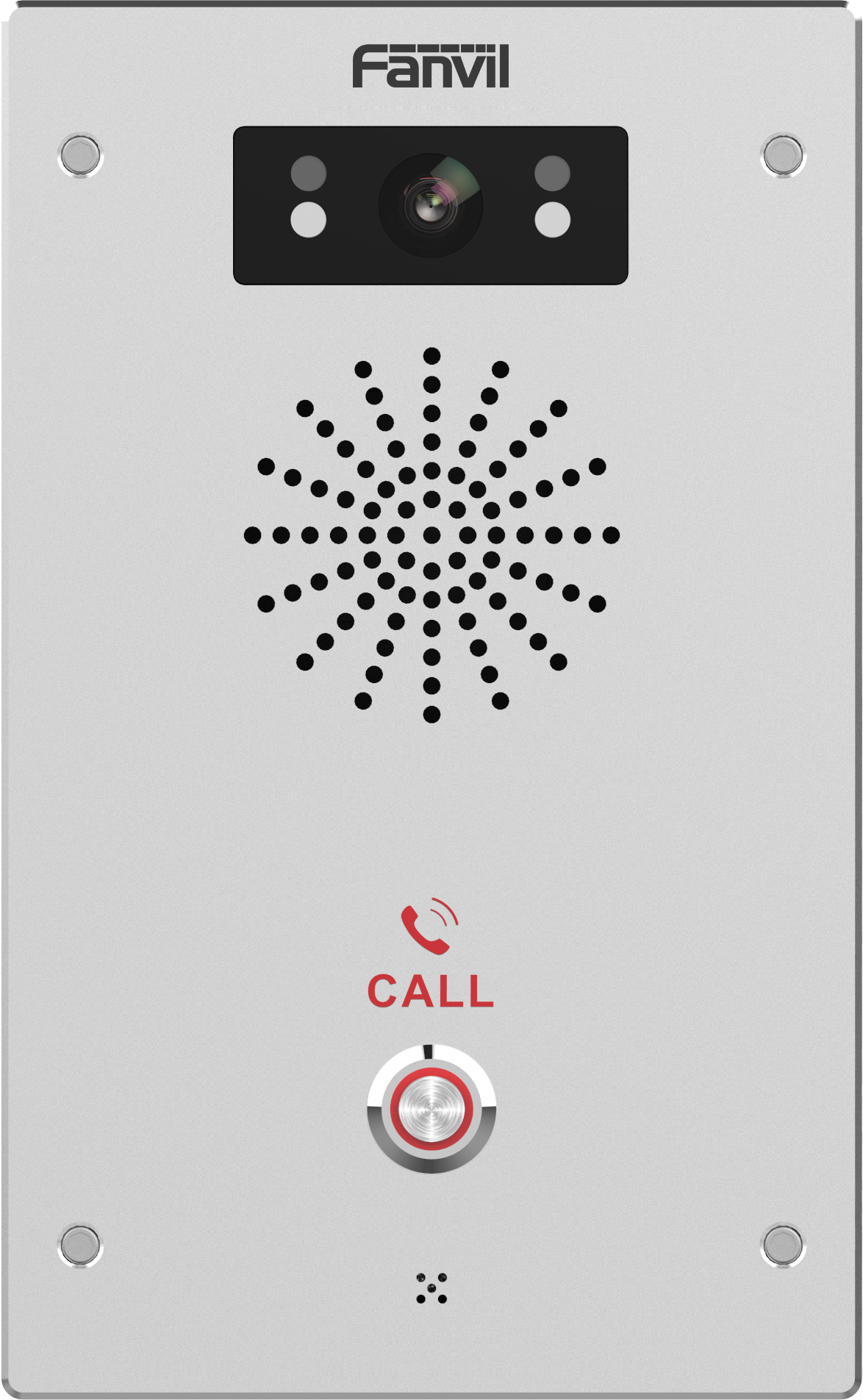
The Fanvil i16SV is a reliable two-way intercom that also serves as a broadcasting solution. It features HD Voice and Audio for clear communication, reducing background noise with its built-in 3CX speaker. The full-duplex 720P camera boasts infrared night vision technology. Key Features: • International Standard compatibility • HD Voice and Audio for clear communication • Built-in 3CX speaker to reduce background noise • Full-duplex 720P camera with infrared night vision technology • Supports PoE (Power over Ethernet) for convenient installation • Compatible with multiple platforms, including ONVIF standards • Multi-protection features for enhanced security • Intelligent Security System integration For a full list of specifications, please refer to the product datasheet.

About This Product

The Fanvil i16SV is an outdoor SIP video intercom built for businesses that want to tie visitor entry into their existing VoIP phone system. It fits well in small offices, retail storefronts, multi-tenant buildings, and light industrial entrances—anywhere you need two-way communication and a video feed at the door but don’t want to manage a separate intercom network. Because it runs on standard SIP, it can ring desk phones, softphones, or dedicated indoor monitors when someone presses the call button, keeping your whole team connected without extra wiring.

As an outdoor unit, the i16SV is designed to handle weather, but in Canadian winter conditions a sheltered mounting position is wise to avoid icing or direct exposure that could affect performance over time. Its camera delivers 720P video with infrared night vision, which is sufficient for seeing who is at the door after dark, though it will not give the fine detail of a higher-resolution security camera. This makes it a solid choice for verifying visitors and triggering a door unlock, but not a replacement for a full-fledged surveillance system.

Under the hood, the intercom supports PoE, so you can run a single Ethernet cable for both power and data—handy for retrofits. It also works with ONVIF-compatible NVRs, letting you record the camera stream alongside other security cameras. The built-in speaker is tuned for clear voice in the typically noisy area near an entrance, and the full-duplex audio means both sides can talk naturally without cutting off. For access control, a relay output is available to tie into an electric door strike, giving you a complete entry solution from one device.

This model is best seen as a pragmatic upgrade from a basic analog intercom or a doorbell. It is overkill for a single-family home that only needs a simple smart doorbell, but it may be underpowered for a high-security corporate lobby that needs facial recognition or advanced access management. However, for the everyday needs of a Toronto-area business wanting a straightforward, VoIP-integrated door phone, the i16SV hits a sweet spot between cost and capability.
Services We Provide
  • Professional Installation & Configuration
  • Ongoing Maintenance & Support
  • Troubleshooting & Repairs
  • System Upgrades & Updates