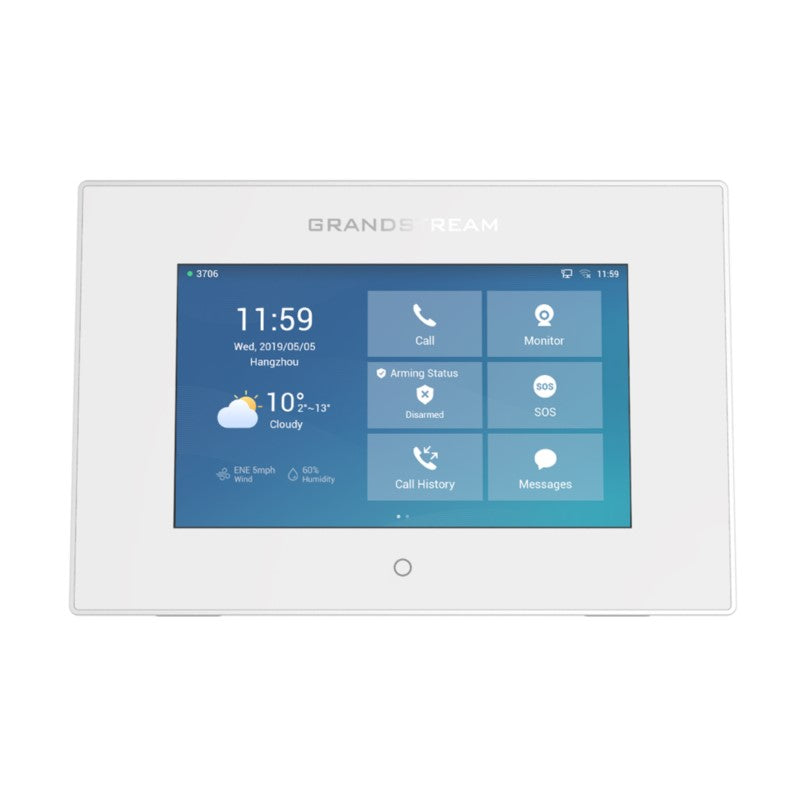
Fanvil i506W SIP Indoor Station

Frequently Asked Questions
First, confirm the Ethernet cable is securely plugged in and the switch port actually delivers PoE (802.3af/at). Try a known working PoE device on the same port. If the switch seems fine but the unit stays dark, connect the included 12V power supply as a temporary test—this isolates whether the problem lies with the PoE circuit or the station itself. Don't attempt a factory reset until you’ve verified the power source.
Double-check the server address, user ID, password, and that the transport protocol (UDP/TCP) matches your PBX. From a computer on the same network, ping the server to confirm reachability. If you're using WiFi, switch to a wired connection temporarily to rule out wireless instability. A Toronto-based VoIP support provider can often verify your SIP trunk settings remotely if you're unsure.
Start by checking that the i506W’s speaker and microphone volumes are not muted or set to minimum in the on-screen settings. Verify your PBX isn't blocking audio due to a codec mismatch—ensure G.722 or Opus is allowed. If both the outdoor unit and the indoor station appear otherwise normal, a reboot of both may resolve a temporary RTP stream hiccup.
Video lag usually points to network congestion or a weak WiFi signal. If you're using WiFi, try moving the station closer to the access point or switch to a wired Ethernet connection. Check your switch/router for saturated uplinks; reducing the door station’s video resolution may help on a bandwidth-constrained link. A simple power-cycle of both devices can sometimes clear a transient decode glitch.
Intermittent reboots may indicate a power fluctuation or the unit overheating. Ensure the ambient temperature stays within -10℃ to 45℃ and the device isn't enclosed without ventilation. Test with a stable 12V power adapter instead of PoE to see if the issue persists. If it does, there could be a firmware conflict, but do not downgrade firmware without first consulting Fanvil support.
If you know the new IP address, make sure you're using http:// (not https) in your browser. Check your router's DHCP client list for a Fanvil hostname to discover the address. Rather than a factory reset, use the touchscreen on the station itself to navigate to Settings > Network and review or correct the IP configuration.
Confirm the ringer volume is turned up and not set to silent in the audio settings. Look under the door call notification settings to ensure a ringtone is selected and audio alerts aren't disabled. If the device is set to auto-answer, the ring may be bypassed—adjust auto-answer rules if needed.
Yes, the i506W supports WiFi connectivity. From the home screen, go to Settings > Network > WiFi, choose your SSID, and enter the passphrase. After connecting, you may want to disable the Ethernet port to avoid IP conflicts. For consistent video calls, a strong, stable wireless signal is essential.
Because it uses standard SIP, the i506W can work with any SIP-compatible door station, not just Fanvil. You'll add the outdoor unit's extension to the i506W's directory. Keep in mind that advanced features like synchronized alarm inputs might not function across brands if proprietary extensions are used.
The single short circuit output can drive a door release. You'll need an external power supply appropriate for your lock and wire the output as a dry contact relay in series with the strike circuit. In the i506W's web interface, under Access Control, assign a key to activate that relay during a call.
Door Phones
Fanvil i506W SIP Indoor Station
• Reliable security and convenient visitor call services for a wide range of users, creating a safe and comfortable living environment. • Screen: 10-inch 1280 x 800 Color TouchScreen • Operating System: Linux • Panel: Plastic • HD Audio: G.722, Opus • Video Decoding: Up to 1080P @30fps, H.264, H.265 (optional) • Network: 1* 10/100Mbps • Speaker: 4R2W • WiFi: Support • Power Supply: 12V-1A/PoE • Alarm Input Interface: 8 • Short Circuit Output: 1 • Short Circuit Input: 1 • Working Temperature: -10℃-45℃ • Working Humidity: 10-90% • Installation: Wall mounted For a full list of specifications, please refer to the product datasheet.
About This Product
The Fanvil i506W is a SIP-based indoor video station built for door entry systems that demand a clear, touch-driven interface. Its large 10-inch screen and HD audio codecs suit residential lobbies, small offices, and multi-tenant buildings where visitor communication needs to be simple and reliable for non-technical users. Because it runs Linux and speaks standard SIP, it fits easily into existing VoIP environments with minimal configuration quirks.
This station pairs with most SIP-compatible outdoor door phones, not just Fanvil's own, giving integrators flexibility. The eight alarm inputs and a relay output let it interact with basic security sensors or electric door locks, extending utility beyond a simple intercom. Power over Ethernet simplifies cabling, though a 12V adapter remains an option when PoE isn't available—a common consideration in older Toronto condos or retrofit installations.
At this price point, a tradeoff is the plastic body, which is less rugged than metal-cased alternatives for high-traffic hallways. The single 10/100Mbps Ethernet port handles video and SIP traffic well, but it won't support bandwidth-hungry future add-ons. For a standard video door entry scenario, the i506W delivers excellent value; however, in a large campus needing dozens of alarm zones or integration with a central access control server, its limited inputs may become a bottleneck.
In a Canadian business context, the device integrates comfortably with SIP trunks from national providers and on-premise PBXs common in GTA offices. Its wall-mount design and intuitive touch interface make it approachable for receptionists or residents alike. While a standalone single-family home might find it oversized, for most small-to-medium deployments across Ontario and beyond, the i506W strikes a practical balance between cost and capability.
This station pairs with most SIP-compatible outdoor door phones, not just Fanvil's own, giving integrators flexibility. The eight alarm inputs and a relay output let it interact with basic security sensors or electric door locks, extending utility beyond a simple intercom. Power over Ethernet simplifies cabling, though a 12V adapter remains an option when PoE isn't available—a common consideration in older Toronto condos or retrofit installations.
At this price point, a tradeoff is the plastic body, which is less rugged than metal-cased alternatives for high-traffic hallways. The single 10/100Mbps Ethernet port handles video and SIP traffic well, but it won't support bandwidth-hungry future add-ons. For a standard video door entry scenario, the i506W delivers excellent value; however, in a large campus needing dozens of alarm zones or integration with a central access control server, its limited inputs may become a bottleneck.
In a Canadian business context, the device integrates comfortably with SIP trunks from national providers and on-premise PBXs common in GTA offices. Its wall-mount design and intuitive touch interface make it approachable for receptionists or residents alike. While a standalone single-family home might find it oversized, for most small-to-medium deployments across Ontario and beyond, the i506W strikes a practical balance between cost and capability.
Services We Provide
- Professional Installation & Configuration
- Ongoing Maintenance & Support
- Troubleshooting & Repairs
- System Upgrades & Updates