
Fanvil i507W Android SIP Indoor Station

Frequently Asked Questions

First verify that the device has a stable network connection (Ethernet or WiFi) and that your SIP server's IP address or domain is reachable from the station. Go to the Settings > SIP menu and enter the account credentials (username, password, domain) provided by your administrator. If registration fails, check that the server allows registration from your local network and that there are no firewall rules blocking UDP port 5060.
Choppy audio typically points to network congestion or weak WiFi signal. Start by testing with a wired Ethernet connection to rule out wireless interference. Ensure your network supports the required bandwidth for audio codecs (G.722 or Opus). If using PoE, confirm the switch provides sufficient power and isn't oversubscribed.
Begin by removing any protective film or screen protector that might interfere with capacitive touch. Power cycle the unit by disconnecting it from power for 10 seconds, then reconnecting. If the issue persists, inspect the screen for physical damage or moisture. Avoid performing a factory reset until you have confirmed the cause with support.
Check the power source first. If using PoE, ensure the switch or injector is 802.3af compliant and that the Ethernet cable is firmly connected. If using the included 12V-1A adapter, verify the outlet is active and the barrel connector is fully inserted. A power cycle after checking connections often resolves boot issues.
This suggests a problem with the microphone or its settings. Check that the microphone isn't physically obstructed (e.g., debris over the port). In the device’s Audio Settings, ensure the microphone volume is adequately raised and that it isn't muted. If using a headset or external mic, verify the connection. A Toronto-based VoIP support provider can usually resolve this remotely if the issue continues.
Confirm that the door strike or magnetic lock is properly wired to the short-circuit output terminals (see the product manual for pinout). Then, in the device’s I/O settings, verify that the door release function is assigned to the correct relay and that the trigger duration is set (e.g., 1–3 seconds). Test by temporarily swapping the relay wires to rule out polarity issues.
Yes, as long as the provider offers standard SIP trunking or an IP-PBX extension. Enter the provider’s server address and your extension credentials in the SIP settings. For hosted solutions, ensure that the provider supports G.722 or Opus for HD audio and that your internet connection meets their minimum bandwidth requirements.
Navigate to Settings > Network > Wi-Fi and enable the Wi-Fi radio. The device will scan for available networks. Select your SSID, enter the Wi-Fi password, and confirm. For enterprise networks (WPA2-Enterprise), you may need to upload a certificate or enter a username and password. A wired connection is recommended for the initial setup to avoid connectivity issues.
Start by cleaning the camera lens and ensuring adequate lighting in the calling area. In the video settings, confirm that the resolution is set to 720p or 1080p and the frame rate to 30fps. If the network is slow, consider enabling H.265 (if supported) to reduce bandwidth usage without sacrificing quality.
Door Phones

Fanvil i507W Android SIP Indoor Station
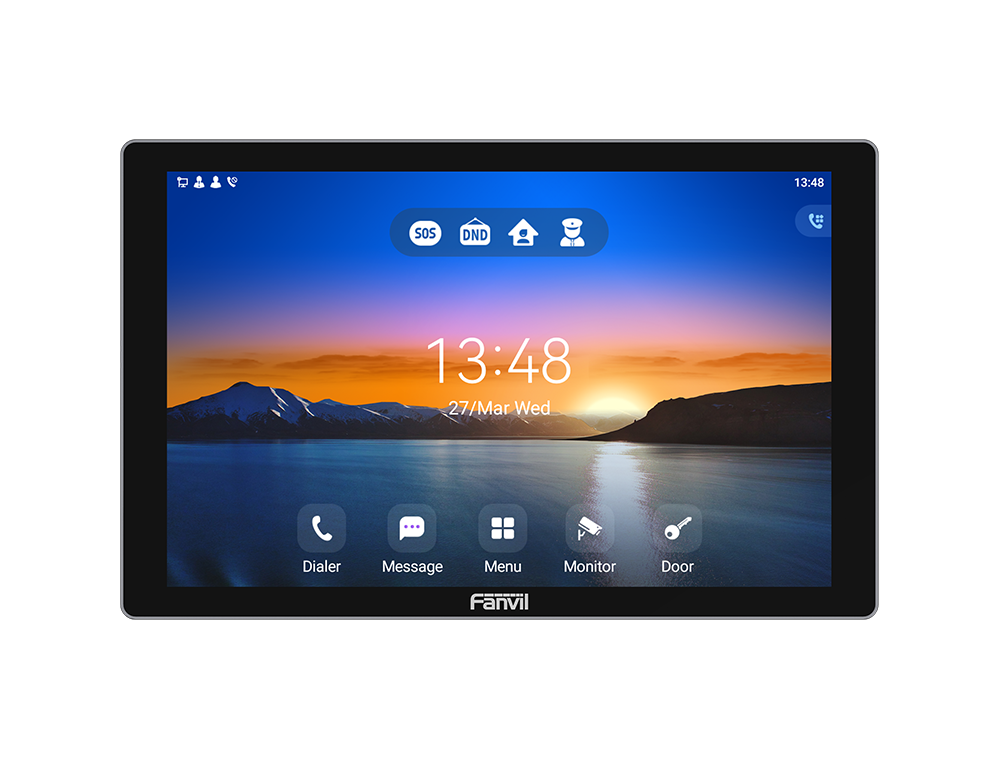
• Fanvil i507W is a 10.1-inch color touchscreen indoor unit based on the Android 9.0 operating system, designed for customization and secondary development in industry applications. • Features: • Screen: 10-inch 1280 x 800 Color TouchScreen • Operating System: Android 9.0 • Panel: Plastic • HD Audio: G.722,Opus • Video Decoding: Up to 1080P @30fps, H.264, H.265(optional) • Network: 1* 10/100Mbps • Speaker: 4R2W • WiFi: Support • Power Supply: 12V-1A/PoE • Alarm Input Interface: 8 • Short Circuit Output: 1 • Short Circuit Input: 1 • Working Temperature: -10℃-45℃ • Working Humidity: 10-90% • Installation: Wall mounted For a full list of specifications, please refer to the product datasheet.

About This Product

The Fanvil i507W is an Android-powered indoor door station designed for property managers, system integrators, and businesses that need a customizable intercom solution. Its 10.1-inch touchscreen and full SIP compatibility make it a natural fit for apartment lobbies, office reception areas, or smart building deployments where integration with existing IP PBX or access control systems is required. It can replace older analog indoor stations while adding video calling and app-based expandability through the Android platform.

This device pairs well with any standard SIP-based intercom network and can be programmed to interact with alarm inputs or door release mechanisms via its relay and short-circuit interfaces. One practical tradeoff is its plastic construction, which limits it to indoor environments—exposure to extreme cold or moisture typical of Canadian winters would not be advisable. The temperature range (-10°C to 45°C) and humidity tolerance (10-90%) are suitable for heated lobbies or controlled office spaces, but not for outdoor vestibules without climate protection.

For deployments where only basic call-and-release functionality is needed, the i507W’s Android OS and high-resolution screen may be overkill; simpler models would suffice. Conversely, for environments requiring custom software (e.g., building directories, visitor logs, or integration with property management systems), this device is well-suited. The 10/100 Mbps Ethernet port and WiFi support are adequate for audio and 1080p video, though network administrators in the GTA should ensure their LAN can handle the bandwidth if using multiple units.
Services We Provide
  • Professional Installation & Configuration
  • Ongoing Maintenance & Support
  • Troubleshooting & Repairs
  • System Upgrades & Updates



