
Fanvil i52W SIP Indoor Station for Door Phone and Intercom

Frequently Asked Questions

First, verify that the device has a stable network connection by checking the WiFi signal strength in the settings menu. Then confirm that the SIP server address, port, and credentials (username and password) are entered correctly in the account configuration. If the issue persists, a Toronto-based VoIP support provider can usually resolve this remotely.
Go to the device's settings menu, select 'Network' or 'WiFi', and scan for available networks. Choose your network, enter the password, and confirm the connection. Ensure the WiFi signal is strong at the installation location to avoid intermittent disconnections.
Start by checking the WiFi signal strength; weak or unstable connections often cause audio issues. Also, ensure the speaker volume is not set too high, as this can create feedback. If the problem continues, try moving the device closer to the router or reducing network congestion.
The i52W does not support Power over Ethernet (PoE) as it relies on WiFi for connectivity. It requires a separate power adapter, which is typically included. If you need a PoE-powered indoor station, consider a wired model instead.
First, check if the router is too far away or if there are obstacles like walls interfering with the signal. Try moving the device closer to the router or using a WiFi extender. Also, ensure the router's firmware is up to date and that the 2.4GHz band is not overcrowded with other devices.
In the i52W's web interface or on-screen menu, set the SIP server to your 3CX PBX address, and enter the extension number and password provided by your 3CX administrator. Ensure the device is on the same network as the PBX or has internet access if the PBX is remote. 3CX's auto-provisioning templates may also be available for easier setup.
Verify that the door lock or relay is properly wired to the i52W's I/O ports according to the manual. Then check the device's settings to ensure the function key is mapped to the correct action (e.g., 'Door Release'). If the wiring and settings are correct, test the lock with a different trigger to rule out a hardware fault.
Yes, the i52W supports wall mounting. The package should include a mounting bracket and screws. Ensure the wall surface is sturdy and that you have access to a power outlet nearby, as the device requires a wired power connection. Follow the included installation guide for proper alignment.
First, confirm that the door camera is compatible with the i52W and that both devices are on the same network. Check the camera's IP address and port settings in the i52W's video configuration menu. Also, ensure the camera supports RTSP or ONVIF protocols, as the i52W typically uses these for video streaming.
Download the latest firmware from the Fanvil support website. Then, access the device's web interface via its IP address, go to the 'Maintenance' or 'Upgrade' section, and upload the firmware file. Do not power off the device during the update. If you are unsure, contact your VoIP provider for assistance.
Door Phones

Fanvil i52W SIP Indoor Station for Door Phone and Intercom
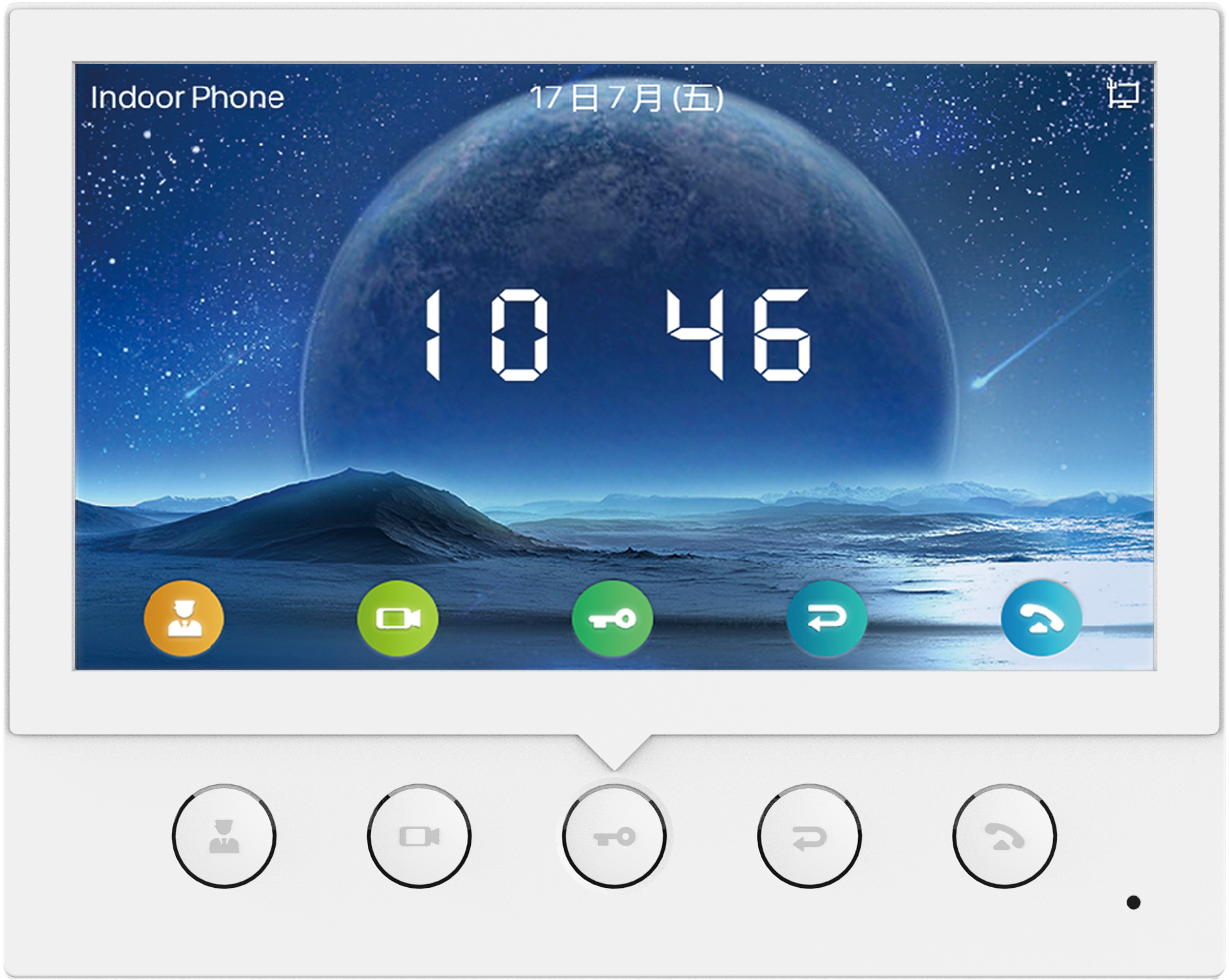
• The i52W features a 7-inch color screen, providing an elegant and user-friendly experience. • It can be connected to alarms and smart security devices, enabling HD Audio and Video communication for seamless visitor interaction. • Key features include: • Built-in WiFi 2.4G • 5 physical function keys for call management and video surveillance control • Real-time door phone and camera monitoring with remote access control • Support for visual intercom and real-time audio/video communication • Compatible with major platforms, including 3CX, Avaya, Asterisk, BroadSoft, Metaswitch, Elastix, and more • The device can be mounted on a wall or placed on a desk, offering flexible installation options. • It includes a built-in 2W speaker with Advanced Noise Cancellation (AEC) for clear audio communication. • The i52W is an ideal solution for door-entry installations, providing a reliable interface for modern users.

About This Product

The Fanvil i52W is a SIP-based indoor station designed for door phone and intercom applications, making it a practical choice for small offices, retail spaces, or multi-tenant buildings where a dedicated entry-communication point is needed. Its 7-inch color screen and built-in WiFi (2.4G) allow for flexible placement without the need for wired network drops, which can simplify installation in older buildings or temporary setups. The device pairs well with existing SIP PBX platforms like 3CX or Asterisk, and its support for remote door release and camera monitoring makes it a functional upgrade over a basic audio intercom. However, because it relies on WiFi, users should ensure a stable and sufficiently strong wireless signal near the installation point, as poor connectivity can affect call quality and door control reliability. The i52W is not designed for high-traffic public areas or outdoor use, and its feature set is best suited for environments where a single or small number of entry points need managed access rather than large-scale multi-door deployments.
Services We Provide
  • Professional Installation & Configuration
  • Ongoing Maintenance & Support
  • Troubleshooting & Repairs
  • System Upgrades & Updates



