Fanvil i53W SIP Indoor Door Phone and Intercom Station with touchscreen

Frequently Asked Questions

Start by confirming that the device is connected to your Wi-Fi network with a stable signal. On the touchscreen, go to Network settings and verify the IP address, subnet mask, and gateway are correct. Then check that the SIP account credentials (username, password, and server address) entered in the phone’s SIP settings match exactly what your server expects. If the issue persists, a Toronto-based VoIP support provider can usually resolve this remotely.
The i53W does not support Power over Ethernet. It must be powered using the included DC power adapter that plugs into a standard wall outlet. If you need to run cables, make sure a power outlet is available near the mounting location.
First, ensure the screen is clean and free of smudges or protective film that might interfere with touch sensitivity. A simple power cycle (unplug the power adapter, wait 10 seconds, and plug it back in) can resolve temporary software glitches. If the problem continues, check whether the device has the latest firmware via the Fanvil support site.
Garbled audio often indicates network congestion or weak Wi-Fi. Move the device closer to your router or reduce interference from other electronics. Also check that the speaker and microphone are not obstructed. If one-way audio occurs, verify that your SIP server’s RTP port range is open on your firewall and that you have correctly configured the device’s audio codecs (G.711 is widely compatible).
The i53W has eight alarm input interfaces for connecting to sensors (e.g., door contacts, motion detectors). For lock control, you typically need a separate relay or access controller, as the i53W itself provides only signal outputs. Consult the product manual or a professional installer to ensure proper wiring and avoid damaging the device.
Confirm that both the i53W and the outdoor station are on the same network subnet and that multicast/broadcast traffic is allowed. If the outdoor station uses a different VLAN, the devices may not discover each other automatically. Manually enter the outdoor station’s IP address in the i53W’s intercom settings if necessary.
The i53W is a SIP-based device so it works with any VoIP provider that supports standard SIP, including Canadian carriers like Bell Business Connect, Rogers Business Voice, and many third-party hosted PBX services. You will need to enter the SIP account details provided by your carrier. For traditional analog phone lines, it will not work without an ATA.
First, check that the device is within range of a strong 2.4 GHz signal. Move the router closer or use a Wi‑Fi extender. Also try changing the Wi‑Fi channel to avoid interference from neighbouring networks. If the issue persists, consider using a wired connection via a Wi‑Fi bridge or running Ethernet to a compatible access point, as the i53W does not have an Ethernet port.
A factory reset will erase all settings. Before performing one, back up your configuration if the device supports it (typically via the web interface). To reset, press and hold the Reset button (usually a pinhole on the bottom) for 10 seconds while powered on. Only do this if you are certain the issue isn’t something simpler—contact support first.
Yes, the buttons can be customized through the device’s web interface or the on-screen menu. Look for 'Key Assignment' or 'Function Key' settings. You can map them to speed dial, door unlock, call pickup, or other actions. If you’re unsure about the correct action, leaving them as default is safest.
IP Door Phones

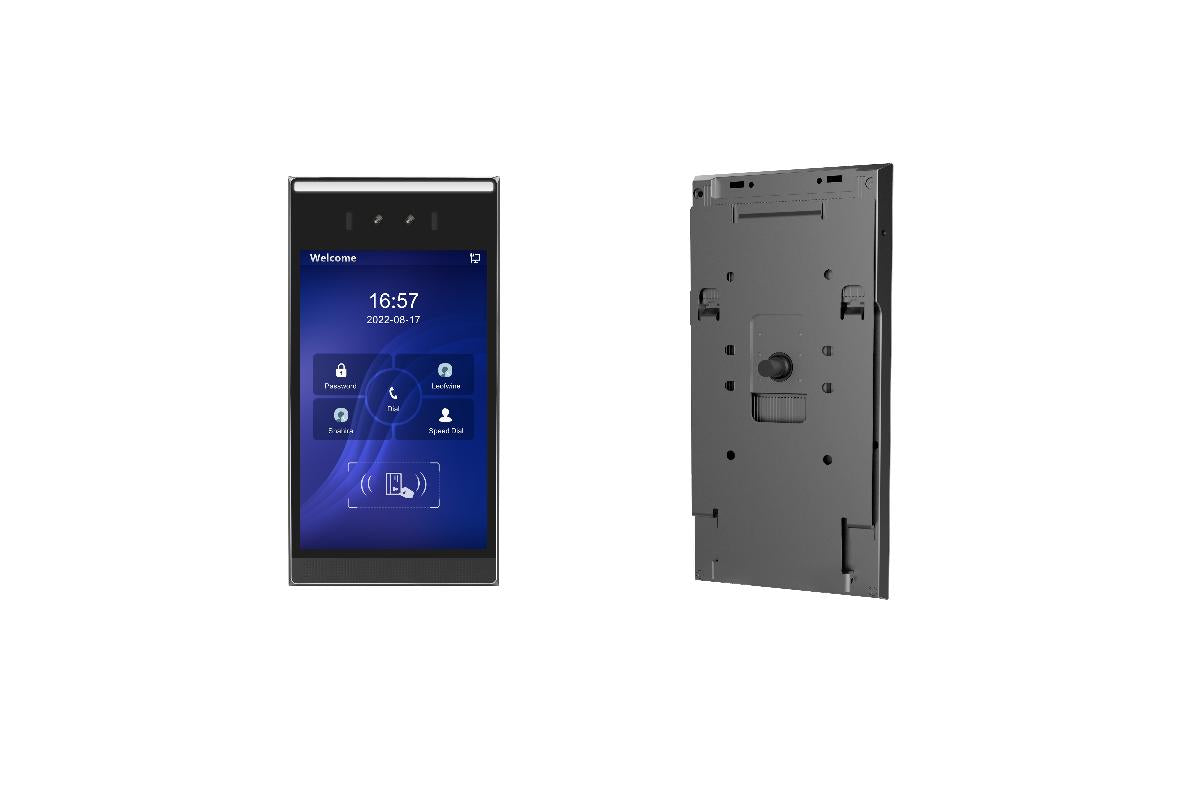
Fanvil i53W SIP Indoor Door Phone and Intercom Station with touchscreen
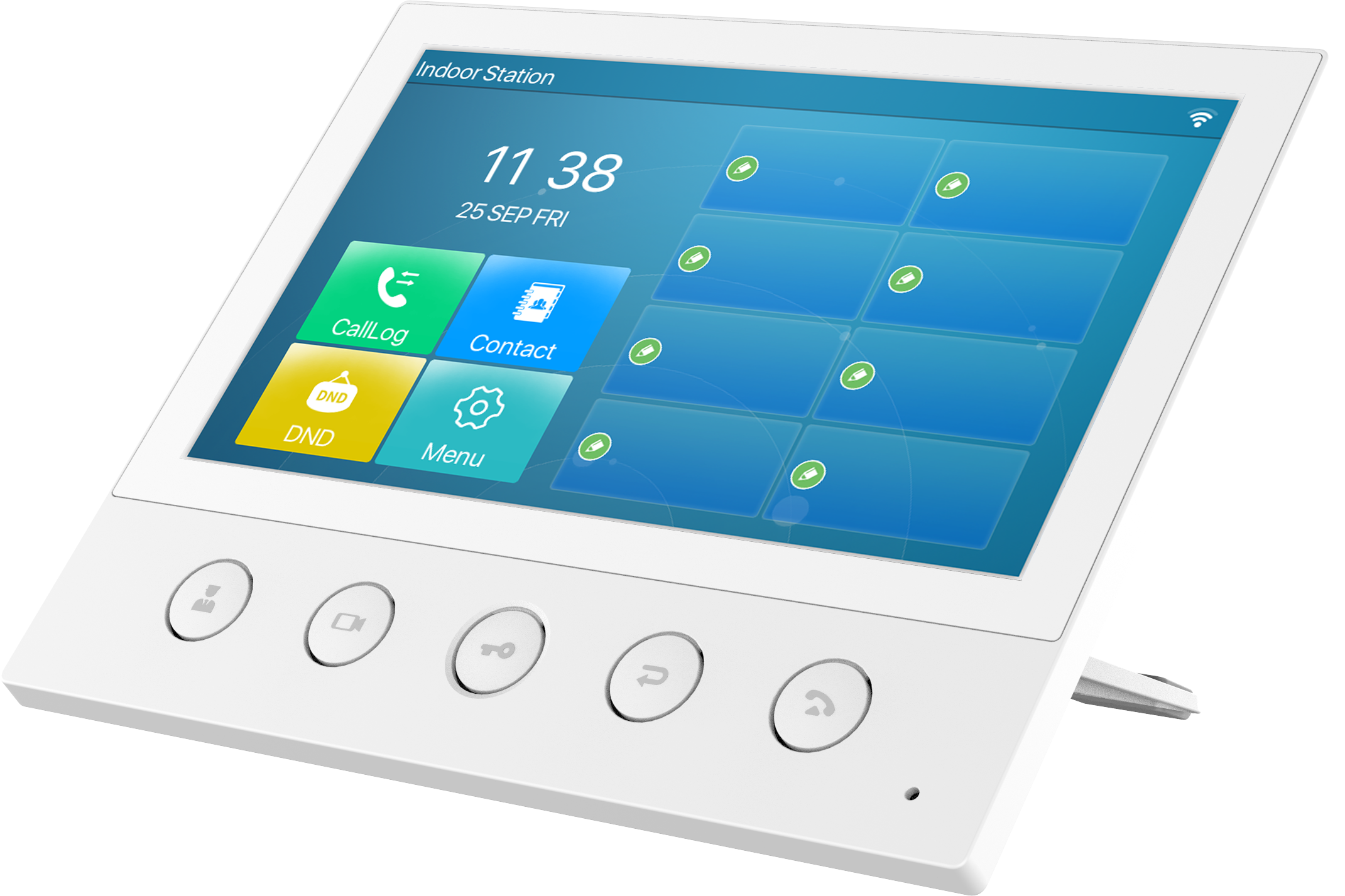
The i53W station can be connected to door access units, ip phones, door sensors and more in order to enhance the user experience of your products. The i53W has a beautiful 7-inch color touchscreen display that looks clean and elegant and provides an easier user-friendly experience. • High-definition audio and video communication for seamless interactions • Built-in WiFi 2.4G for reliable connectivity • Five physical buttons for easy call management, door unlocking, and more This i53W can be connected to alarms and smart security devices, providing a comprehensive solution for modern door-entry installations. The five physical buttons on the device allow users to manage calls, unlock doors, pick up calls, return to previous menus, or hang up. Key features include: • 7-inch color touch screen • 5 physical function keys • Built-in 2W speaker with AEC • Support for visual intercom and remote access control • Real-time monitoring of the door phone and cameras • Built-in 2.4G Wi-Fi • 8 alarm input interfaces • Wall-mounted and desktop installation methods available Compatible with major platforms, including 3CX, Avaya, Asterisk, BroadSoft, Metaswitch, Elastix, and more. This i53W can be used with Fanvil intercom/door phones and other models that use standard SIP technology. For a full list of specifications, please refer to the Product Data Sheet.

About This Product

The Fanvil i53W is an indoor SIP door phone designed for environments where a modern, touchscreen-driven intercom is needed. It suits office reception areas, building entrances, or security checkpoints where staff need to see and speak with visitors before granting access. With a 7-inch colour touchscreen and five physical buttons, it blends the convenience of a smartphone-like interface with dedicated controls for answering calls, unlocking doors, and returning to menus. The device pairs well with Fanvil outdoor door stations and IP phones, but because it uses standard SIP, it can integrate into most VoIP phone systems, including those popular with Canadian businesses such as 3CX and Avaya. One practical tradeoff is that the i53W relies on built-in 2.4 GHz Wi-Fi for network connectivity, so signal strength and interference from other wireless devices can affect performance—wired Ethernet is not an option here. The eight alarm inputs make it suitable for connecting to door sensors or motion detectors, but if you need PoE (Power over Ethernet) or PoE+, this model requires a separate power adapter. For a basic buzzer replacement this unit is more feature-rich than necessary, yet for a high-traffic lobby with integrated security it provides a polished solution that modern office staff will find intuitive.
Services We Provide
  • Professional Installation & Configuration
  • Ongoing Maintenance & Support
  • Troubleshooting & Repairs
  • System Upgrades & Updates