
Fanvil i61 SIP Outdoor Audio & Video Door Phone

Frequently Asked Questions

First, verify that the device has a valid IP address and can reach your SIP server. Check the network cable connection and ensure PoE is delivering power. Then, confirm the SIP server address, port, and credentials are entered correctly in the device's web interface. If the issue persists, a Toronto-based VoIP support provider can usually resolve this remotely.
Start by checking the volume settings on the device itself and in the web interface. Ensure the speaker and microphone are not blocked by debris or weatherproofing. If the problem continues, test with a different SIP device to rule out a network or server issue. If the issue persists, a Toronto-based VoIP support provider can usually resolve this remotely.
The i61 has a switch signal output that can be wired to a door strike or magnetic lock. You will need to connect the device's relay output to the strike's control input, following the wiring diagram in the manual. Ensure the strike's power supply is separate and compatible with the relay's rating. If you are unsure, consult a professional installer to avoid damaging the device or door hardware.
First, confirm that the RFID card is added to the device's access list via the web interface. Check that the card is within range of the reader and that the reader is not obstructed. If the card still fails, try a different card to see if the issue is with the card or the reader. If multiple cards fail, the reader may need recalibration or replacement.
Clean the camera lens with a soft, dry cloth to remove dirt or moisture. Ensure the camera is not pointed directly at a bright light source, which can wash out the image. For night vision, check that the IR LEDs are not blocked and that the area has some ambient light. If the image remains poor, the camera may need repositioning or the unit may require service.
When a call comes in from the door phone, answer it and press the DTMF digits configured for door release (usually '0' or '1' by default). You can change this code in the device's web interface under the door settings. Make sure your phone or PBX is set to send DTMF in-band or as RFC 2833, as the i61 expects one of these methods.
Check the Ethernet cable for damage or loose connections, and try a different cable if possible. Verify that the PoE switch or injector provides sufficient power (the i61 requires 802.3af PoE). If the device is on a long cable run, signal degradation could cause drops. Also, check for IP address conflicts on your network.
Yes, the i61 works with any SIP-compatible cloud PBX. You will need to configure the SIP server details in the device's web interface, including the domain, port, and authentication credentials. Ensure your network allows outbound SIP traffic on the required ports. Some cloud providers may require specific settings for DTMF or codecs, so check their documentation.
The tamper switch is activated when the device is opened or if the mounting is loose. First, ensure the unit is firmly attached to the wall and that the mounting screws are tight. If the alarm persists, check the tamper switch alignment in the web interface and adjust the sensitivity if available. If the problem continues, the switch may be faulty and require replacement.
Download the latest firmware from the Fanvil support website. Log into the device's web interface, go to the maintenance or upgrade section, and upload the firmware file. Do not power off the device during the update. After the update, the device will reboot. If you are unsure about the process, contact your VoIP provider for guidance.
Door Phones

Fanvil i61 SIP Outdoor Audio & Video Door Phone
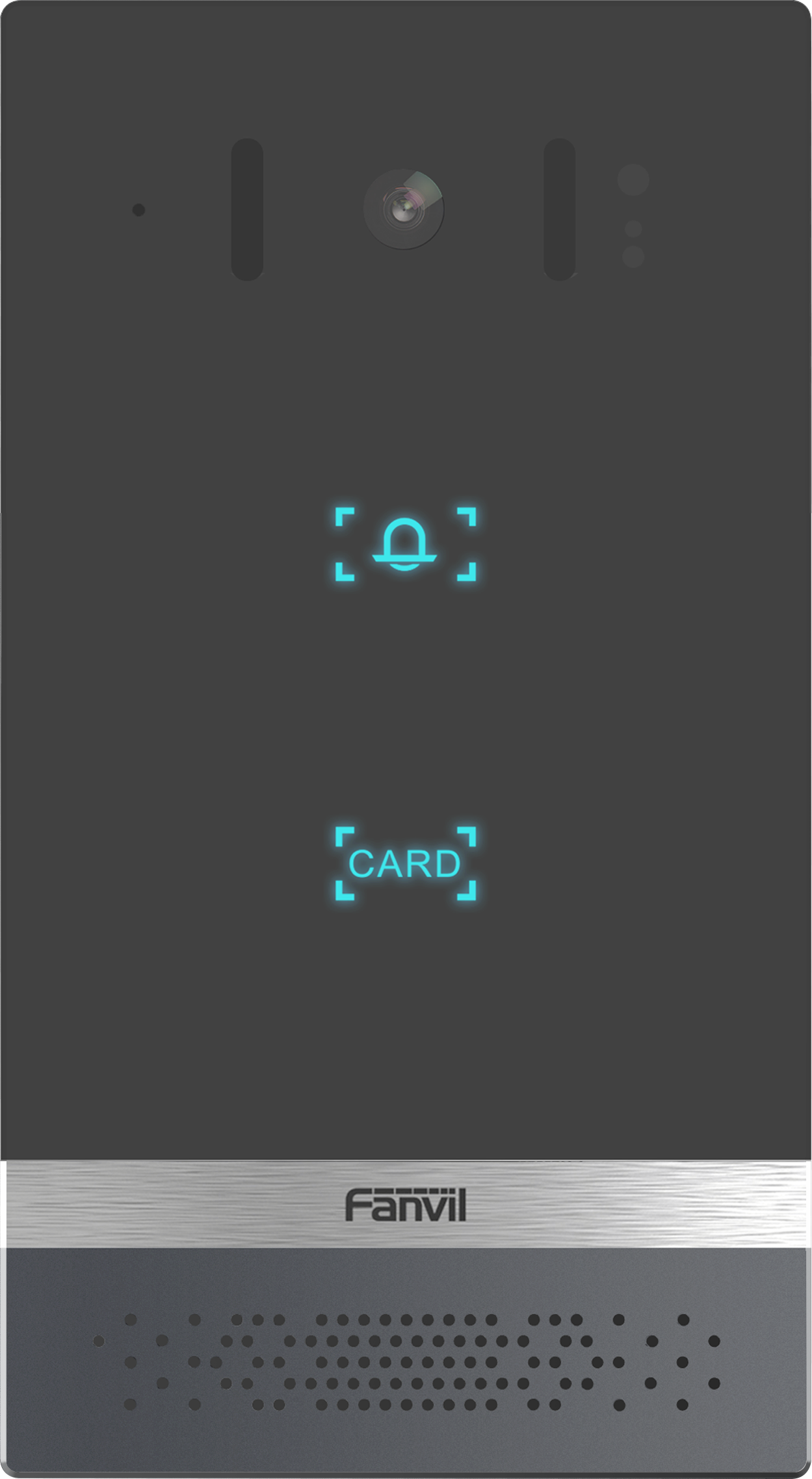
• The Fanvil i61 is a secure entranceway monitoring solution that features an HD camera with night-vision and HD Voice with Acoustic Echo cancellation for clear speech. • IP66 and IK07-rated, the device has a built-in tamper switch to detect when it has been opened. • Suitable for homes and small businesses, the Fanvil i61 is designed to provide advanced security and communication features. Key Features: • 2 SIP lines • PoE enabled • IP address announcement in English • Programmable touch DSS key • Switch signal input and output • Support TF card • Open the door operation options: DTMF, RFID card, push-button, WEBpage, 3rd party API • Remote access list and RFID cards (support 10,000) • Door open records (support 200,000) • Full-duplex hands-free speakerphone with AEC For a full list of specifications, please refer to the Fanvil i61 SIP Outdoor Audio & Video Door Phone datasheet.

About This Product

The Fanvil i61 is an outdoor-rated SIP door phone designed for homes and small businesses that need a reliable, secure entry point without the complexity of a full access control system. Its IP66 and IK07 ratings mean it can handle rain, dust, and physical impact, making it a solid choice for a front gate, side entrance, or loading bay in a GTA office or residential setting. The built-in tamper switch adds a layer of security by alerting you if the unit is opened, which is useful for monitoring unauthorized access attempts.

This device pairs well with any standard SIP-based PBX or VoIP service, and its PoE capability simplifies installation by carrying both power and data over a single Ethernet cable. It supports multiple door-opening methods—DTMF, RFID, push-button, web interface, or third-party API—so you can integrate it with existing access control software or a simple intercom setup. However, the i61 is not a standalone access control panel; it relies on a SIP server to manage calls and door release, so you will need a compatible PBX or cloud VoIP service to make it work.

For a small business with a single entrance, the i61 offers good value, but it may be overkill if you only need a basic audio intercom without video or RFID support. Conversely, it could be underpowered for a multi-door enterprise deployment that requires centralized card management and advanced scheduling. The 2 SIP line limit means it can handle two simultaneous calls, which is fine for most small sites but not for high-traffic entrances. Overall, it is a practical, weatherproof door phone that balances features and cost for a modest deployment.
Services We Provide
  • Professional Installation & Configuration
  • Ongoing Maintenance & Support
  • Troubleshooting & Repairs
  • System Upgrades & Updates



